-
 hultonkim
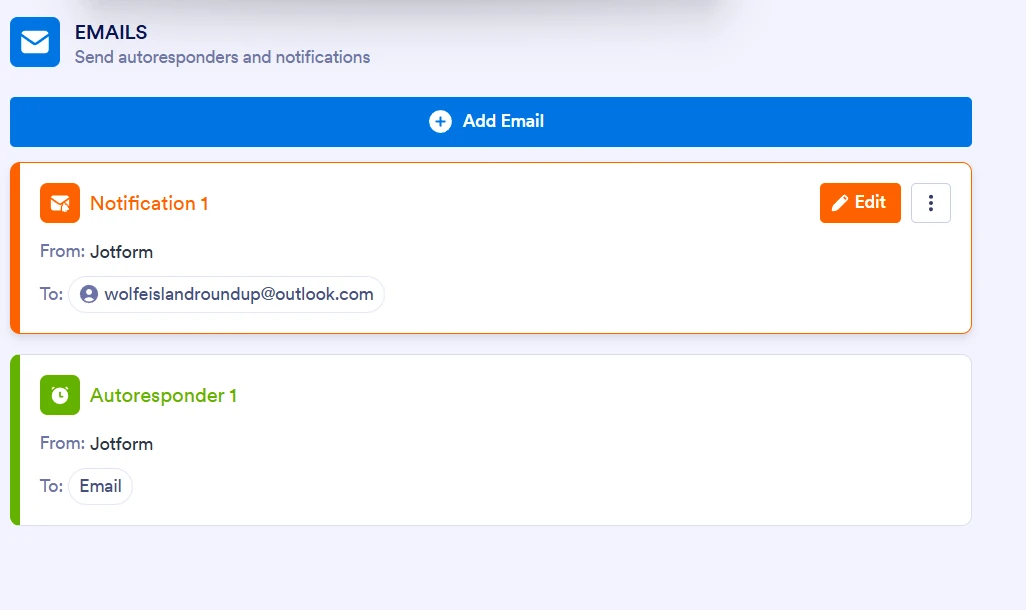
Hi. I do not want people who submit forms to be able to edit them after submission. I have looked at screenshots thta show a spot you can remove this option but I do not get the same option when I go in settings on my form. I will send a screenshot of what it looks like for me and what the recepients are receiving. Can you help me? Thanks

-
 Podo: Support Specialist
Hi Kimberly,
Thanks for reaching out to Jotform Support. I'm an AI assistant here to assist you.
You can prevent people from editing their submissions after they submit your form by disabling the Edit Submission option. Let me show you how:
- In Form Builder, click on Settings in the top navigation bar.
- On the left menu, select Thank You Page.
- Click on Action Buttons and check if the Edit Submission option is enabled.
- If you do not want users to edit their submissions, make sure the Edit Submission option is not selected.
If you do not see this option in your form settings, it might be due to the form layout or type. For example, Card Layout forms have a slightly different interface for this setting.
If you want, you can send the screenshots you mentioned, and I can help you identify the exact place to disable this option in your form.
Give it a try and let us know how it goes.
-
hultonkim
Thank you
-
Podo: Support Specialist
Hi Kimberly,
You’re welcome. Let us know if you have any other questions.
-
 Sheena JotForm Support
Hi Kimberly,
I checked your Autoresponder email and I can see that there is no option for the form submitters to edit the form. For reference, you can easily remove the Edit Link in your Autoresponder Email. Let me show you how:
- In Form Builder, in the orange navigation bar at the top of the page, click on Settings.
- In the menu on the left side of the page, click on Emails.
- Hover your mouse over your Autoresponder Email and click on the Pencil icon to customize it.
- In the Email Content window, scroll down and remove the Edit Link, and then click on Save at the bottom.
Let us know if you need any more help.
-
hultonkimPerfect. Thank you!
...

Your Reply
Something Went Wrong
An error occurred while generating the AI response. Please try again!