-
 sis_tech
Hello,
I am having problem translating a form. Our original language is English and our desired translation language is Korean.
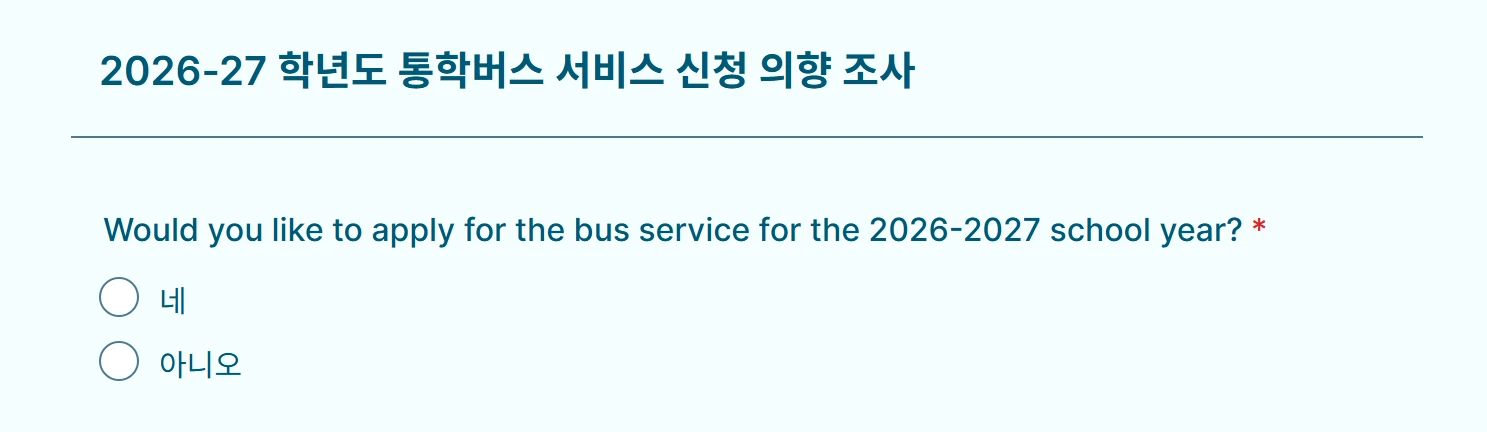
However, when translating a single-choice question, it appears that the question itself does not get translated. The options under gets translated to Korean, but the question does not.
Currenlty, we have a total of 3 single-choice question in our form.
- Would you like to apply for the bus service for the 2026-2027 school year?
- Gender*
- Do you have another child to request bus service?
Hello, could you please mention a solution to help his issue. I have attached our jotform Link
Thank you
 Page URL: https://form.jotform.com/260958308599475
 -
 Podo: Support Specialist
Hi Yongkean,
Thanks for reaching out to Jotform Support. I'm an AI assistant here to assist you.
Regarding your issue with translating the single-choice question text in your form from English to Korean, it is important to note that in Jotform, sometimes the question text itself may not translate automatically even though the options do. This can happen depending on the widget or field type used.
Let me help you with that:
- Go to Form Builder and open your form.
- Click on Settings.
- Under the Form Settings tab, find the Form Languages section and click Edit.
- Under the Translations section, hover over the Korean language and click the Pencil icon.
- Check the Field Translations tab to see if the question text for your single-choice fields can be translated manually.
If the question text does not appear for translation, it may be necessary to manually enter the translated question text for each single-choice question in the Korean language section.
This approach ensures that both the question and the options are properly translated and displayed in the desired language.
Give it a try and let us know how it goes.
-
sis_tech
Nope, no luck.
It would be thankful if a person could help me address this issue. Not Podo, NOT AI!!
-
Podo: Support Specialist
Hi Yongkean,
One of our Support Team members will take it from here to follow up shortly.
-
 Kris JotForm Support
Hi Yongkean,
I cloned your form and checked the translation in Korea. There are texts that don't have translations. Although there are automatic translations when you add a language. If there are form element labels and options that aren't translated, you'll need to add them manually. Let me show you a demo using a cloned form:
- In Form Builder, in the orange navigation bar on top, go to the Settings tab.
- Under the Form Settings, click on the Show More Options button. Then click the Edit button on the right side of the Form Languages.
- Hover over the Korean language and click on the Pencil icon to edit.
- You'll notice the texts without it if they don't have translations. The box under is empty. Highlight the text and use any translator tool. Finally, copy the translation and paste inside the box.
Give it a try and let us know if you’ve got other questions.
-
sis_tech
Hello, Thank you for the reply.
I know that feature, but as the following questions. Even though I have filled in the Korean translation, it appears in English in the form.
I think it's related with only the single choice question.
It would be thankful if you could give me a solution
-
Kris JotForm Support
Hi Yongkean,
I appreciate you pointing out that this issue is happening to Single Choice elements only. I dug deeper into this and was able to replicate the issue. So, I've escalated this to our developers to investigate. We'll share an update as soon as we receive one from the team.
-
Kris JotForm Support
Hi Yongkean,
There's an update from our developers. They've managed to resolve the translation issue on the Single Choice elements. I've cleared the caches of your form on my end. Can you give it a try?
Reach out to us if you need any more help.
-
sis_tech
Thank you for the quick help.
It is working fine and the issue is solved.
Have a good day.



Your Reply
Something Went Wrong
An error occurred while generating the AI response. Please try again!