-
 AdminAdmin923
Do we have an option to change the source to refer to a Jotform tab rather than upload a spreadsheet?

-
 Podo: Support Specialist
Hi Admin,
Thanks for reaching out to Jotform Support. I'm an AI assistant here to assist you.
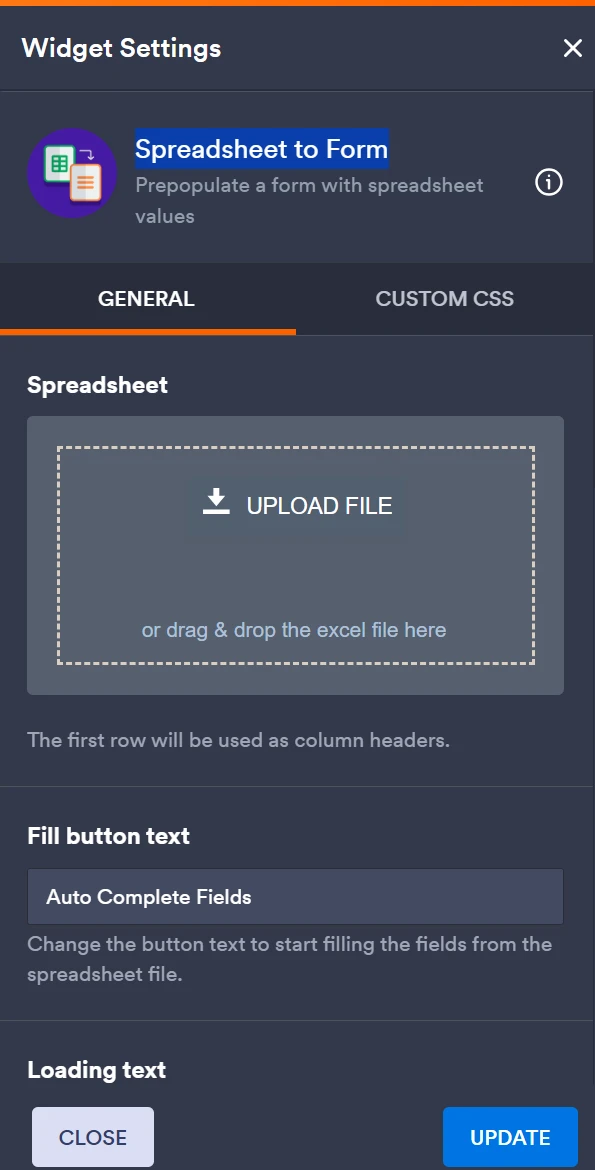
Regarding your question about the Spreadsheet to Form widget, currently, it only supports uploading an XLS or XLSX file as the source for populating form fields. There is no option to change the source to refer directly to a Jotform Table or tab instead of uploading a spreadsheet file.
However, if you want to display or embed a spreadsheet or Jotform Table within your form, you can use the Iframe Embed widget to embed the URL of a Google Spreadsheet or a Jotform Table. This allows users to view and interact with the content inside your form, but it does not replace the Spreadsheet to Form widget's data source functionality.
Here’s how to embed a spreadsheet or Jotform Table using the Iframe Embed widget:
- In Form Builder, click the Add Element button.
- Under the Widgets tab, search for Iframe Embed and add it to your form.
- Click the Wand icon to open the widget settings.
- Paste your spreadsheet or Jotform Table URL into the Frame URL box.
- Click Update Widget to save.
For more details, you can refer to the guide on How to Embed Spreadsheet in Your Form.
So, to summarize, the Spreadsheet to Form widget does not support using a Jotform tab as a source instead of uploading a spreadsheet file, but you can embed a Jotform Table or spreadsheet view using the Iframe Embed widget.
Let us know if you have any other questions.

Your Reply
Something Went Wrong
An error occurred while generating the AI response. Please try again!