-
 ftsmobile
how can i share a form to another user, a separate company, for them to edit and customize on their own? The form attached is what we would want to edit, the company has given us permission and you are free to contact them if needed.
-
 Podo: Support Specialist
Hi Ryan,
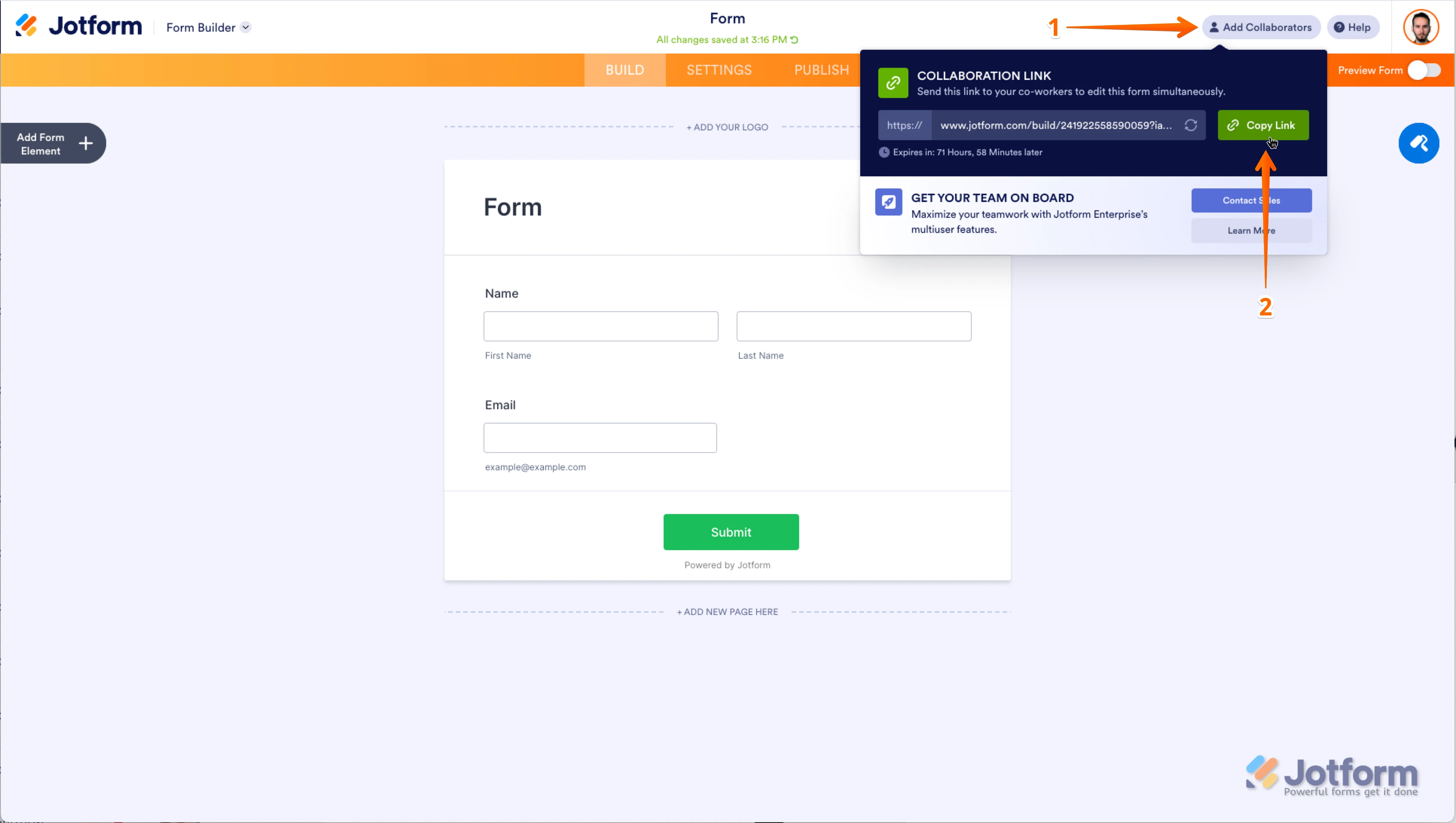
Sharing a form with another user from a separate company so they can edit and customize it on their own can be done by sharing the collaboration link. Let me show you how:
- On the top-right side of the Form Builder page, click on Add Collaborators.
- In the window that pops up, click on Copy Link and then share that link with the other company or user.

This link allows them to access the form and make edits and customizations in real time.
Let us know if you need any more help.
-
ftsmobile
i do not want their changes to affect my form. How can i send them their own to use and make their own.
-
Podo: Support Specialist
Hi Ryan,
If you want to send the form to another user or company so they can make their own changes without affecting your original form, you can have them clone the form instead. Here’s how they can do it:
- They need to get the URL of your form.
- On their Jotform Workspace page, they should click on Create at the top-left side.
- Select Form and then click on Import Form.
- Choose From a Web Page, paste the form URL, and click Create Form.
This will create a separate copy of the form in their account that they can edit and customize independently without affecting your original form.
Here is a helpful guide on How to Clone an Existing Form from a URL.
Give it a try and let us know if you need any other help.
Your Reply
Something Went Wrong
An error occurred while generating the AI response. Please try again!