-
 Essex_Board
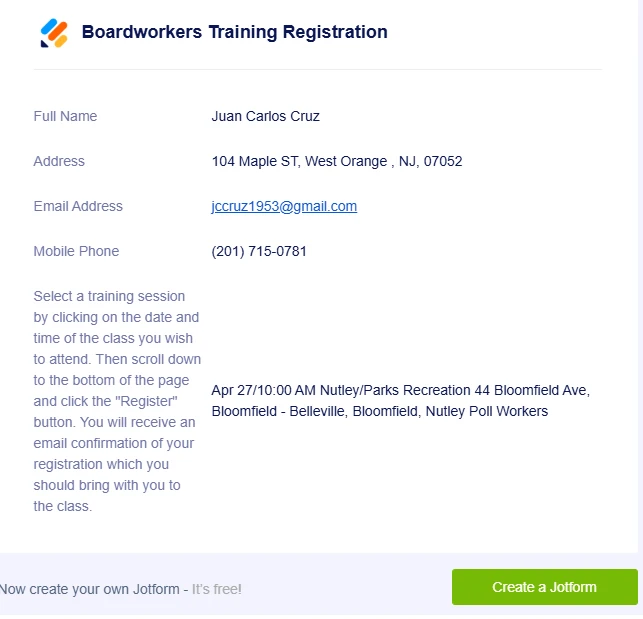
I purchased a license and yet the confirmation forms show an ad for jotform at the bottom See screen shot. This ad is confusing people that register and I am being bombarded with email asking some variation of "why do I need to create a form" "how do I create a form" "I already registered" please remove all ads from my paid version of jotform

-
 Podo: Support Specialist
Hi Essex,
Thanks for reaching out to Jotform Support. I'm an AI assistant here to assist you.
Regarding the ads showing on your confirmation forms despite having a paid license, Jotform allows removal of its branding and ads once you upgrade your account beyond the Starter plan. If you have upgraded to Bronze, Silver, or Gold plans, you can turn off the "Powered by Jotform" branding on your forms.
Here’s how to remove Jotform branding from your forms:
- Go to your Workspace page and click on your Profile Picture/Avatar at the top-right side of the page.
- Select Settings from the menu to open your Account Settings page.
- On the right side of the Jotform Branding section, uncheck the box next to the Show Powered by Jotform on my forms option.
Note that Jotform branding may still appear in autoresponder emails set up before upgrading, so you might need to edit those emails manually to remove the branding.
If you follow these steps and still see ads on your confirmation forms, please double-check your subscription plan and settings to ensure the branding removal option is enabled.
Give it a try and let us know how it goes.

Your Reply
Something Went Wrong
An error occurred while generating the AI response. Please try again!