-
 Rhys_Lambert
Hi,
Podo keeps popping up on my forms and preventing submission.
I do not have any AI agents built. It should not be showing on our forms.
Fix this ASAP please. -
 Podo: Support Specialist
Hi Rhys,
Thanks for reaching out to Jotform Support. I'm an AI assistant here to assist you.
It seems that the Podo AI agent is appearing on your forms and preventing submissions even though you haven't created any AI agents. This can happen if an AI agent is enabled on your forms.
Let me help you with that:
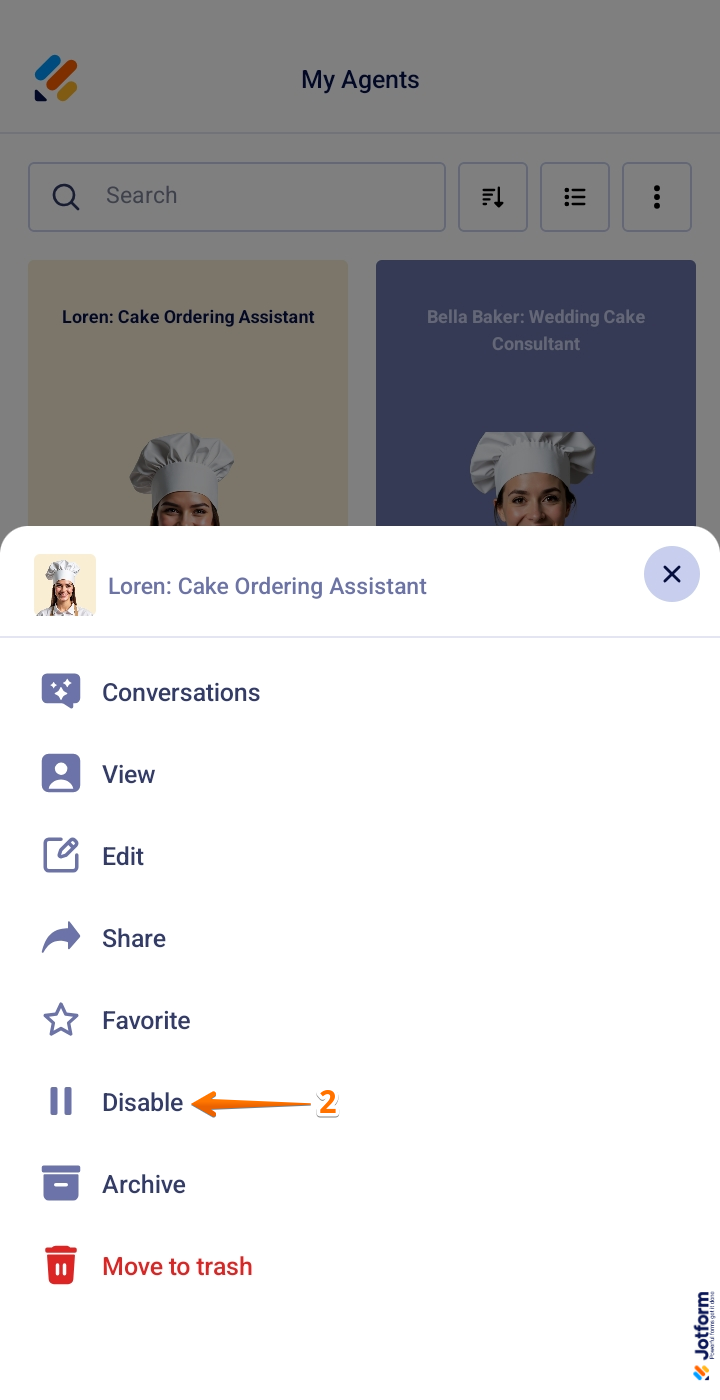
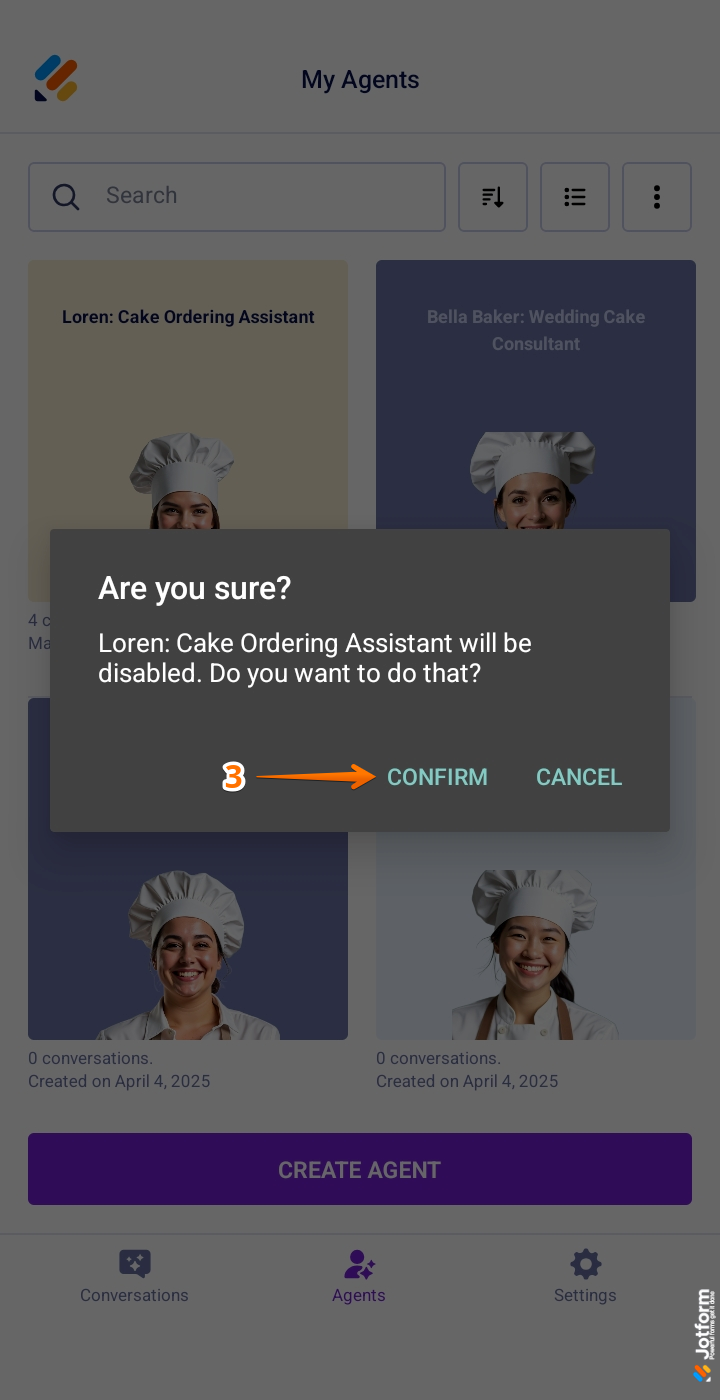
How to disable an AI Agent in the Jotform AI Agent Mobile App:
- Open your Jotform AI Agent Mobile App and go to the My Agents section.
- Tap on the AI Agent that is appearing on your forms (in this case, Podo).
- Select the Disable option from the menu.
- Confirm the action in the confirmation window that pops up.
Once disabled, the AI Agent will no longer appear on your forms or prevent submissions.
Here are some images to guide you through the process:

If you do not see any AI agents in your account or if the issue persists, please double-check your forms or let us know for further assistance.
Give it a try and let us know how it goes.
-
Rhys_Lambert
I do not have any AI agents so there is nothing to disable. This has popped up on multiple forms of mine today.
-
Podo: Support Specialist
Hi Rhys,
Since you mentioned you do not have any AI agents and the Podo AI agent keeps appearing on multiple forms, it might be helpful to check if any AI agents were accidentally created or linked to your forms.
You can also create an AI agent and connect it to an existing form if needed. Here’s a quick guide on how to create an AI agent for your existing forms from your Workspace page:
- Go to your Workspace page and click on Type on the upper-right side of the page.
- In the dropdown menu, check the box next to Forms.
- Hover over the form you want to create an AI agent for, then click on More on the right side.
- In the dropdown menu under the Publish column, click on Create Agent. This will redirect you to the AI Agent Builder to continue setting up your AI agent.
You can also check out our guide on How to Set Up Your First AI Agent to learn more.
If you are certain no AI agents exist and the issue persists, please let us know so we can investigate further.
Reach out again if you have any other questions.
-
 Jason Enterprise Support
Hi Rhys,
To make sure we understand your concern, can you take a screenshot of the AI podo you're referring to that keeps popping up and send it to us? Let me show you how to post a screenshot to our Help Center:
1. On the Help Center page, scroll down to the Your Answer section and click on the Image icon.
2. Drag and drop your image into the Upload box, or click on it and select your file.
3. Then, click on the Add button in the bottom-right corner of the window.
4. To resize it, click on your screenshot and then click on one of the boxes in the corners, and drag it inward.
5. Once you're finished, click on the Post Answer button at the bottom right of the Your Answer section.


Your Reply
Something Went Wrong
An error occurred while generating the AI response. Please try again!