-
 pdr1
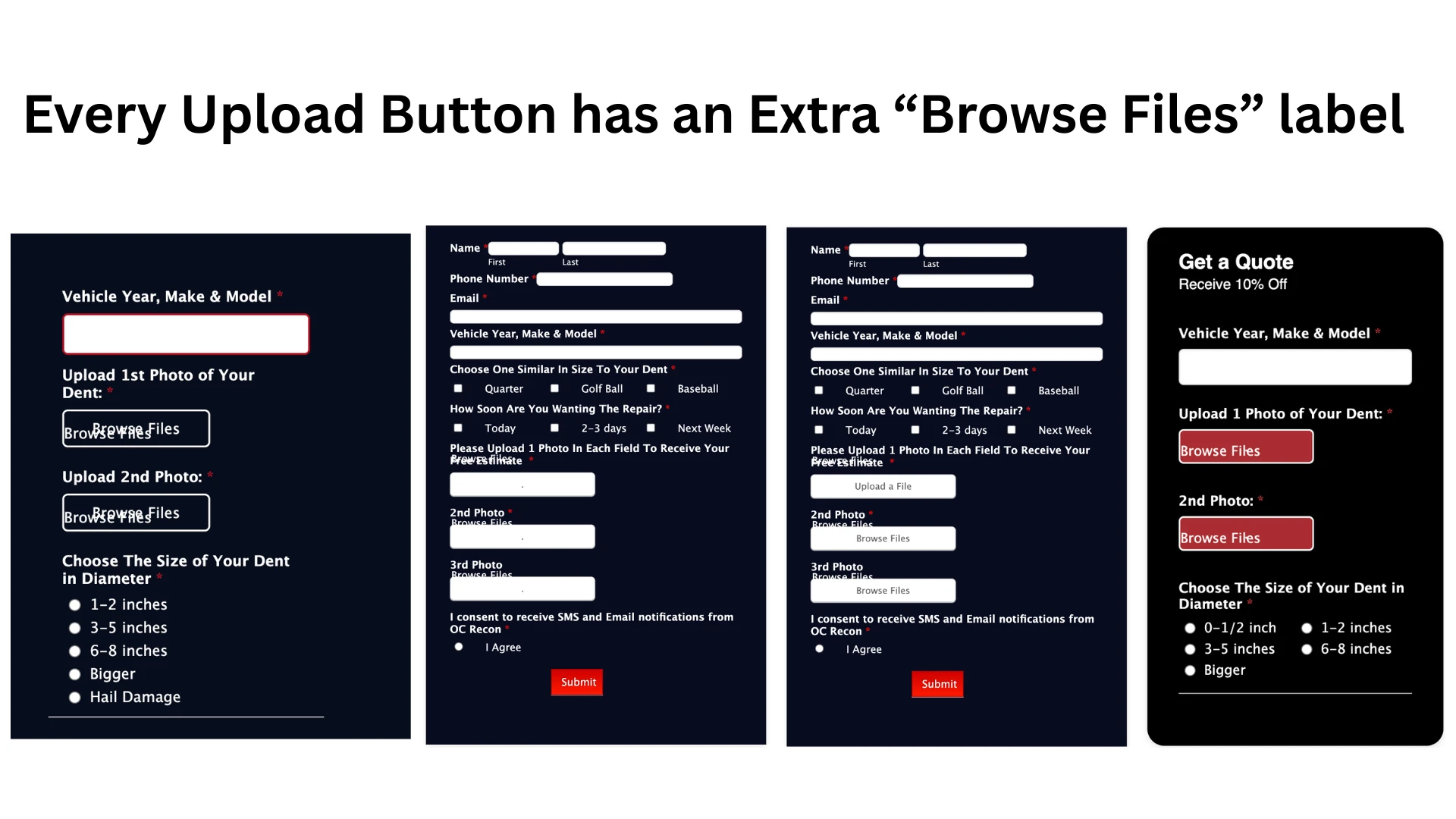
pdr1All of the Upload Buttons on all of my forms now have extra text that I can't seem to get rid of. "Browse Files" now shows twice (or once + my custom button text) and the 2nd instance of the text is floating in random places near or within the button. The font also changes colors from white to black when actually trying to use the upload fields on live forms. I have these upload buttons on dozens of forms, and it's happening on all of them. I'll include a few example screenshots.
I have tried remove the sub-label, the button text, the question name; nothing will get rid of this extra text and it used to not be there.
-
 Podo: Support Specialist
Hi Josh,
Thanks for reaching out to Jotform Support. I'm an AI assistant here to assist you.
Regarding the issue with the Upload Buttons showing duplicate "Browse Files" text and the font color changing unexpectedly, this behavior can sometimes be caused by styling or caching issues within your forms.
Let me help you with that:
- Open your form in Form Builder.
- Click the Paint Roller icon on the right side to open Form Designer.
- Go to the Themes tab.
- Select any theme and click Use Theme. This action resets the form's styling and can remove stuck or duplicate text elements.
If the issue persists after resetting the theme, clear your form caches as cached styles might cause display problems. You can find detailed instructions on how to clear your form cache in the Jotform guide How to Clear Form Caches.
Give it a try and let us know how it goes.
Your Reply
Something Went Wrong
An error occurred while generating the AI response. Please try again!