-
 williamjkelly314
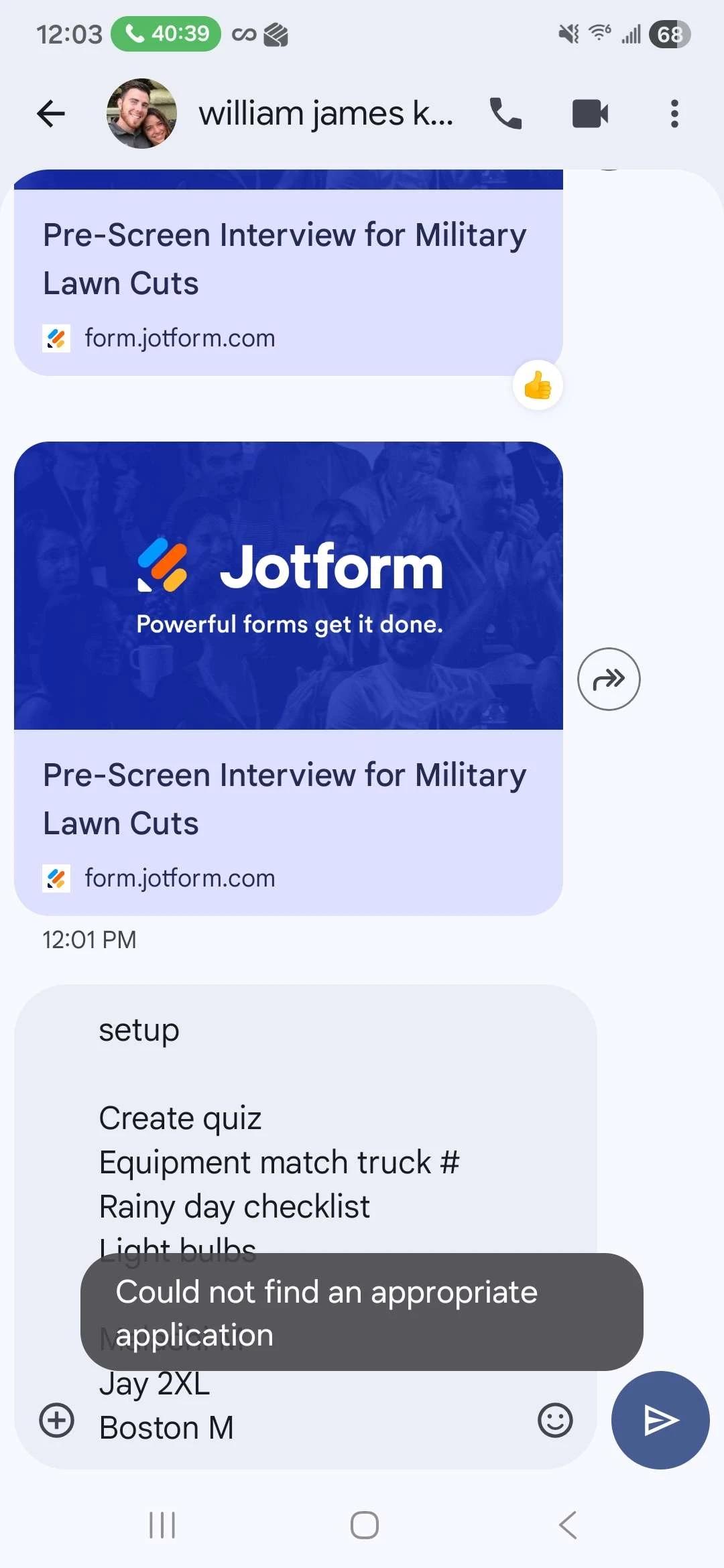
When we send a Jot Form to our applicants and we share with them the link, one out of ten people will not be able to open the link. They try to copy and paste the link in an internet browser on their phone. They cannot open it from their phone through a text message. This is a reoccurring problem. How do we fix this?
 Page URL: https://form.jotform.com/233176010902142
 -
 Podo: Support Specialist
Hi William,
Thanks for reaching out to Jotform Support. I'm an AI assistant here to assist you.
It seems like some of your applicants are having trouble opening the Jotform link on their phones through text messages. Let me help you with that:
One effective way to share your form link is by using the Jotform Mobile App's sharing features, which can help ensure the link is properly formatted and accessible.
Here’s how to share your form link using the Jotform Mobile App:
- Open the Jotform Mobile App and tap on the form you want to share.
- Tap on the menu at the bottom of the screen, then select Share.
- Tap the Duplicate icon to copy the form link to your clipboard.
This method ensures the link is copied correctly and can be pasted into text messages without issues.
Alternatively, you can share your form directly via email from the Jotform Mobile App:
- In Form Builder, tap on Publish in the top orange navigation bar.
- Under the Publish tab, tap on Email.
- On the Email Form page, tap on Share On Email.
- Enter the recipient's email address under the Recipients tab.
- Tap Send at the bottom right, then confirm by tapping Ok, Got it.
These steps help ensure your applicants receive a properly formatted link that should open without issues on their phones.
Let us know if you have any other questions.
Your Reply
Something Went Wrong
An error occurred while generating the AI response. Please try again!