-
 ronprosky
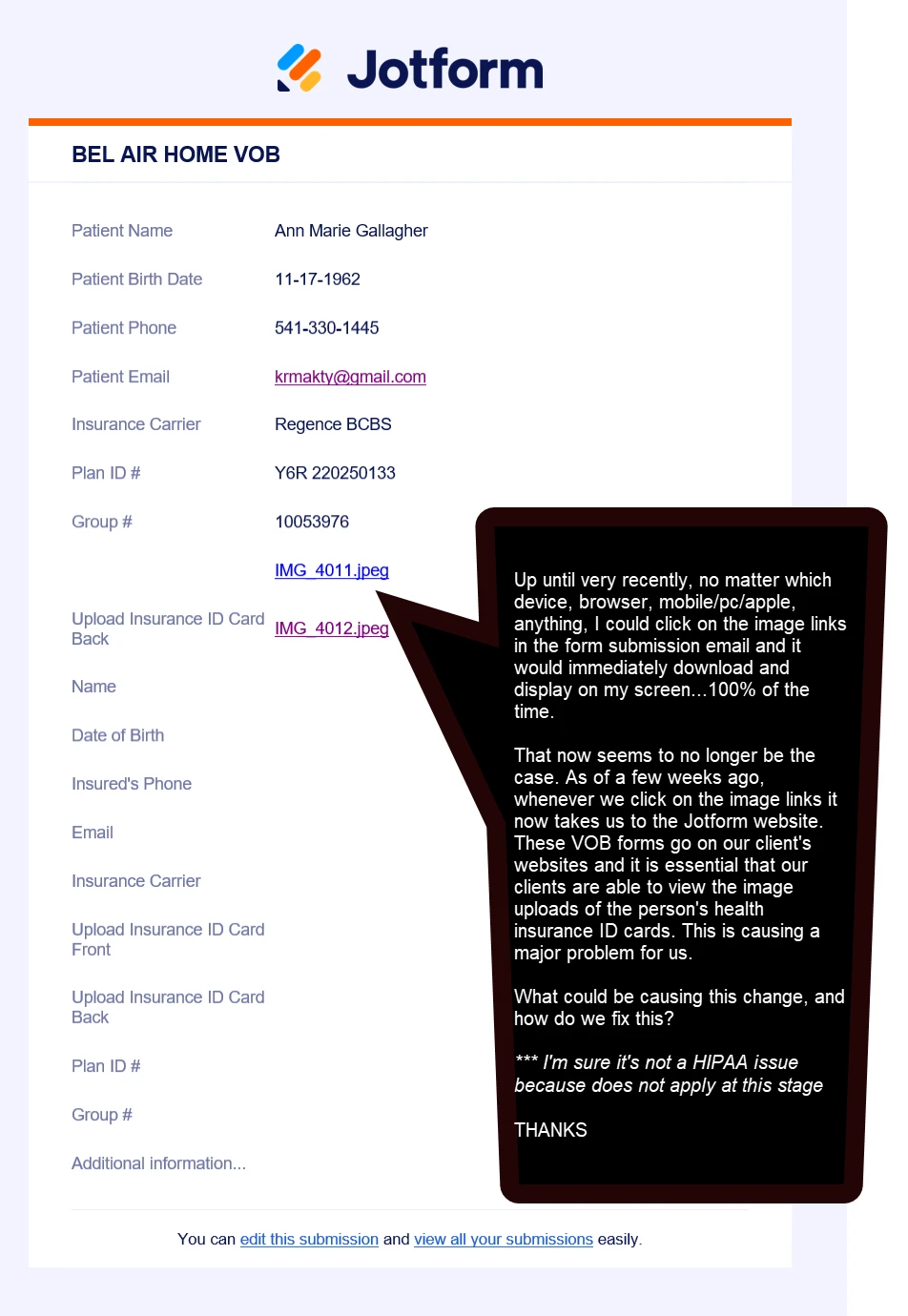
*** First & foremost, please view the uploaded screenshot along with the callout note I added to it...
We've been using Jotform for about 5 or 6 years, and the entire time that we've been using ths VOB form on client's websites it has worked perfectly. All of a sudden, a few weeks ago something changed and it's really hurting us. That entire time, the images that users would upload into the form (front & back of their health insurance ID card) would be instantly viewable by simply cliking either of the links. This is necessary, it's commonplace in this industry, and HIPAA does not apply here to any degree whatsoever. All of a suden, as of a few weeks ago, clicking either of those links now takes us/our clients to the Jotform website. It doesn't matter what browser, what device type, mobile, PC, Apple, etc, it all now points to Jotform rather than the user's download folder.
- What happened?
- How do we fix this?
- How quickly can we get this resolved?
Thanks, -- Ron Prosky

-
 Podo: Support Specialist
Hi Ron, I’m Podo from Jotform — what you’re describing usually happens when the account is set to require login to view uploaded files, which forces file links to open on the Jotform site instead of directly.
To switch back to direct-access file links, please:
- Go to your Workspace page and click your profile picture/avatar in the top-right.
- Click Settings to open your Account Settings page in a new tab.
- Go to the Security tab on the left.
- In the Verification prompt, click Send Verification Code.
- Copy the verification code sent to the email address on your account.
- Enter the code to verify (and click Verify if needed).
- Under the Privacy section, uncheck the box for “Require Log-in to View Uploaded Files”.
Here’s our full guide with the same steps: https://www.jotform.com/help/673-how-to-unrequire-log-in-to-view-uploaded-files/
If that checkbox is grayed out and you can’t disable it, it means your account is under mandatory security rules (for example, HIPAA or KYC-related) and that setting can’t be turned off; in that case, you can still let others see uploads by sharing your Tables/Inbox with them instead: https://www.jotform.com/help/1010-how-to-share-your-jotform-tables-and-collaborate/
If you can share your form URL or the account username, I can help confirm which situation you’re in and what the best next step is for your specific VOB form setup.
-
ronprosky
The URL for this specific form, I believe, is: https://form.jotform.com/222866999894182 and the acct username is: ronprosky.
I think I was able to resolve the issue by following the bullet point instructions in your reply, but please take a quick look and double check if this or any other issues may still exist...
Thank You -- Ron Prosky
-
 Kevin JotForm Support
Hi Ron,
Once Require log-in to view uploads option is unchecked, anyone with the file link can view or download the uploaded images directly without needing to log in.
If you find the checkbox is grayed out and you cannot disable this setting, it means your account is under mandatory security policies such as HIPAA or KYC verification, which cannot be changed due to compliance requirements. In that case, as a workaround, you can share access to your Tables or Inbox with collaborators so they can view the uploaded files without logging in individually. More details on sharing access can be found here.
Let us know if anything else comes up.

Your Reply
Something Went Wrong
An error occurred while generating the AI response. Please try again!