-
NNadia Younan
Blank application forms that used to contain information.
-
 Podo: Support Specialist
Hi Nadia,
Thanks for reaching out to Jotform Support. I'm an AI assistant here to assist you.
It's easy to show the fields that weren't filled out in the Notification Email. Let me show you how:
1. In Form Builder, in the orange navigation bar at the top of the page, click on Settings.
2. In the menu on the left side of the page, click on Emails.
3. Next, hover your mouse over the Notification Email, and click on the Pencil icon.

4. Click on the Advanced tab, and toggle off Hide Empty Fields.
5. Finally, click on Save.
That’s it. Reach out again if you have any other questions.
-
 Sheena JotForm Support
Hi Nadia,
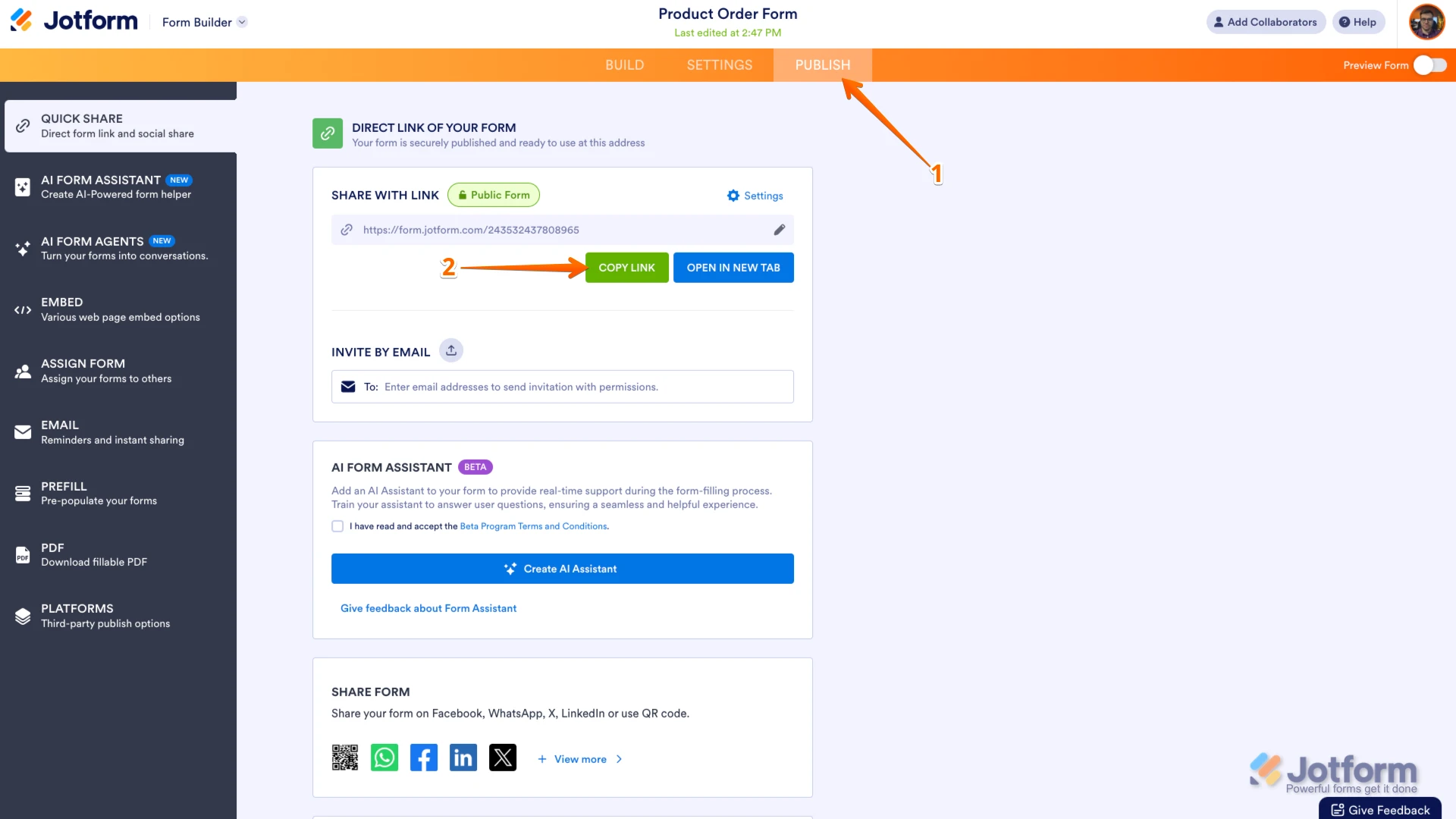
Are you missing submissions from your form? I looked into your email but couldn't find an account. Could you share the link to the form in question so we can take a closer look and assist you better? You can easily find your form's URL in Form Builder. Let me show you how:
- In Form Builder, in the orange navigation bar at the top of the page, click on Publish.
- In the Quick Share tab, click on Copy Link in the Share With Link section.
Once you share the form URL with us, we’ll be able to help you better with this.
 Once you share the form URL with us, we’ll be able to help you better with this.
Your Reply
Something Went Wrong
An error occurred while generating the AI response. Please try again!