-
 gleichmann
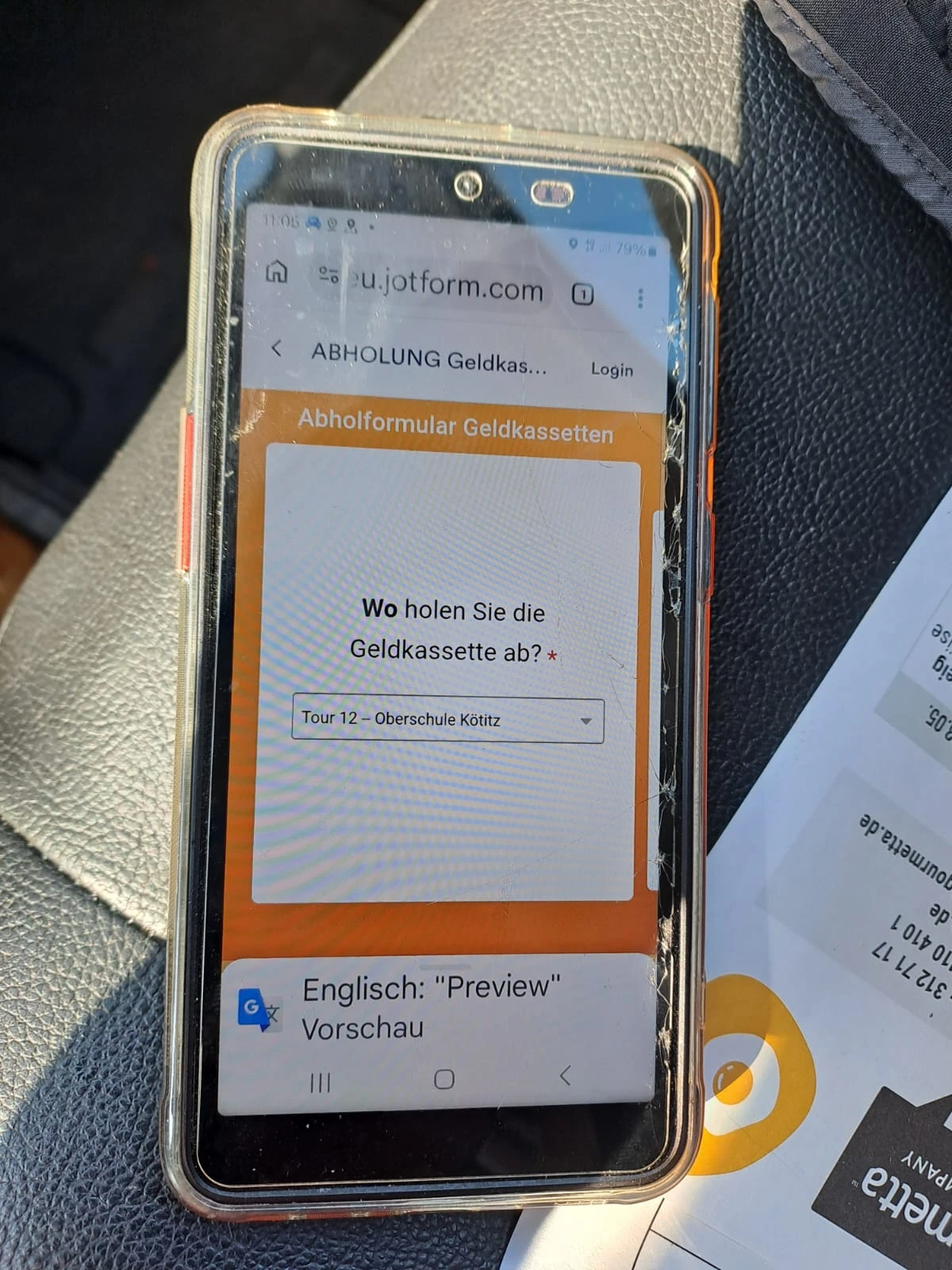
Hello, i have the Problem that my employes cannot go further with the formular because it is blocked by translate.
how can i deactivate the translate?

-
 Podo: Support Specialist
Hi Tom,
Thanks for reaching out to Jotform Support. I'm an AI assistant here to assist you.
Regarding your issue with the form being blocked by translate, Jotform does not have a direct feature to deactivate translation on forms. However, if the problem is related to language settings or automatic browser translation interfering with form progression, here are some suggestions:
- Check if your form has multiple languages enabled under Form Settings > Form Languages. You can manage or disable additional languages there.
- Advise your employees to disable automatic browser translation for the form page, as browser translation tools can sometimes block form functionality.
- If you are using any translation widgets, note that not all widgets support translation and this might cause issues. You can check widget translation availability in the form builder settings.
If the issue persists, please provide more details or a screenshot of what your employees see when the form is blocked by translate, so I can assist you further.
Give it a try and let us know how it goes.
Your Reply
Something Went Wrong
An error occurred while generating the AI response. Please try again!