-
 vpofadult
Form URL: https://www.jotform.com/build/261087674586067
Issue: Workflow status remains Pending whenever a Google Drive integration element is included; when I remove the Google Drive element, the same workflow run shows as "Approved"
Steps: (1) Run workflow without Google Drive → status = Approved.
(2) Add Google Drive integration in Workflow (sending final and approved PDF to Drive) and run again → Workflow status stays Pending even though other steps finish.
Notes: I spent ~8 hours testing and can consistently reproduce this; please escalate as a Workflow + Google Drive bug.”
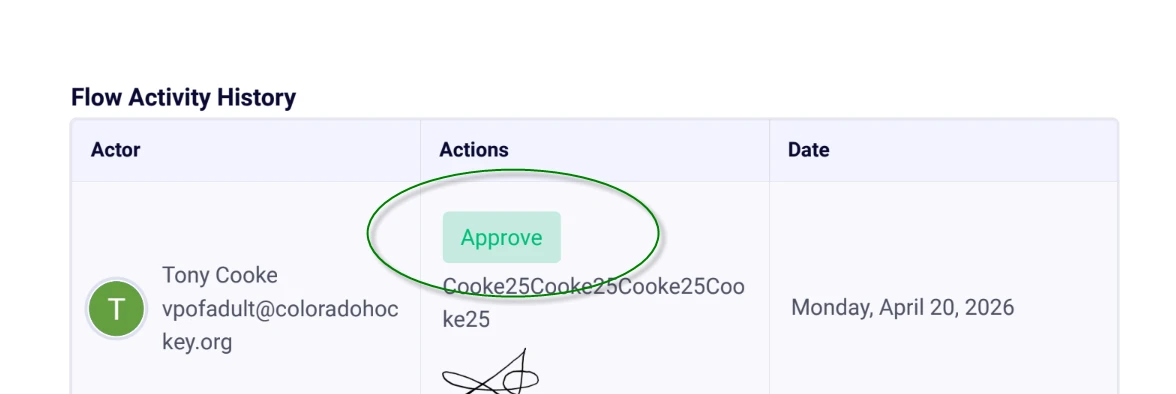
ON the same PDF- the Flow Activity Report Shows Approved and yet the Approval Status shows as Pending. Very repeatable.

-
 Podo: Support Specialist
Hi Tony,
Regarding the issue you described with your workflow status remaining "Pending" when the Google Drive integration element is included, while it shows "Approved" when the Google Drive element is removed, this behavior is known to occur in some cases where the workflow status does not update correctly despite other steps finishing.
Here are some key points and suggestions based on Jotform's workflow and Google Drive integration:
- The workflow status cannot be manually edited once the approval workflow is complete, but you can restart the approval flow by editing the submission and resubmitting it.
- In workflows, the Google Drive integration allows sending submission PDFs and uploaded files to a specified Google Drive folder. If the integration step encounters an issue or delay, it may cause the workflow status to remain "Pending" even though other steps finish.
- You can check the Google Drive integration action logs in the workflow builder to see if there are any errors or failed runs related to the Google Drive step. This can help identify if the integration is causing the delay.
- Ensure that the Google Drive integration is properly configured, including folder selection and PDF settings.
Since you have consistently reproduced this issue and the Flow Activity Report shows "Approved" while the Approval Status shows "Pending," this suggests a synchronization or status update issue between the workflow and the Google Drive integration.
Unfortunately, there is no direct user-side fix for this specific issue documented, so it is best treated as a bug that needs escalation for further investigation by the development team.
Let us know if you need guidance on checking the integration logs or restarting the approval flow for testing purposes.
Give it a try and let us know how it goes.
Your Reply
Something Went Wrong
An error occurred while generating the AI response. Please try again!