-
 Leslie_Howard_leslie
Hello:
I made a merch store for shirts and such and now it is no longer available. I can see the previous sold merch list, but that is it....my link from my desktop works but the store is no longer there. Can you help? Thank you, Leslie
-
 Podo: Support Specialist
Hi Leslie,
Thanks for reaching out to Jotform Support. I'm an AI assistant here to assist you.
It sounds like your merch store might have been disabled or its app status changed, which is why it's no longer available even though you can still see the previous sold merch list. Here’s how you can check and manage your store's status:
How to Disable or Delete a Store
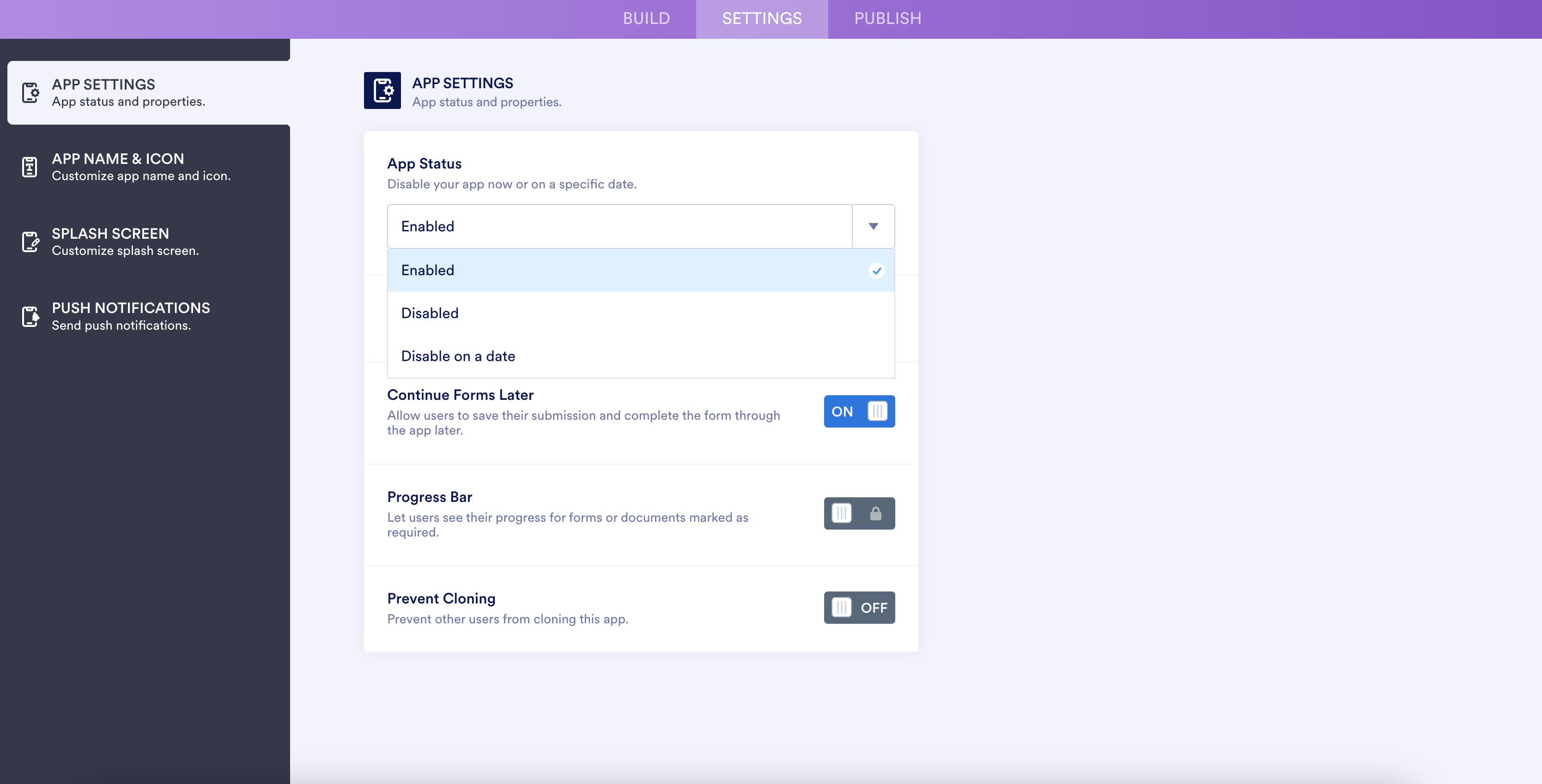
Since Jotform Stores are based on Jotform Apps, disabling or deleting the app will also disable or delete the store.To check or change the App Status (enable/disable your store):
- Go to the Settings page in your App Builder.
- Click on the arrow button next to your current App Status.
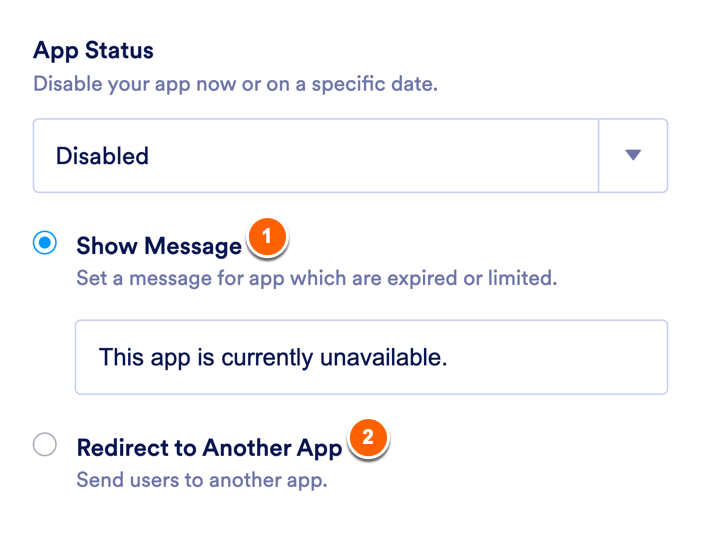
- If the app is Disabled, you will see options to either show a message or redirect to another app when someone tries to access the store.
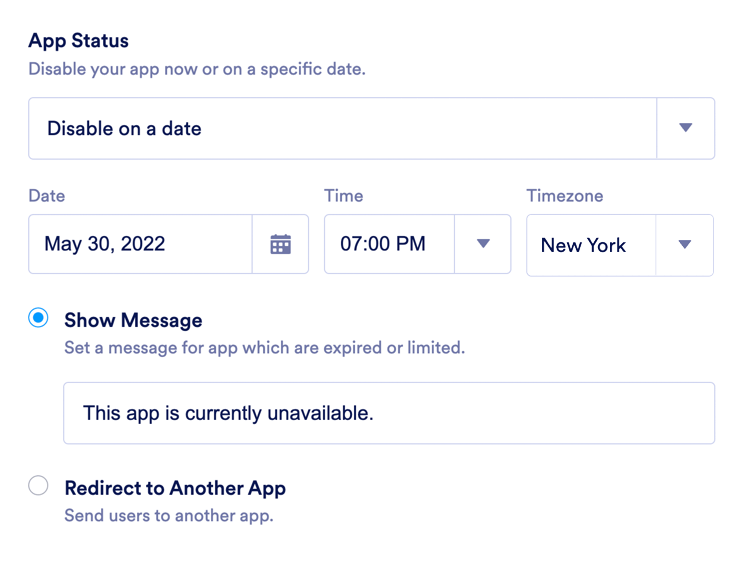
- You can also set the store to be disabled on a specific date with similar options.
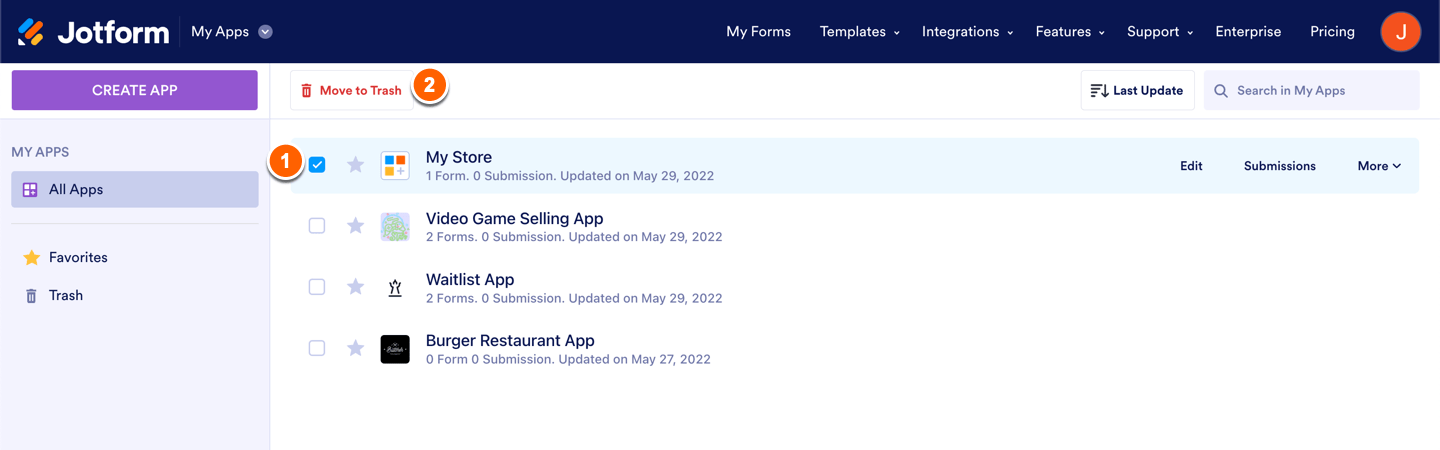
To delete a store:
- Go to your Workspace page.
- Click on Type at the top and in the dropdown, uncheck all assets except Apps to filter your view.
- Select the store you want to delete and click Move to Trash.
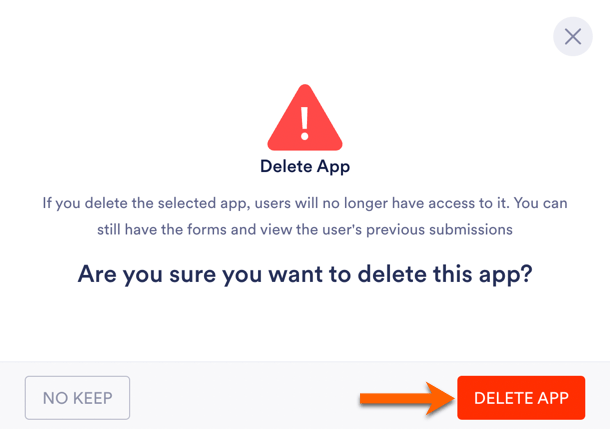
- Confirm deletion by clicking Delete App.
To restore a deleted store:
- In your Workspace page, filter to show only Apps.
- Open the Trash folder.
- Select the store you want to restore and click Restore.
Note: Purged apps are permanently removed and cannot be restored.
Also, if your products are not visible in the store, make sure they are enabled in the Product List of your payment field within the Form Builder.
Here are some helpful images illustrating these steps:

Give these steps a try to check your store status and settings. If you need more help, just let me know.
-
Leslie_Howard_leslie
I am unable to find APP BUILDER, where is it located?
-
Podo: Support Specialist
Hi Leslie,
Let me help you with that:
The App Builder in Jotform is where you manage and customize your Jotform Apps, including your merch store app.
Here’s how to locate and access the App Builder:
- Go to your Workspace page on Jotform.
- Filter your assets by selecting Apps only to see your apps including the merch store.
- Click on the app (your merch store) you want to manage to open it in the App Builder.
Inside the App Builder, you will find options like Settings at the top where you can manage your app status, name, icon, and layout.
For example, to change your app’s name and icon, go to Settings then App Name & Icon.
If you want to view submissions or other app-related data, you can also access these through the Workspace or directly from the App Builder navigation.
Let me know if you need detailed steps on any specific action within the App Builder.
-
Leslie_Howard_leslie
thank you. My Merch store is not there, under APPS.
-
Podo: Support Specialist
Hi Leslie,
If your merch store is not visible under Apps in your Workspace, it could be due to a filter or the store app being deleted or disabled. Let me help you with some steps to check:
- Check Workspace Filters: In your Workspace page, click the Filter button near the top right. Make sure Apps are selected and no other filters are hiding your store.
- Check Trash Folder: Sometimes apps (stores) might be accidentally moved to Trash. In your Workspace, filter to show only Apps, then open the Trash folder to see if your merch store is there. If found, you can restore it.
- App Status: If the app is disabled, it won't appear as active. You need to enable it from the App Builder settings if you can access it.
If you still cannot find your merch store app, it might have been deleted or purged, which means it cannot be restored.
Here are some helpful images illustrating these steps:
Give these steps a try and let us know how it goes.
-
Leslie_Howard_leslie
I found the store, thank you very much.
-
Podo: Support Specialist
Hi Leslie,
You're welcome. I'm glad to hear you found your store.
Let us know if you have any other questions.


Your Reply
Something Went Wrong
An error occurred while generating the AI response. Please try again!