-
BBridget Mayo
I would like to understand if there is a feature within Jotform that will automatically send follow up emails to clients if I setup an survey in Jotform - looking for solution for client survey followup
-
 Podo: Support Specialist
Hi Bridget,
Thanks for reaching out to Jotform Support. I'm an AI assistant here to assist you.
Jotform offers features that allow you to automatically send follow-up emails to clients after they complete a survey or form. Here’s how you can achieve this:
1. Using Jotform Workflows to Assign Follow-Up Forms and Send Emails:
- You can add a Form element in the Workflow Builder to send follow-up forms or surveys via email automatically.
- The recipient's email address can be set dynamically based on the form submission.
- You can customize the invitation email content, sender name, and set reminders.
- Prefill options allow passing answers from the main form to the follow-up form.
2. Email Notifications and Autoresponder Emails:
- Set up Autoresponder Emails to send automatic follow-up emails to form respondents after submission.
- You can customize the email subject, content, sender name, reply-to email, and attachments.
- Emails can be scheduled to send later or set with triggers for automatic sending.
3. Sending Emails from Jotform Tables:
- Jotform Tables allows manual or bulk sending of emails based on form submissions.
- You can add a Send Email Action Button column to your table to send follow-up emails manually or in bulk.
- This is useful for sending follow-up reminders or promotional offers based on submission data.
These features combined provide a robust solution for automatically sending follow-up emails to clients after they complete your survey in Jotform.
Let me know if you want detailed steps on setting up any of these options.
Give it a try and let us know how it goes.
-
 Rehan Support Team Lead
Hi Bridget,
If you want to send follow-up emails before the form is submitted, then try the Reminder Emails feature. It's very easy to Set Up Reminder Emails in Jotform. Let me show you how:
- In Form Builder, in the orange navigation bar at the top of the page, click on Publish.
- Click on Emails on the left side of the screen, and select the Schedule A Reminder Email option.
- Edit the content of your Reminder Email.

- While in the Reminder Emails settings, click on the Schedule tab.
- Adjust the Repeats and Send Date options as needed to select which day or days you would like to send.
- Click the Downward Arrow icon in the Send Time section to change the time it will be sent.
- In the Start Date section, click the Calendar icon to set the starting date. You can also set an end date to stop sending reminder emails on a specific day in the End Date section, and click on Save.
If you need to send a follow-up email after the form submission, then try the Pause element in the Workflow. With this element, you can pause the flow and send emails at a later date and time as per your requirement. Let me show you how:
- In Workflow Builder, click on the Add Elements.
- Scroll down and drag/drop the Pause element.
- Now link the Pause element with other elements.
It is easy to set up the Pause element. Let me show you how:
- In Workflow Builder, click on the Pause element, then click on the Gear icon to open its settings.
- Here you can select either For a Duration or Pause Until Date.
Let us know if you have any other questions.
-
BBridget Mayo
How can I get connected with a Salesperson to obtain an account and discuss my goal to ensure this will be the correct solution?
-
Rehan Support Team Lead
Hi Bridget,
You can ask all your questions here, and we will be happy to answer them. Upgrading your account is easy. Let me show you how:
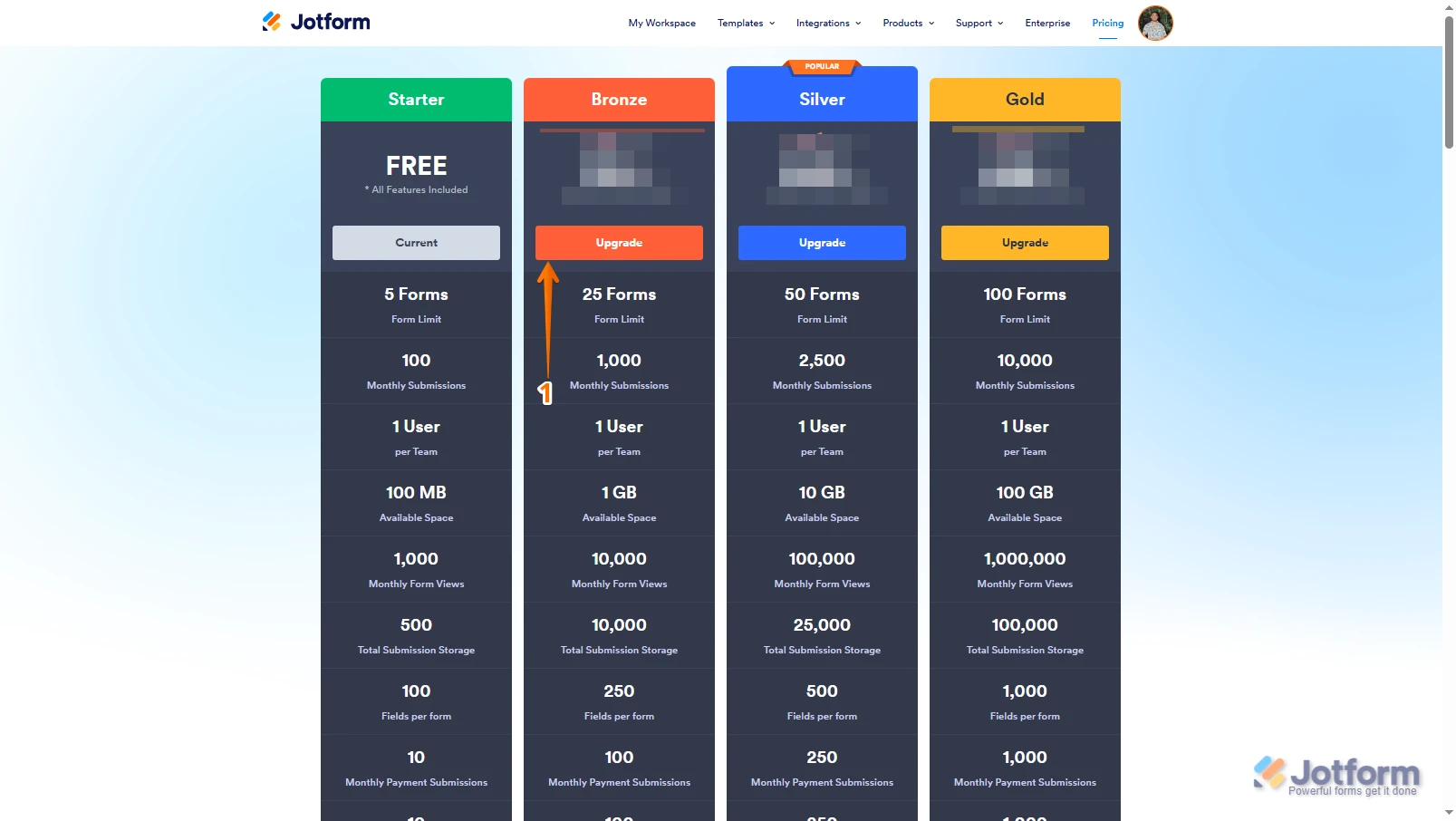
1. Log in to your Jotform account, go to the Pricing page, and click on Upgrade under the subscription plan you want.
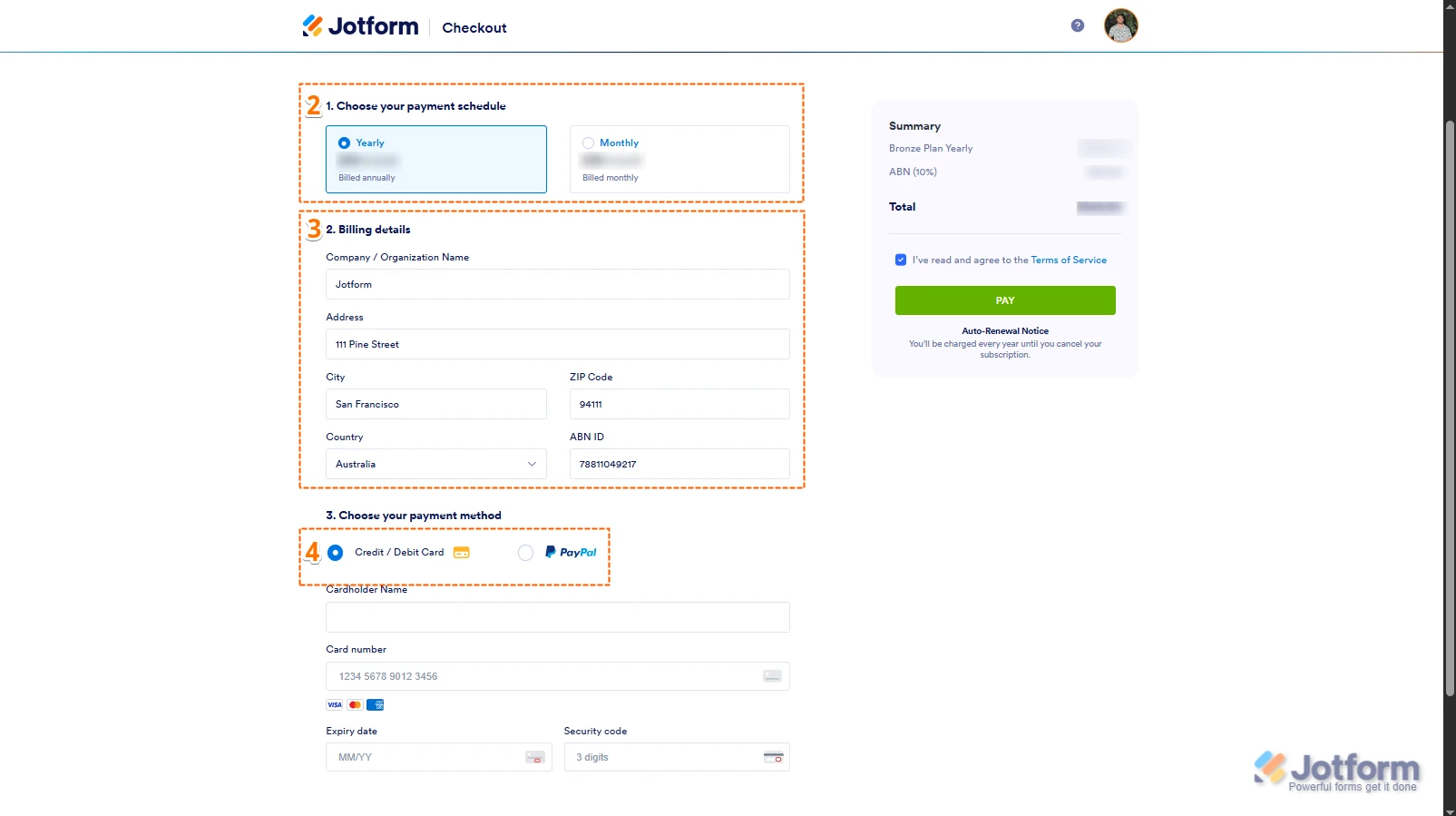
2. In the Choose Your Payment Schedule section, select Yearly or Monthly.
3. Then, enter your billing details in the Billing details section.
4. In the Choose your Payment Method section, select Credit/Debit Card or PayPal.
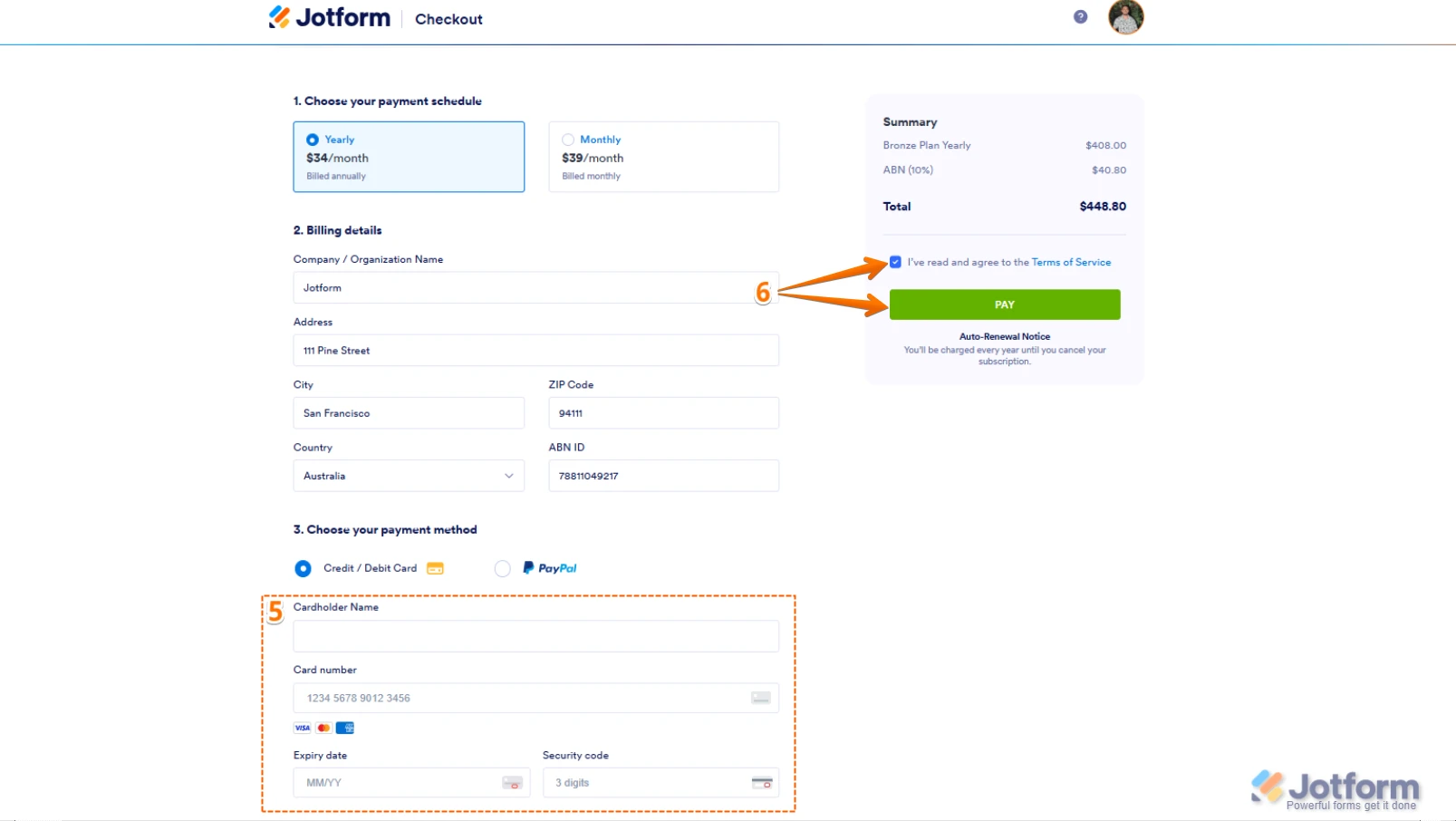
5. If you choose Credit/Debit Card, you can enter your Credit/Debit Card information below the Credit/Debit Card option.
6. Next, in the top-right corner of the page, in the Summary section, tick the box next to I’ve read and agree to the Terms of Service, and click on Pay.
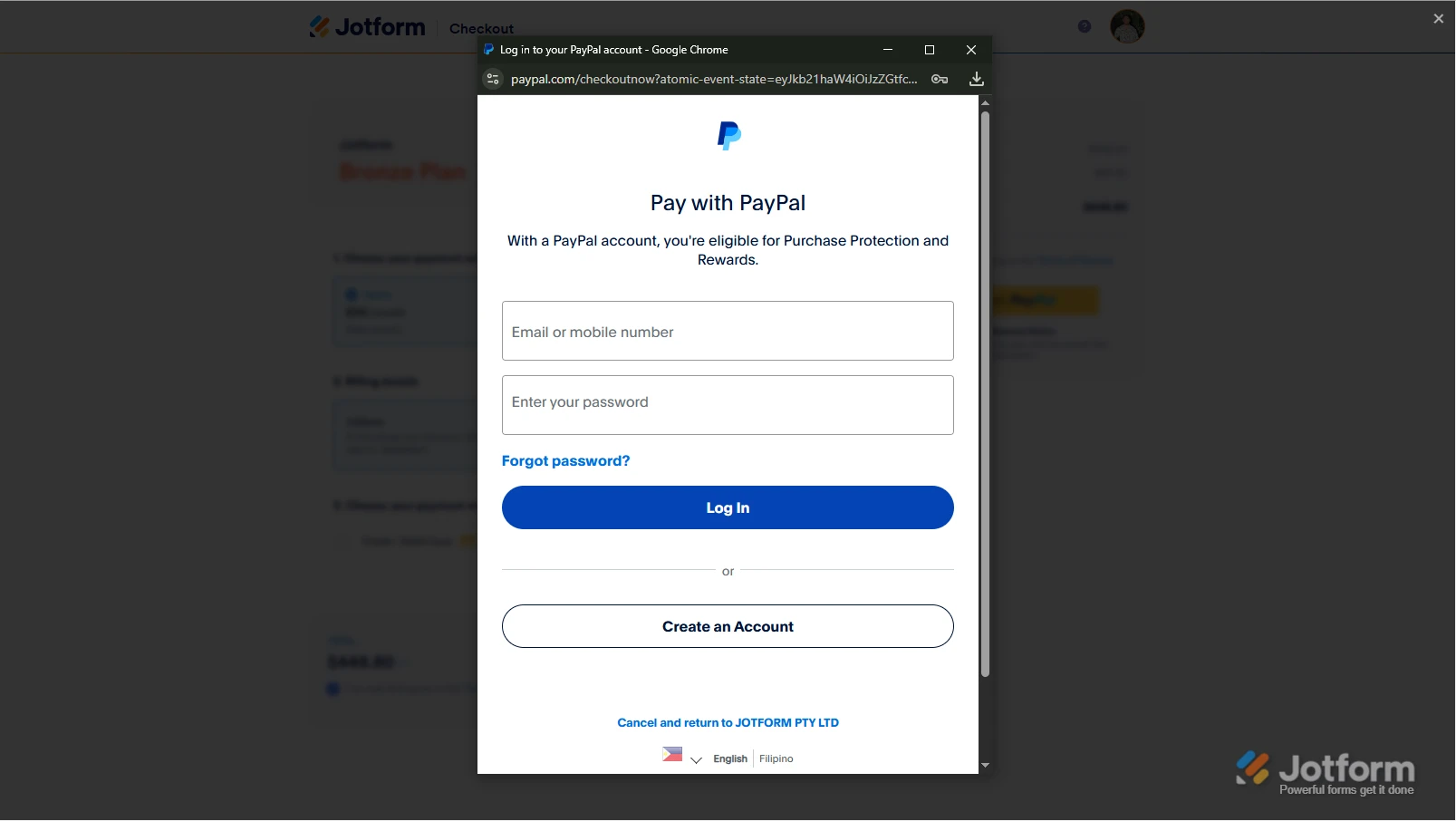
But, if you select PayPal as the payment, a PayPal Payment window will open, where you can log in and complete your payment after clicking on the Pay with PayPal button. Check out this screenshot below:After the subscription is successfully paid, the features and limits for the chosen subscription plan will be applied to your account right away. If you are interested in buying the accounts for more than one user, then you can get in touch with our Enterprise Sales team. Contacting our Enterprise Sales Team is easy; you'll just need to send a request first, and they'll reach out to you with more information. Let me show you where to find the request form:- Go to the Contact Sales page, and fill out the form.
- Then, click on the Send Request button, and that's it.
Your Reply
Something Went Wrong
An error occurred while generating the AI response. Please try again!