-
 hmaydak
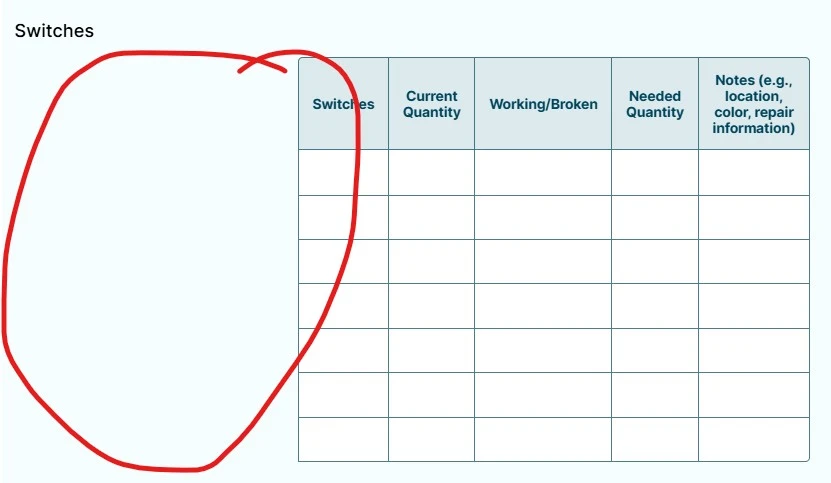
I had the CSS styling set up for my forms with the first column in the table hidden and small so the table filled the space (right now the first column is taking up way too much space. Have tried using the AI agent but it's not working.

-
 Royce JotForm Support
Hi Heather,
Thanks for reaching out to Jotform Support. You can easily hide the first column on Input Table field labeled Switches by Injecting CSS Codes into your form. You can clone my demo form, or you can do it on your end. Let me show you how to do it:
1. First, copy this code:
/*To hide the first column on Input Table field labeled Switches*/

#id_6 table tr th,

#id_6 table tr td:first-child {

  min-width: 0 !important;

  width: 0 !important;

  max-width: 0 !important;

  border: none !important;

  padding-left: 0 !important;

  padding-right: 0 !important;

}

/*Ends here*/
2. In Form Builder, click on the Paint Roller icon on the upper-right side of the page.
3. Then, in the Form Designer menu on the right, go to the Styles tab.
4. Finally, paste the CSS code into the Inject Custom CSS code field.
Let us know if you have any other questions.
Your Reply
Something Went Wrong
An error occurred while generating the AI response. Please try again!