-
JJordan Reyes
We update our website CMS and now have a new domain. We typically redirect to a page that is more of a confirmation/receipt page, but the new domain is currently not pushing those fields into the new page.
-
 Podo: Support Specialist
Hi Jordan,
Thanks for reaching out to Jotform Support. I'm an AI assistant here to assist you.
When you update your website CMS and change the domain, and you want to redirect users to a confirmation or receipt page that includes form submission fields, you need to ensure the redirection is set up correctly in your Jotform form settings.
Let me help you with that:
- Open your form in Form Builder and go to the Settings tab.
- Select the Thank You Page tab on the left side.
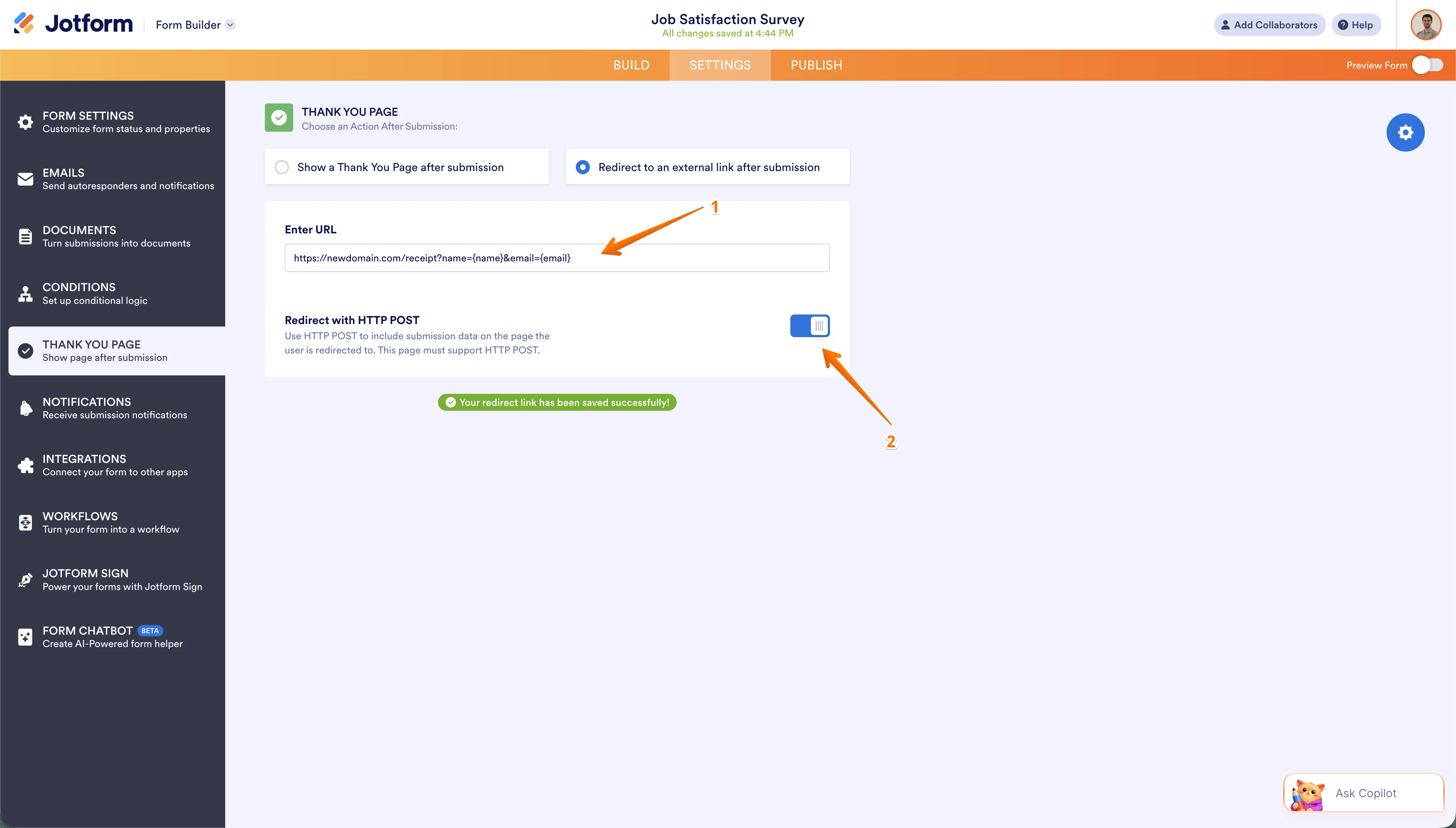
- In the Thank You Page Settings, choose Redirect to an external link after submission.
- Enter the full URL of your new confirmation/receipt page on your new domain.
- Enable the option Redirect HTTP POST if you are passing form field values via URL parameters to the new page. This ensures the form data is pushed correctly to your new domain page.
Make sure your new domain page is set up to receive and process the URL parameters or POST data from the form submission.
This setup will allow the form to redirect users to your new domain's confirmation page while pushing the submission fields as expected.
Give it a try and let us know how it goes.
-
 Emre
EmreHi Jordan,
Thanks for using Jotform. It sounds like the "handshake" between your form and the new site needs a slightly different configuration to pass those fields correctly.
Since your new domain isn't displaying the fields on the receipt page, we should check how the data is being sent. There are two main ways this happens in Jotform:
1. URL Parameters (GET Method) This is the most common method for confirmation pages. You manually append the field names to your URL.
- The Check: Go to Settings > Thank You Page and look at your redirect URL. It should look something like this: https://newdomain.com/receipt?name={name}&email={email}.
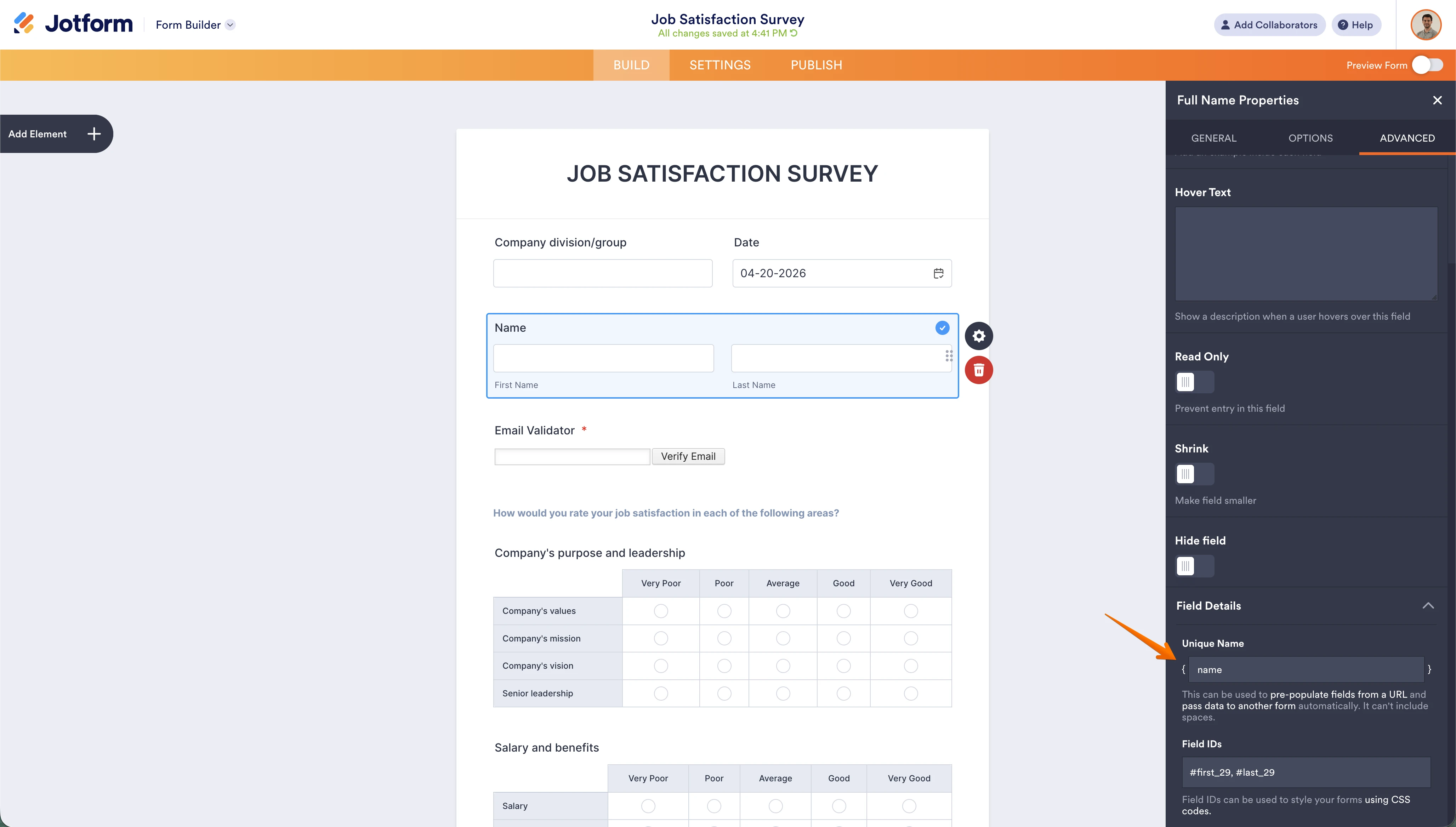
- Ensure the names inside the curly braces {} match the Unique Names of your form fields exactly.
2. HTTP POST Method As Podo mentioned, this sends the data in the background.
- The Check: If you are using this, ensure the Redirect with HTTP POST option is turned on in your Thank You Page settings.
- Note: Your new CMS must have a custom script (like PHP) ready to "listen" for and display this POST data, as most CMS platforms don't show it by default.

Note: Check CMS Security Settings. Check if your new website or hosting provider has a firewall or security plugin that might be blocking incoming data from external sources.
To give you a more specific solution, can you share the URL of the form and the new domain's receipt page? I can then verify the field mapping and see if the new site is stripping the parameters from the URL.
Your Reply
Something Went Wrong
An error occurred while generating the AI response. Please try again!