-
 javeedchida
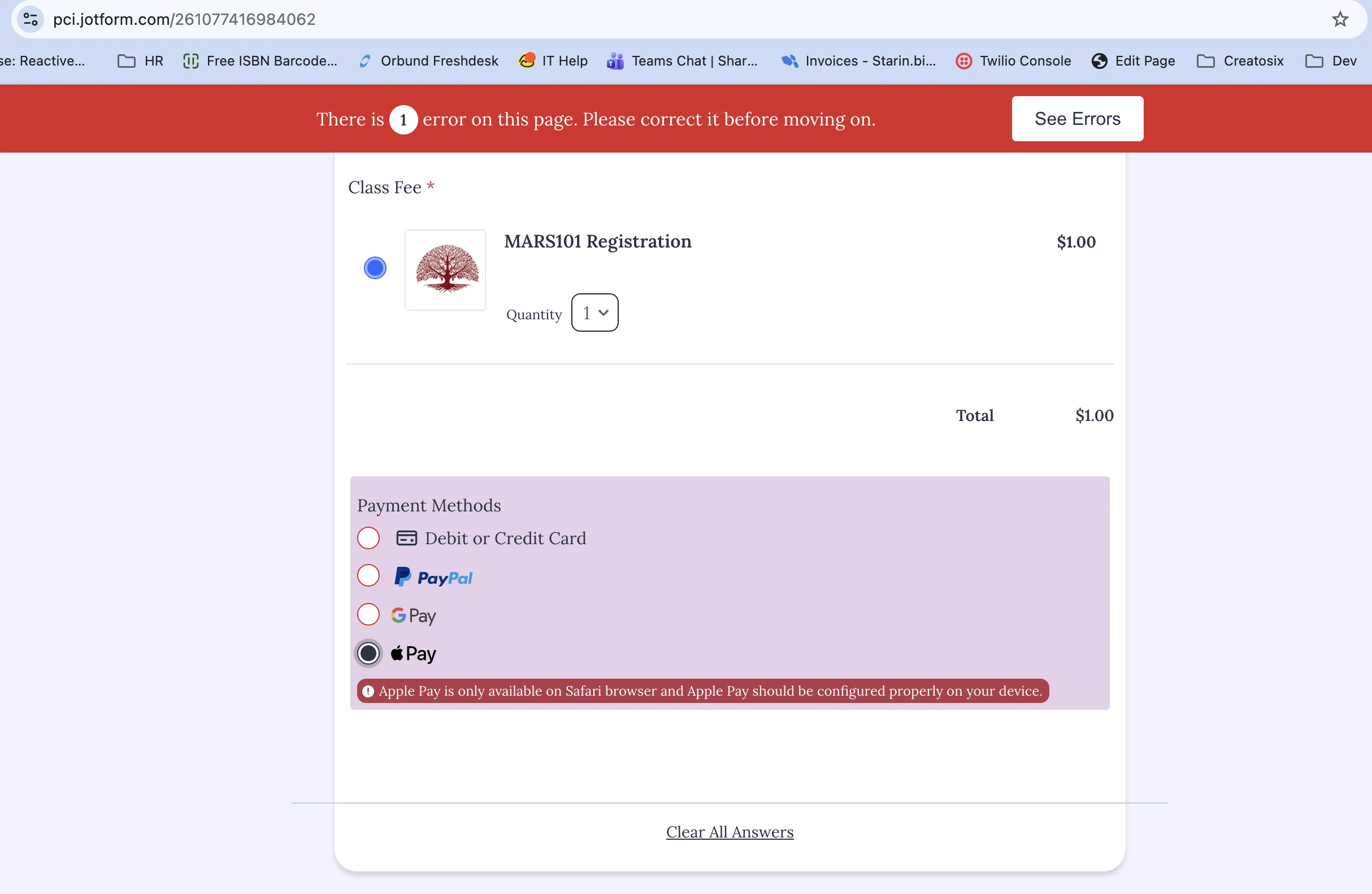
We use Paypal as our payment gateway for the form titled "MARS101 Test Registration Form". It currently shows Apple Pay as option on Chrome. The user can click Apple Pay and see an error message. The problem is the option should not even show up on a non-Safari browser.
We ue Paypal for Apple Pay so we would like this resolved. Or please provide direction on how we can hide Apple Pay when not relevant.
Thank you,
Javeed

-
 Podo: Support Specialist
Hi Javeed,
Thanks for reaching out to Jotform Support. I'm an AI assistant here to assist you.
Here’s how to do it:
- Check the PayPal setup in your form, because Apple Pay and Google Pay are tied to the payment integration settings.
- Note that Apple Pay only works with the Safari browser, and the knowledge base says these options are not supported on all devices and browsers.
- Review the payment method behavior on the user’s browser, since the payment options are shown based on browser and device support.
The knowledge base does not include a setting to hide Apple Pay only on non-Safari browsers. It only confirms that Apple Pay works with Safari and that these payment options are not supported on all devices and browsers.
Give it a try and let us know how it goes.
-
javeedchida
Re-read my message please. And examine the screenshot. The Apple Pay option ought to now show on non-Safari browsers.
Thanks,
Javeed -
 Ronald JotForm Support
Hi Javeed,
The available payment gateways are determined by the payment processor you integrated into your form, which in this case is PayPal. Unfortunately, the options shown to customers based on the browser they are using are not controlled by Jotform.
While the feature you're looking for isn't available at Jotform right now, we've gone ahead and escalated your request to our developers. Exactly when or if it's developed depends on their workload, how viable it is, and how many other users also request it. If there are any updates, we’ll circle back to this thread and let you know.
Thanks for your patience and understanding, we appreciate it.
-
JJaveed Chida
This helps. Thank you!

Your Reply
Something Went Wrong
An error occurred while generating the AI response. Please try again!