-
 alyschlepp
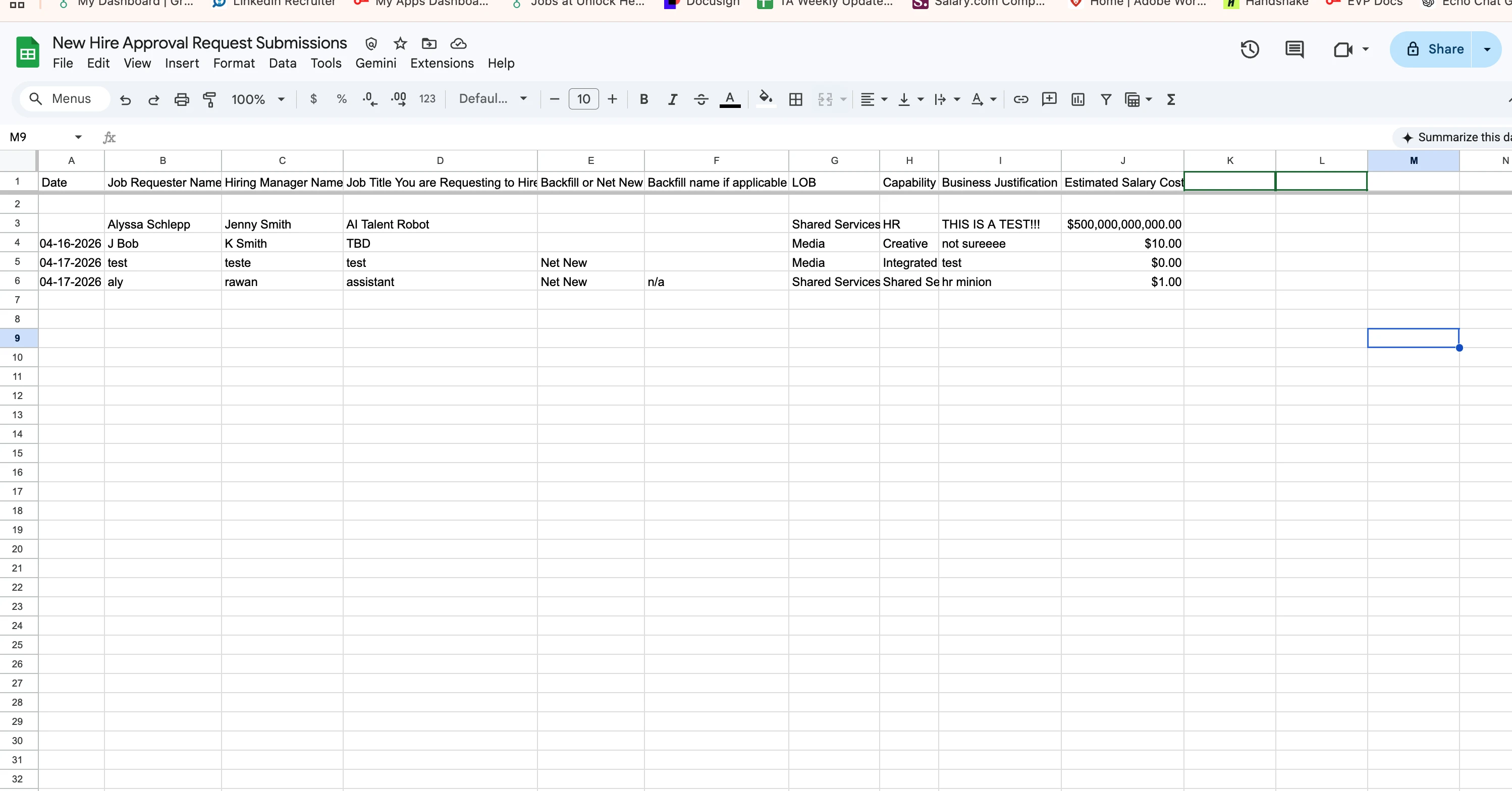
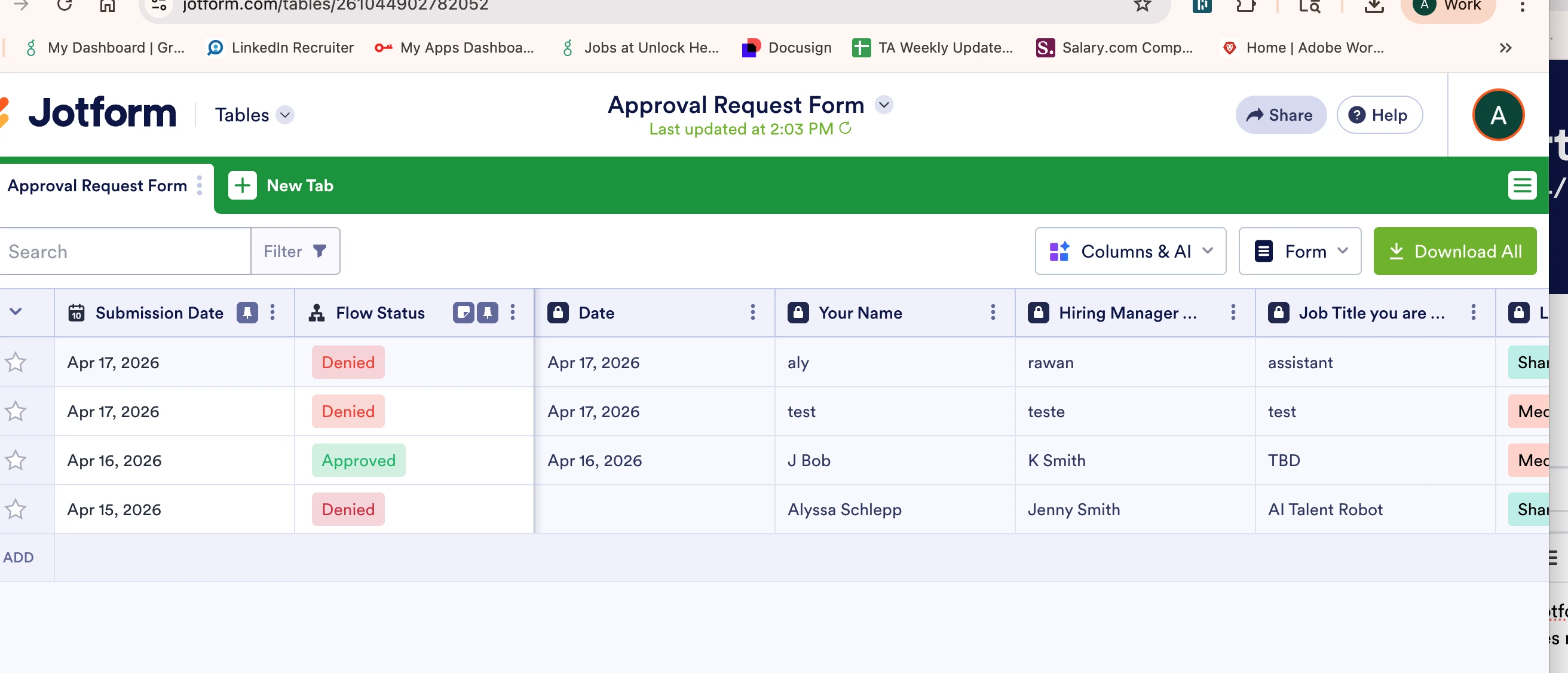
I am having trouble integrating google sheets with jotform table where it includes flow status updates. i have followed the ai tool multiple times but still does not work. how can this be added?
-
 Podo: Support Specialist
Hi Aly,
Thanks for reaching out to Jotform Support. I'm an AI assistant here to assist you.
Here’s how to do it:
- Check whether the Flow Status column is already available in Jotform Tables. The knowledge base says this column appears after you create a workflow for your form.
- Create or review the workflow for the form in Jotform, since the Flow Status column is tied to the approval flow.
- Open Jotform Tables and confirm the submission is part of that workflow. If the entry was added before the approval flow was created, the approval process will not start automatically.
- Select the entry’s View button in Jotform Tables, then use Start Approval Flow if you need to begin the process manually for an existing record.
- Integrate your form with Google Sheets from Settings > Integrations, then choose Google Sheets, authenticate your Google account, and save the action.
The knowledge base also notes that inline edits in Tables will not update entries in Google Sheets, unlike entry edits. It also says that renaming column headings in Google Sheets may break the integration, and adding filters in Google Sheets may stop the spreadsheet from updating.
If you want to troubleshoot the integration, the action logs can help. In the Google Sheets action, open More and select See Action Logs to review successful and failed runs.
Give it a try and let us know how it goes.
-
alyschlepp
i have already done this and it does not do what i need
-
Podo: Support Specialist
Hi Aly,
Here’s how to do it:
- Use Edit Entry instead of inline editing in Jotform Tables if you need updates to trigger after-submission actions. Inline edits in Tables do not update entries in Google Sheets, but editing and resubmitting an entry does.
- Check the Google Sheets action logs in the integration. Open More and select See Action Logs to review successful and failed runs.
- Verify your Google Sheets setup and make sure column headings have not been renamed, because renaming them may break the integration.
- Remove or reapply filters in Google Sheets if the sheet is not updating, since filters may stop the spreadsheet from updating.
- Confirm the workflow behavior for the Flow Status column. The knowledge base says this column appears after you create a workflow for your form, and existing entries added before the workflow was created will not start the approval process automatically.
If you need the Flow Status updates to appear for an existing record, open the entry in Jotform Tables and use Start Approval Flow from the View button.
Give it a try and let us know how it goes.
-
alyschlepp
LIVE PERSON
-
Podo: Support Specialist
Hi Aly,
One of our Support Team members will take it from here to follow up shortly.
Reach out again if you need any other help.
-
alyschlepp

I am needing to add flow status to the google sheet via the integration
-
 Rehan Support Team Lead
Hi Aly,
Looks like that feature isn’t available just yet. I’ve passed your request along to our Developers so they can review it. Whether or not it’s developed, and when, will depend on their workload, how doable it is, and how many other users ask for it too. If/when there are any updates, we’ll update this thread so you’re the first to know.
Reach out again if you need any other help.
-
AAly
-
Rehan Support Team Lead
Hi Aly,
To keep the conversation organized, I moved your other question to its own thread, and someone from our Support Team will help you with it here.
Reach out again if you need any other help.
Your Reply
Something Went Wrong
An error occurred while generating the AI response. Please try again!