-
OOlivia Macdonald
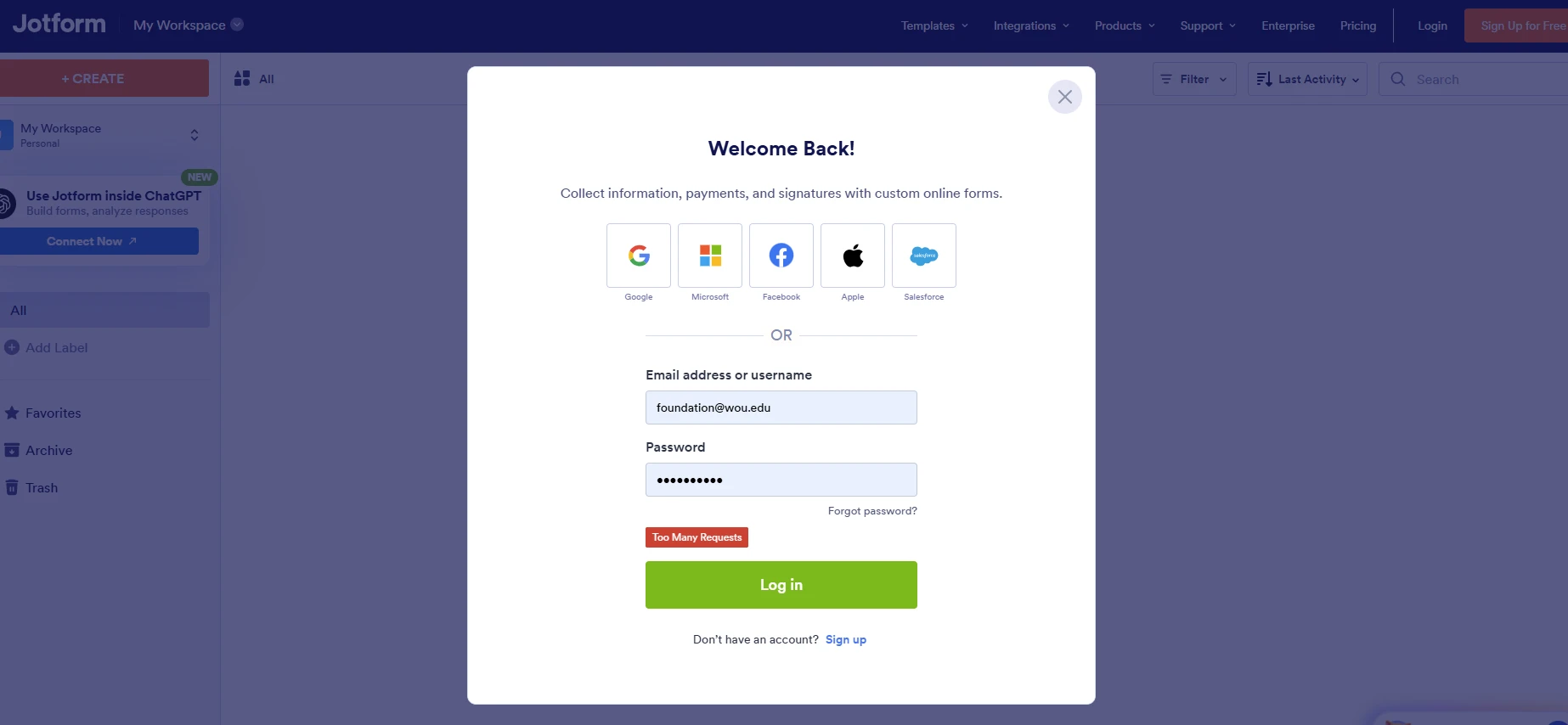
I keep getting the error "Too many requests". I have closed all my Jotform tabs and have tried logging in on a different browser.

-
 Podo: Support Specialist
Hi Olivia,
Thanks for reaching out to Jotform Support. I'm an AI assistant here to assist you.
The “Too many requests” message is not included in the knowledge base content I have for this issue. The available information only covers a few other login and form error messages, such as password reset steps and general form errors.
What I can confirm from the knowledge base:
- You can reset your password from the Login page by selecting Forgot Password, entering your username or email, and following the reset email instructions.
- If you are already logged in, you can reset your password from your Workspace page by clicking your Avatar, selecting your name, then using Reset Password under the Account tab.
I don't know this information and our support team will handle your request.
Let us know if you have any other questions.
-
 Mikhail JotForm Support
Hi Olivia,
I've gone ahead and flushed your login attempts. You should be able to log in again.
Give it a try and let us know if you have any other questions.
Your Reply
Something Went Wrong
An error occurred while generating the AI response. Please try again!