-
TTracy Burnett
I need more submissions in April but month is half way over, can that be prorated.
Then can I start back with the starter plan in May with all 100 submissions free
-
 Podo: Support Specialist
Hi Tracy,
Thanks for reaching out to Jotform Support. I'm an AI assistant here to assist you.
You can downgrade back to Starter Plan after your current paid period ends. If you downgrade back to Starter Plan, your account will remain in the plan you have purchased for the period you paid for, and then it will be downgraded to Starter Plan.
Important: when your account is downgraded to Starter Plan, it will comply with the limits of Starter Plan. If your total submissions are higher than what the current plan offers, you will lose access to your data. It is suggested that you download your submission data before your account is downgraded back to Starter Plan.
To downgrade your account:
- Go to your Workspace page.
- Click on your avatar at the top-right side of the page, then select Settings.
- Under the Billing tab, click on Change Plan.
- Click on the Downgrade button for the plan you want to downgrade.
- Follow the pop-up instructions to continue with canceling your plan.
The knowledge base also says it is not possible to increase limits for a period of time or customize a subscription plan for just part of a month.
Let us know if you have any other questions.
-
 Emre
EmreHi Tracy,
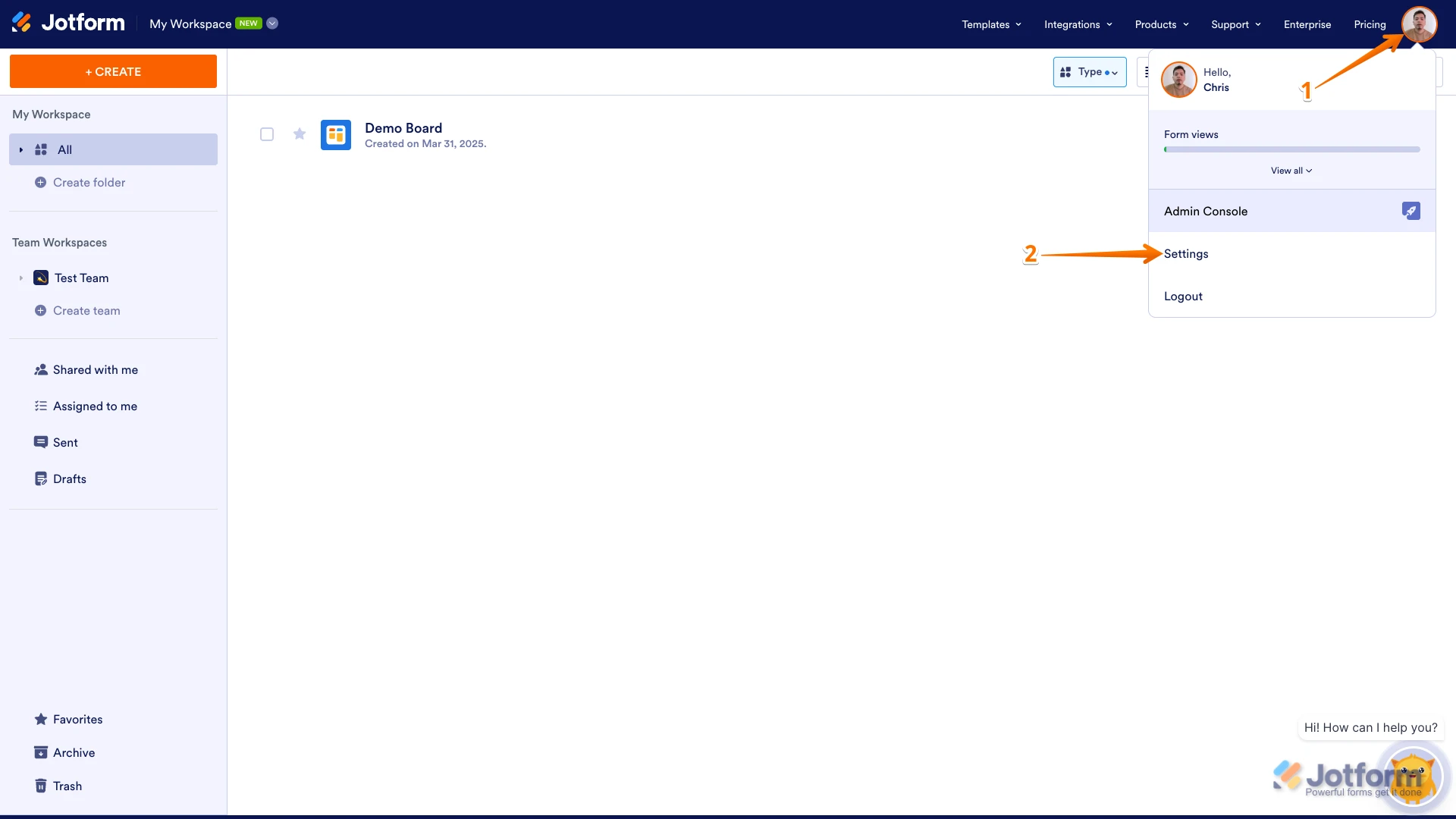
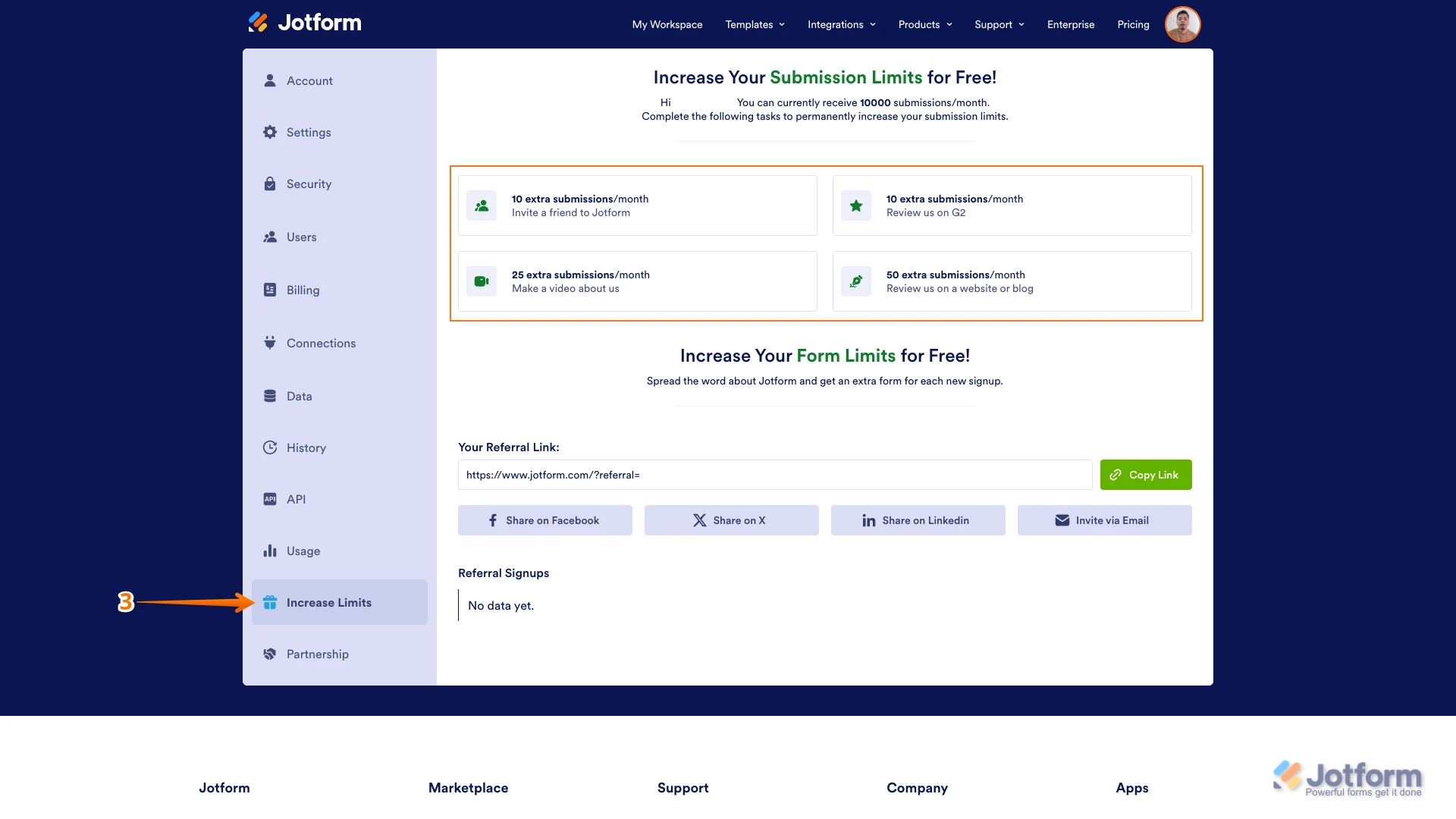
Thanks for using Jotform. You can easily increase your monthly Submission Limit permanently, without upgrading your account. Let me show you how to do that:
1. On your Workspace page, click on your Profile Image/Avatar in the top-right.
2. In the menu that opens, click on Settings.

3. Go to the Increase Limits page on the left side of the screen, and then complete the tasks to increase your account's submission limits.
Let us know if you need any more help.
Your Reply
Something Went Wrong
An error occurred while generating the AI response. Please try again!