-
MMarty Wood
We are getting Error Message when logging in - Error #502- Request Failed. Browser Caches have been cleared.
-
 Podo: Support Specialist
Hi Marty,
Thanks for reaching out to Jotform Support. I'm an AI assistant here to assist you.
Resetting your Jotform account password is easy to do. Let me walk you through it:
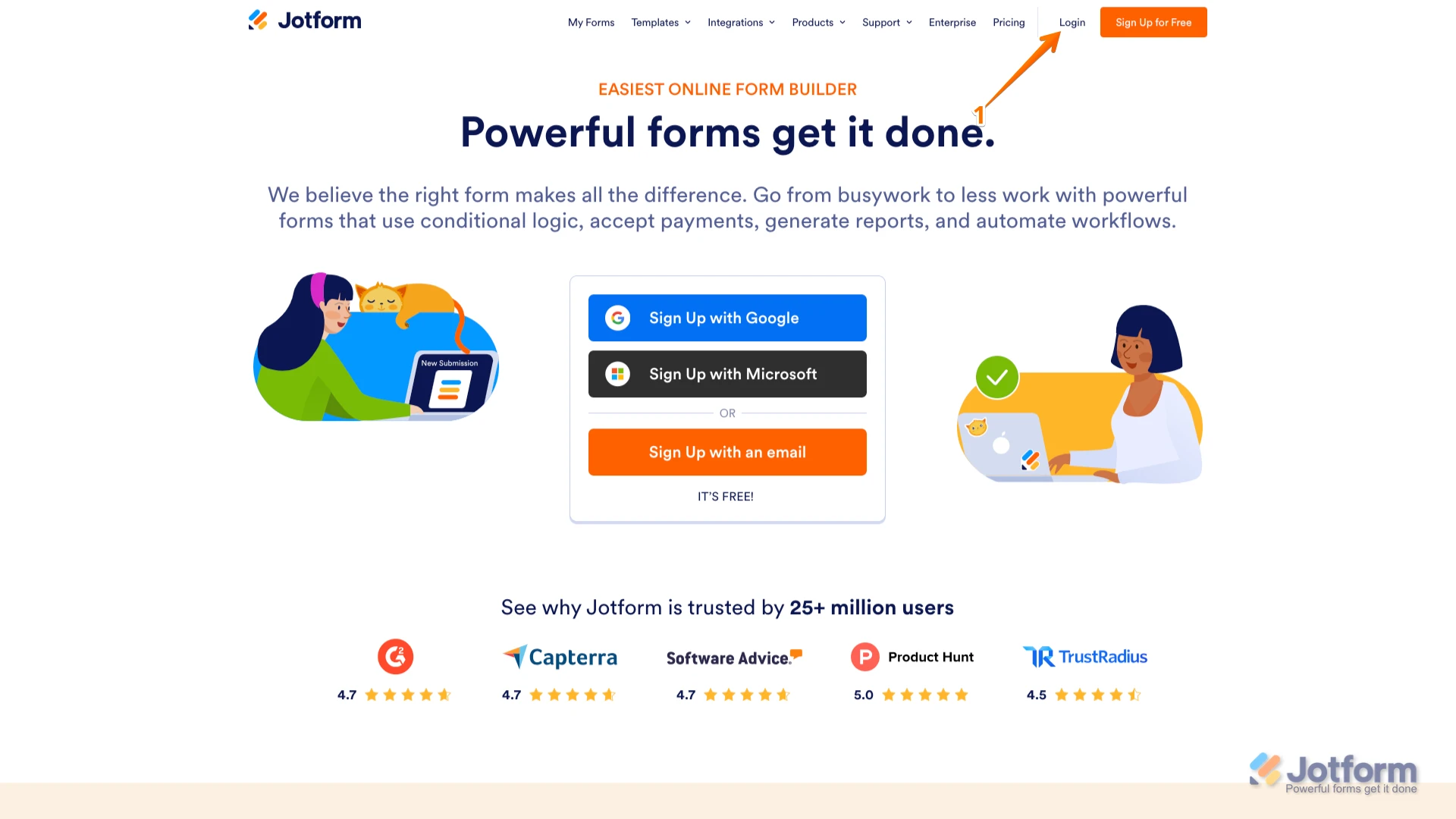
1. Go to the Jotform Main page and click on Login at the top-right corner of the page.

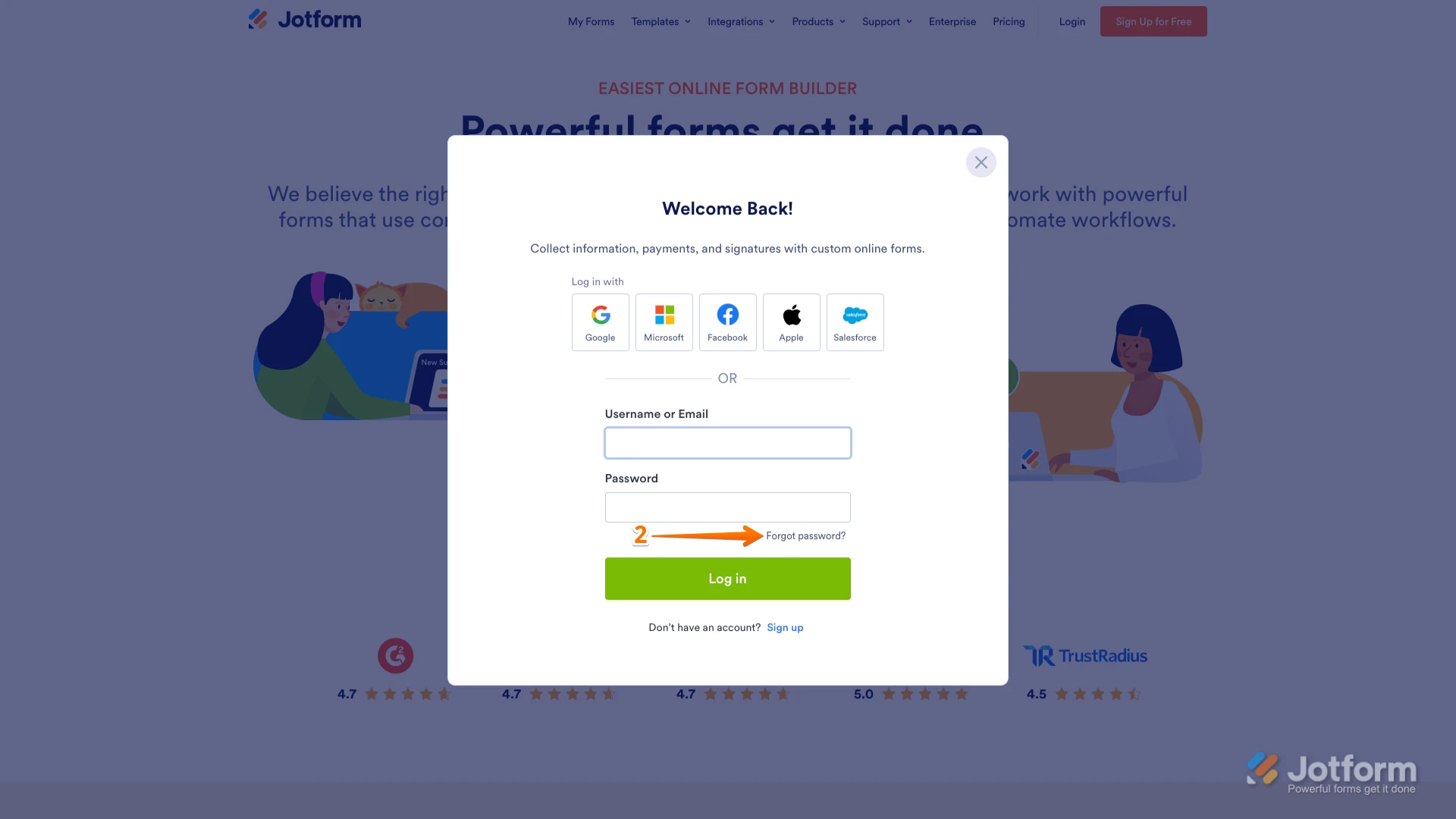
2. In the window that opens, click on Forgot Password?.
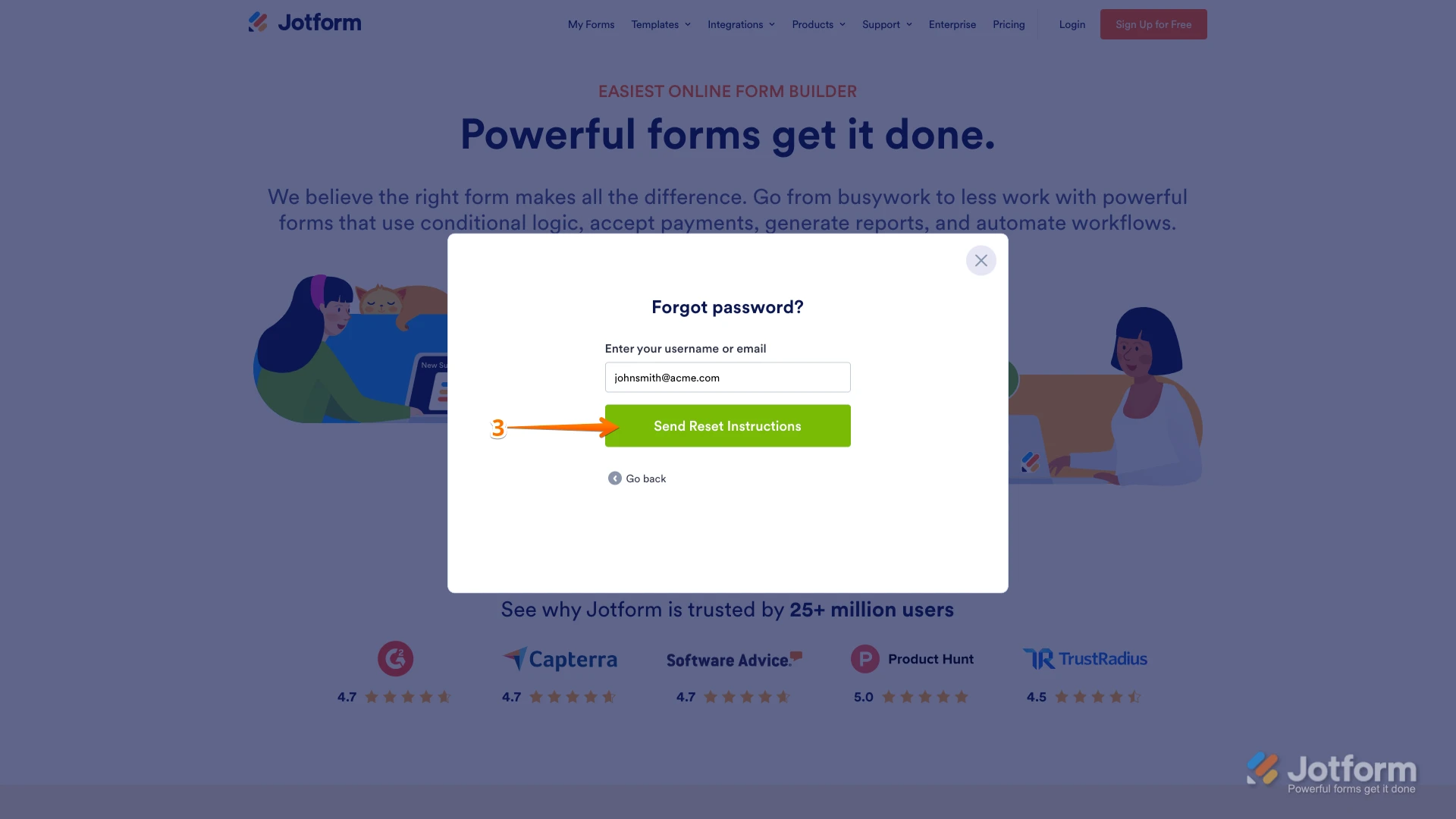
3. Enter your email address, and then click on Send Reset Instructions.
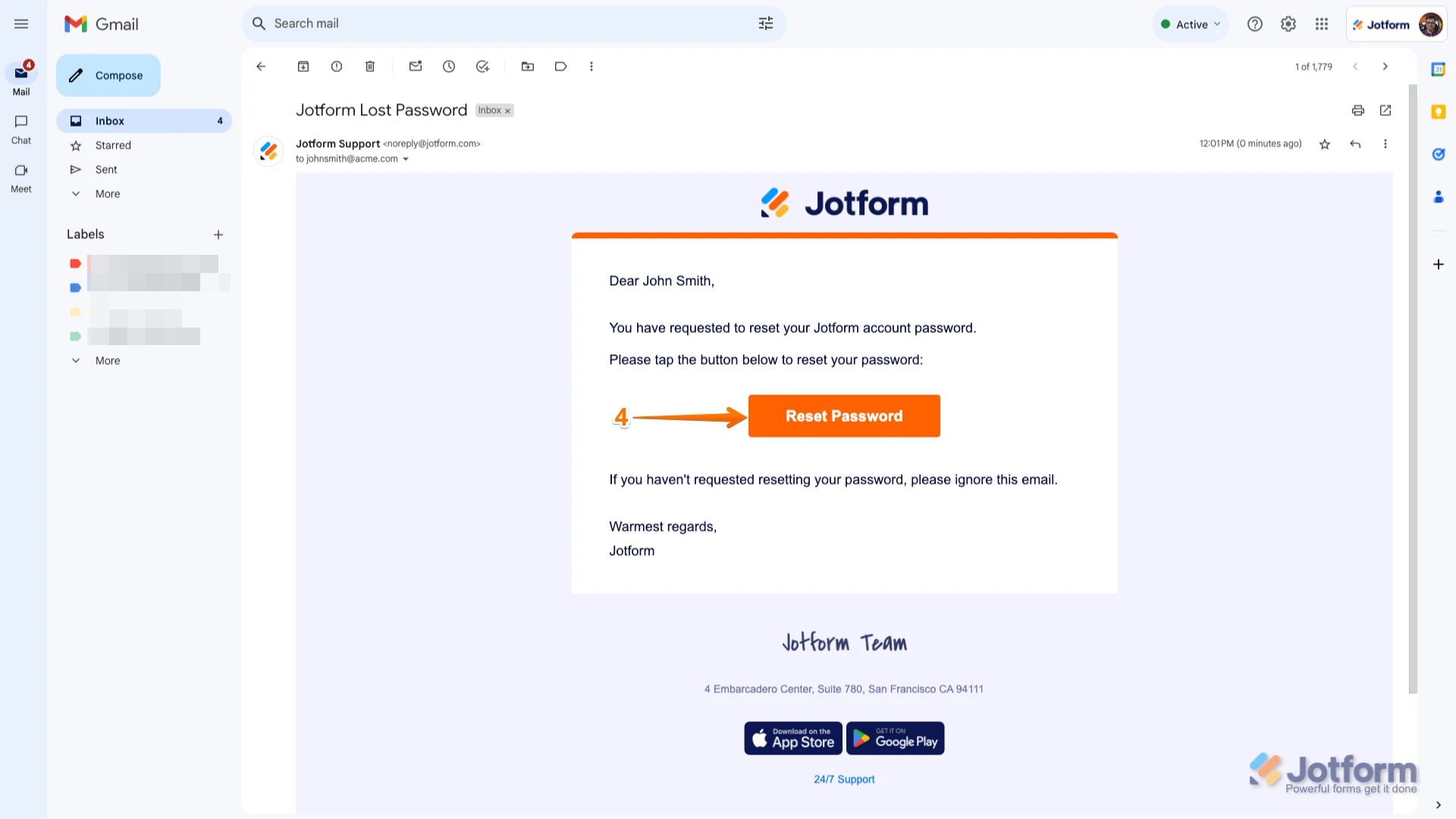
4. Open the email with the reset instructions and click on the Reset Password button.
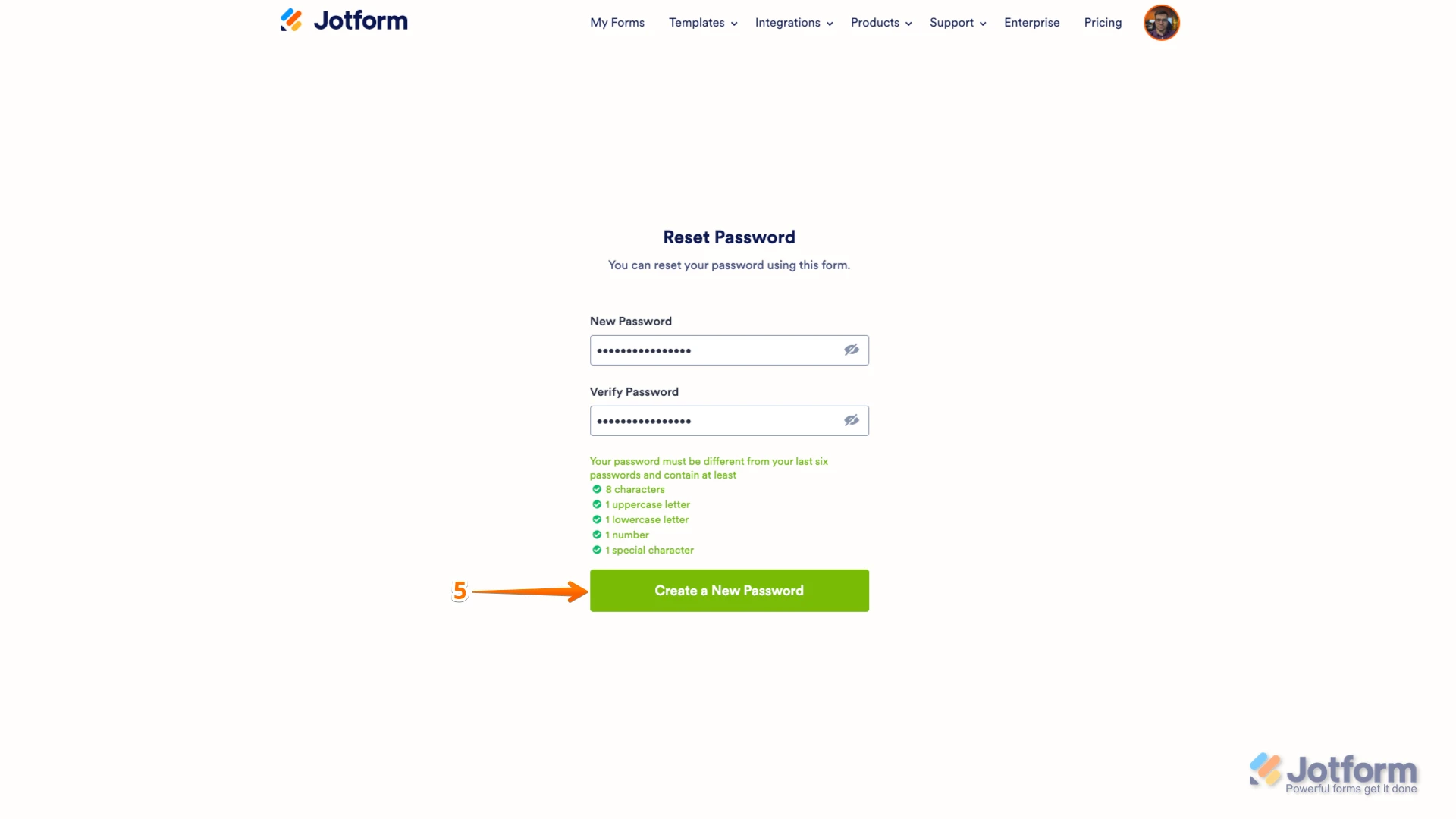
5. Enter your new password, confirm it, and then click on Create a New Password.
You can also check out our How to Reset Your Jotform Password guide for more information.
Reach out again if you need any other help.
Your Reply
Something Went Wrong
An error occurred while generating the AI response. Please try again!