-
DDavid Kendal
Please remove this email address from your system.

-
 Podo: Support Specialist
Hi David,
It’s easy to delete a sender email on your account. Let me show you how:
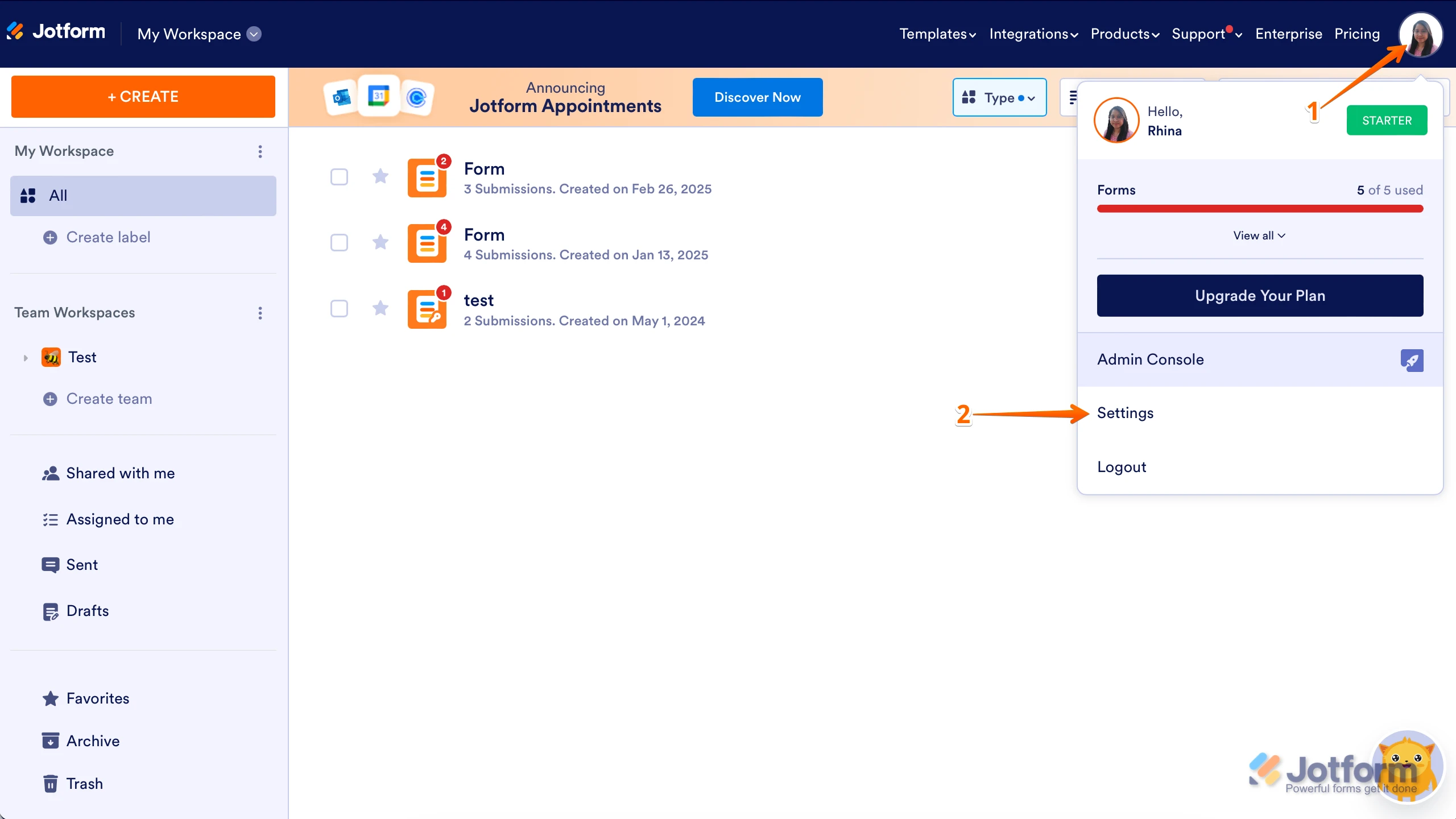
1. On your Workspace page, click on your Avatar/Profile Image in the top-right corner of the screen.
2. In the window that opens, click on Settings.
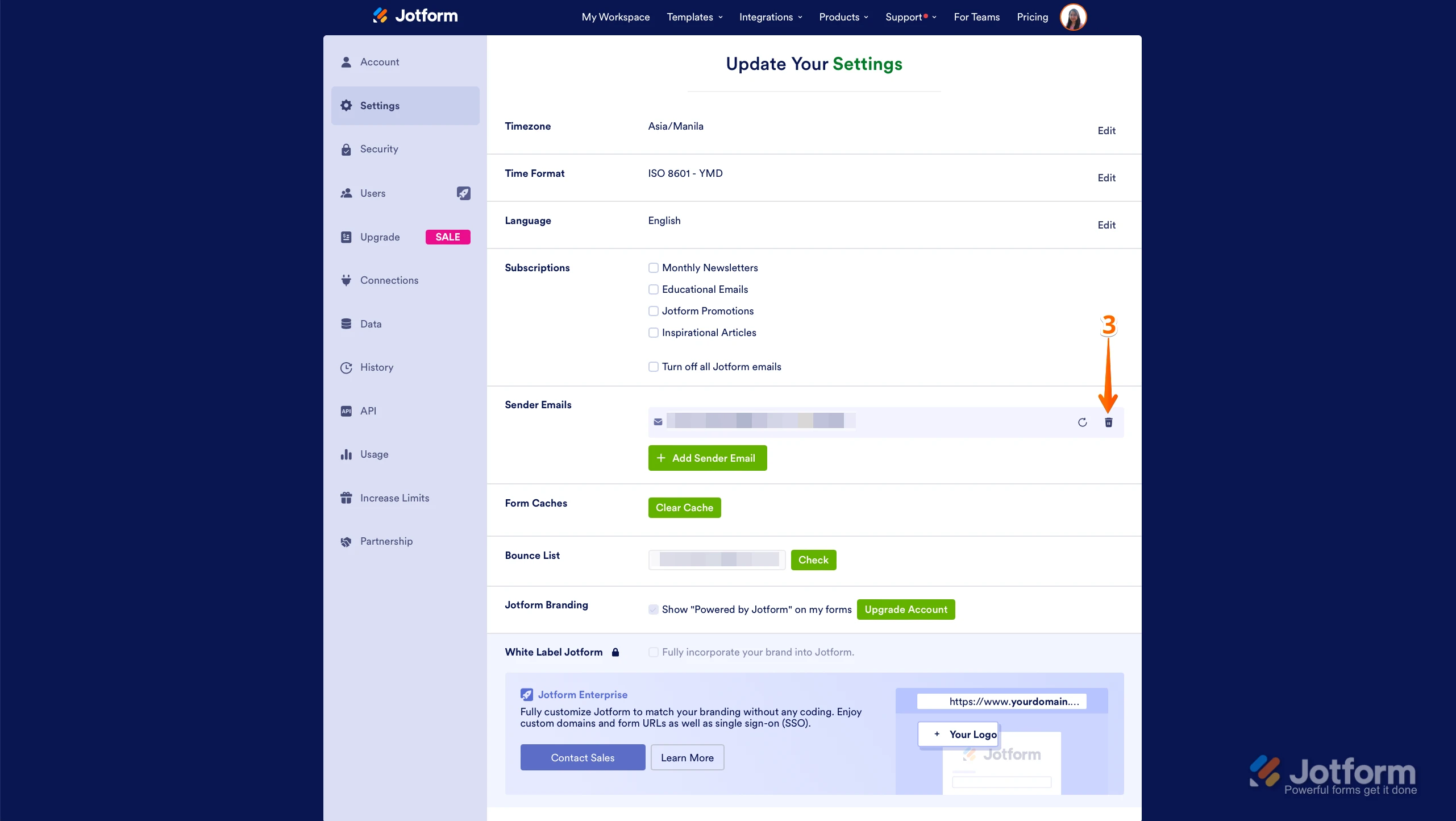
3. On the right side of the page, under the Sender Emails section, click on the Trash Can icon.
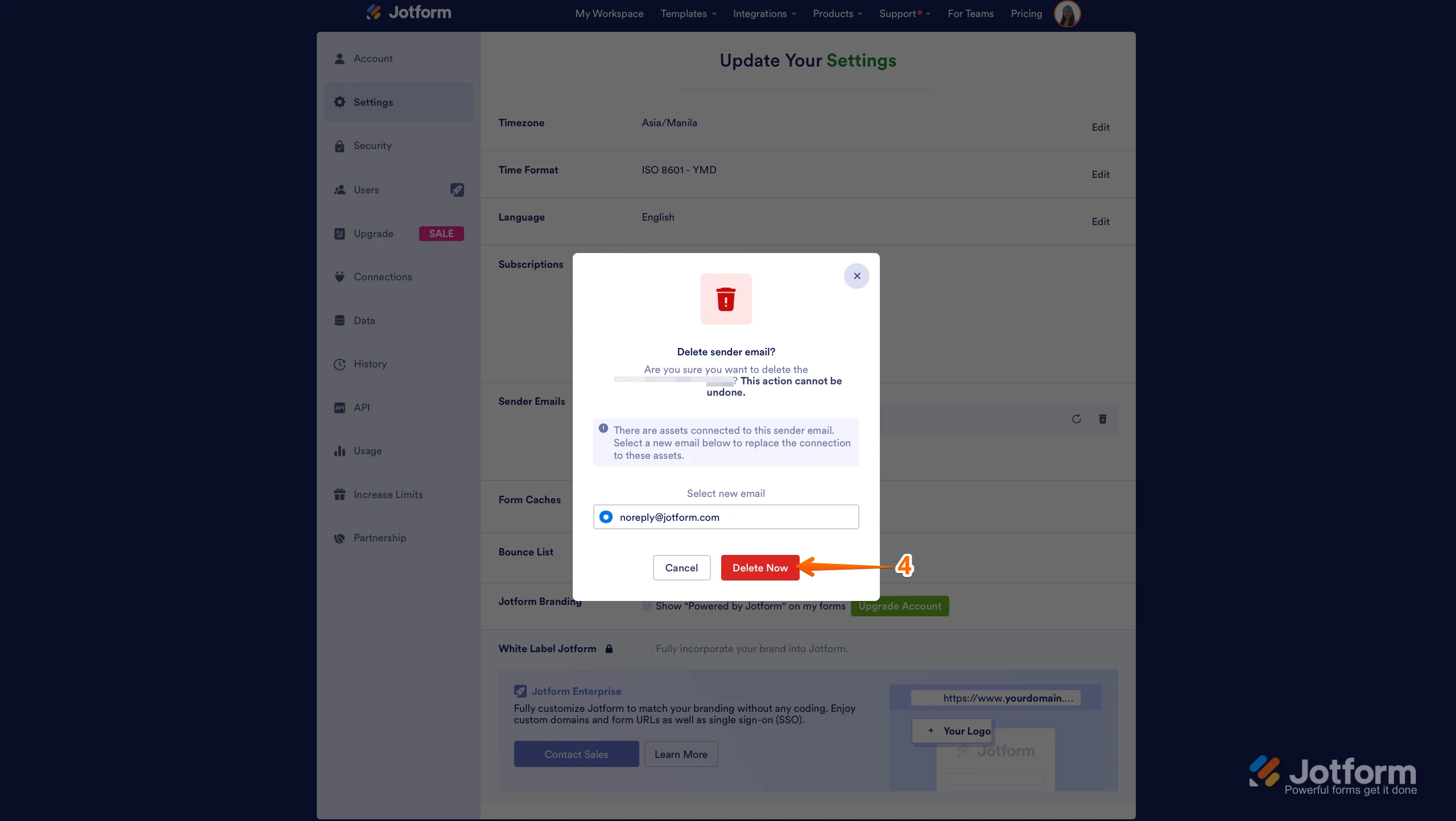
4. In the Confirmation window that opens, click on Delete Now.
Reach out again if there’s anything else we can help you with.Reach out again if you need any other help.
-
 Eduardo_Ca
Hi David,
Thanks for reaching out to Jotform Support. To stop receiving these emails, you should get in contact with the form owner and request that your email is removed from the form.
Let us know if there’s anything else we can help you with.
Your Reply
Something Went Wrong
An error occurred while generating the AI response. Please try again!