-
JJohn He
The Jot form keeps on making my email on the bounce list
-
 Podo: Support Specialist
I’m Podo from Jotform Support — I can help with that.
First, what is the exact email address that keeps getting added to the bounce list?
-
 Brandon
Hi John He,
You can easily Remove Your Account Email Address from the Bounce List. Let me show you how:
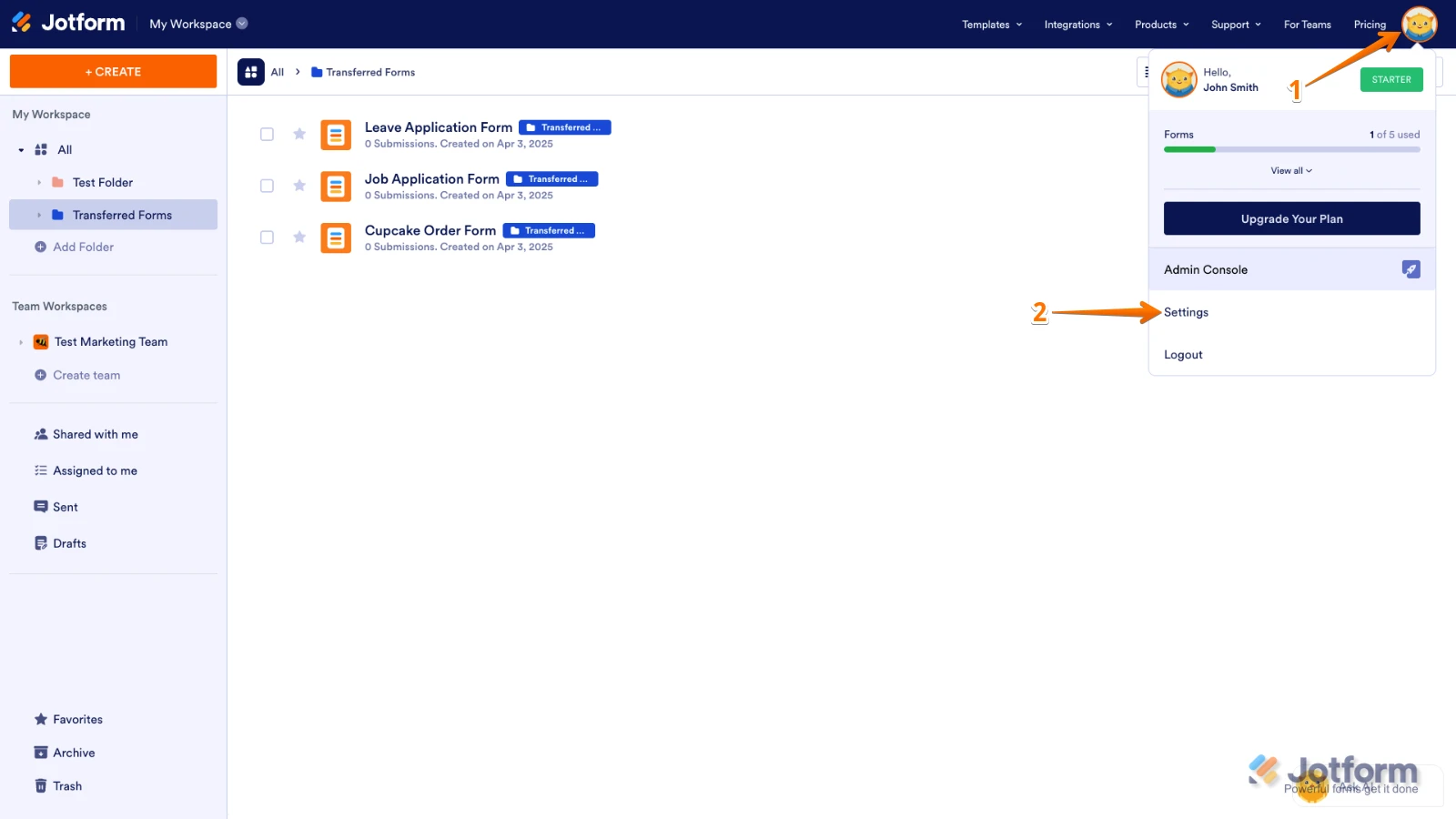
1. On your Workspace page, click your Profile Image/Avatar in the top-right.
2. Then, in the menu that opens, click on Settings.

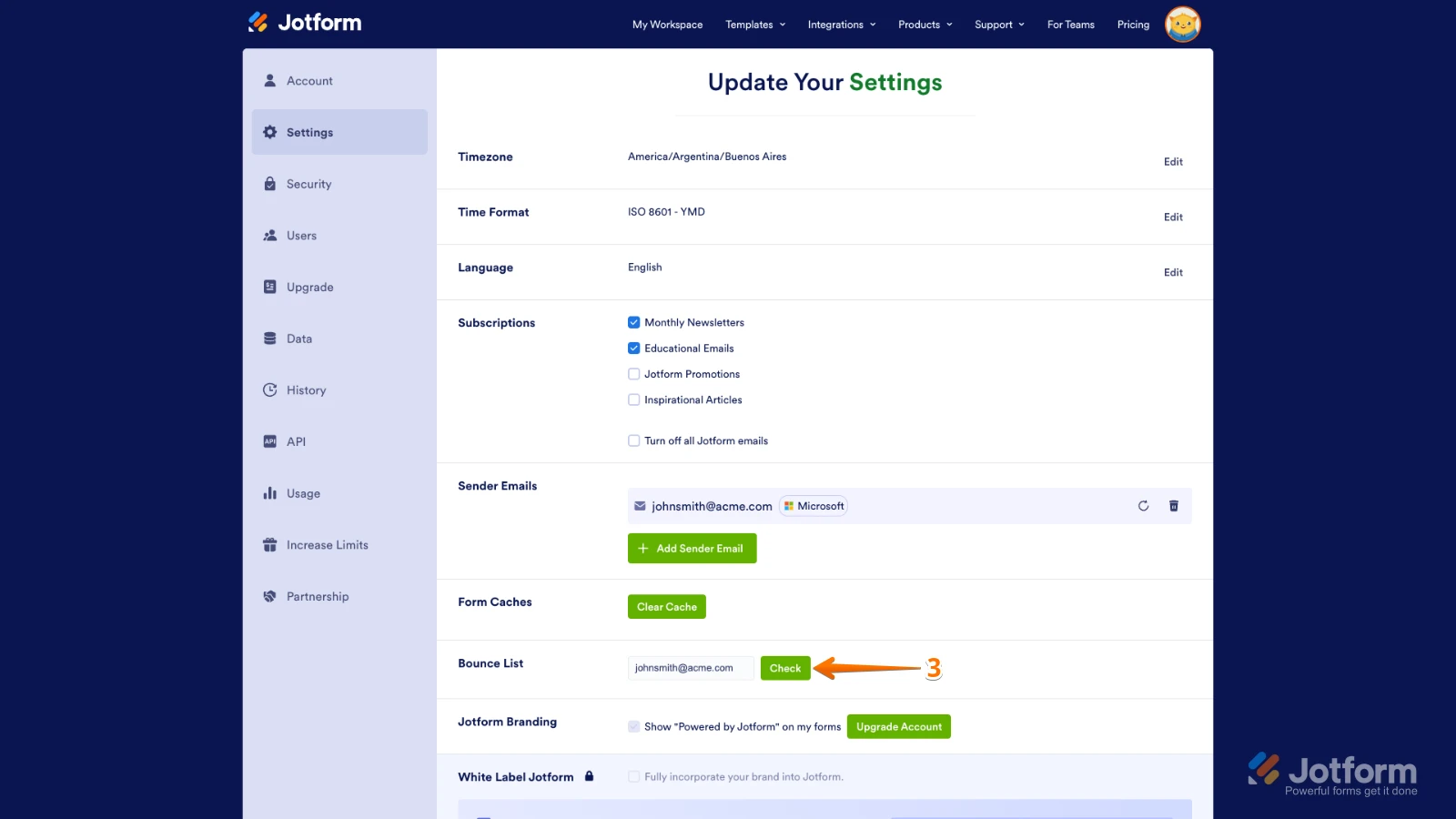
3. Scroll down to the Bounce List section, and then click on Check.
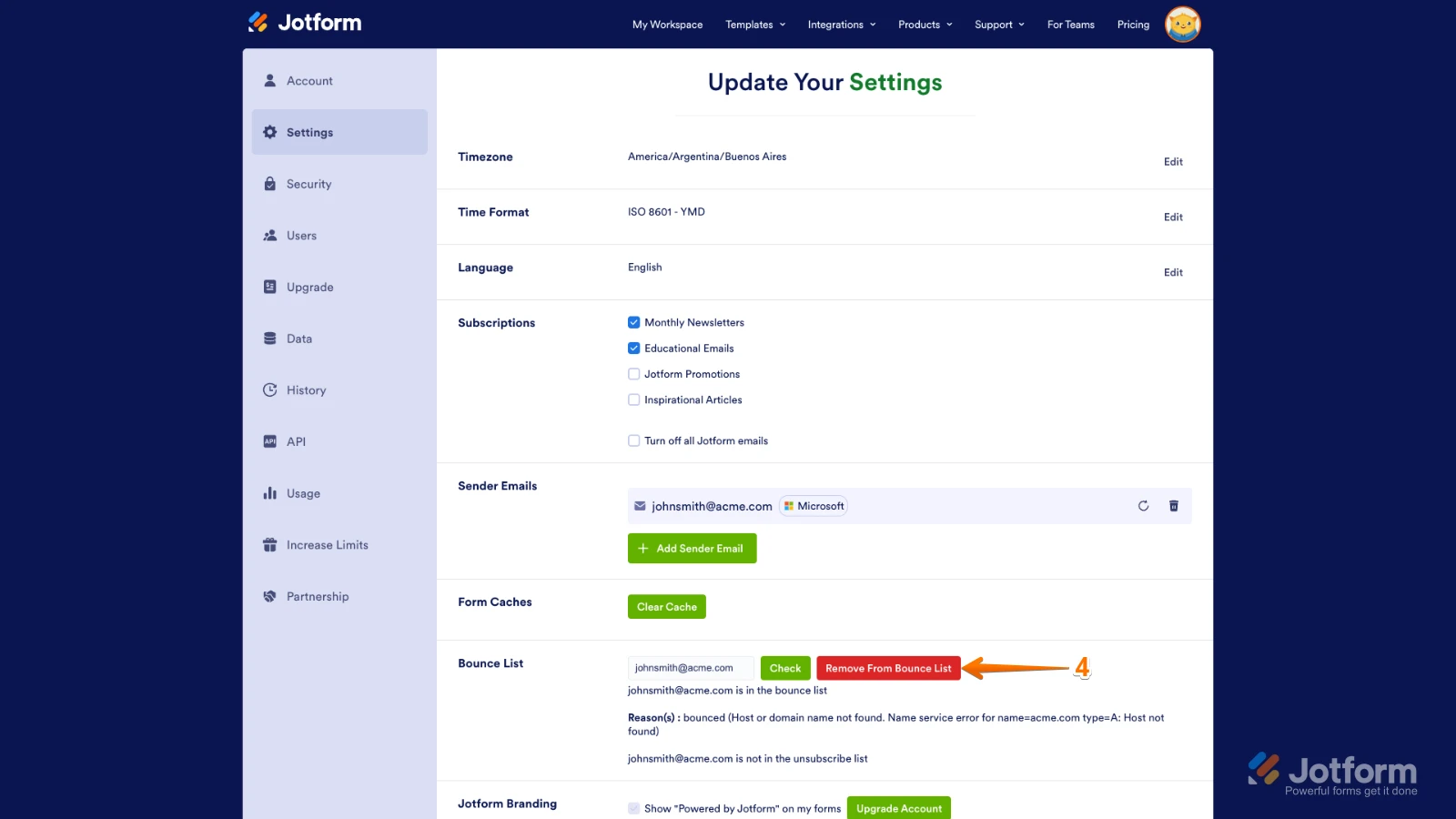
4. Finally, click on Remove From Bounce List next to the Check button.
Don’t forget, you can only check the email address that’s linked to your account. If you want to check a different email address, share it with us and we’ll gladly help.
All this said, if you have been needing to continually do this, we can look into why your email is repeatedly getting added to the bounce list as well.Let us know if you have any other questions.
Your Reply
Something Went Wrong
An error occurred while generating the AI response. Please try again!