-
 Enosh_org
Hello Jotform Support,
I am currently using the Approval feature within Jotform Workflows, and I’ve encountered an issue with email direction.
All approval emails (Approve/Decline notifications) are displayed in left-to-right (LTR) format in Outlook, even though the content is in Hebrew and the form itself is configured as RTL.
Since the Workflow email editor does not support full HTML or direction settings, I am unable to enforce right-to-left (RTL) alignment for these emails.
Could you please advise:
- Is there a way to set RTL direction for Approval emails within Workflows?
- Are there any supported methods or workarounds to ensure proper RTL display (especially in Outlook)?
- Is this a known limitation, and are there plans to support RTL formatting in Workflow emails?
This is important for usability, as the current format affects readability for Hebrew-speaking users.
Thank you in advance for your assistance.
Page URL: https://form.jotform.com/260802621678459 -
 Podo: Support Specialist
Hi Nitzan,
Thanks for reaching out to Jotform Support. I'm an AI assistant here to assist you.
I checked the available information, and it does not include any details about setting RTL direction for Approval emails in Workflows, supported workarounds for Outlook, or whether this is a known limitation with planned support.
What is available in the knowledge base is information about Approval and Approve & Sign settings, including:
- Require Login for Approver/Signer can be toggled in the element properties.
- Approval Reminder Emails can be customized in the Email, Sender, and Advanced tabs.
- Hide Empty Fields, file attachments, and sender email options are available for reminder emails.
Since the knowledge base does not provide an answer for RTL formatting in Workflow approval emails, I don't know this information and our support team will handle your request.
Give it a try and let us know how it goes.
-
Enosh_org
I understand that this information is not currently available in the knowledge base. However, I would like to clarify that this appears to be a limitation in the Approval email functionality within Workflows.
At the moment, Approval emails are always displayed in left-to-right (LTR) format in Outlook, even when the content is entirely in Hebrew. Since there is no access to HTML or direction settings in the Workflow email editor, there is no way to enforce RTL formatting.
This creates a significant usability issue for Hebrew users.
Could you please confirm the following:
- Is RTL formatting for Approval emails currently unsupported by design?
- Is this a known limitation in Jotform Workflows?
- Are there any internal workarounds (even partial) that are not documented?
- Is there any plan to support RTL direction in Workflow emails in the future?
If possible, I would also appreciate if this request could be forwarded to your product team as a feature request.
-
Podo: Support Specialist
Hi Nitzan,
One of our Support Team members will take it from here to follow up shortly.
I will no longer respond in this thread.
Reach out again if you need any other help.
-
 Emre
EmreHi Nitzan,
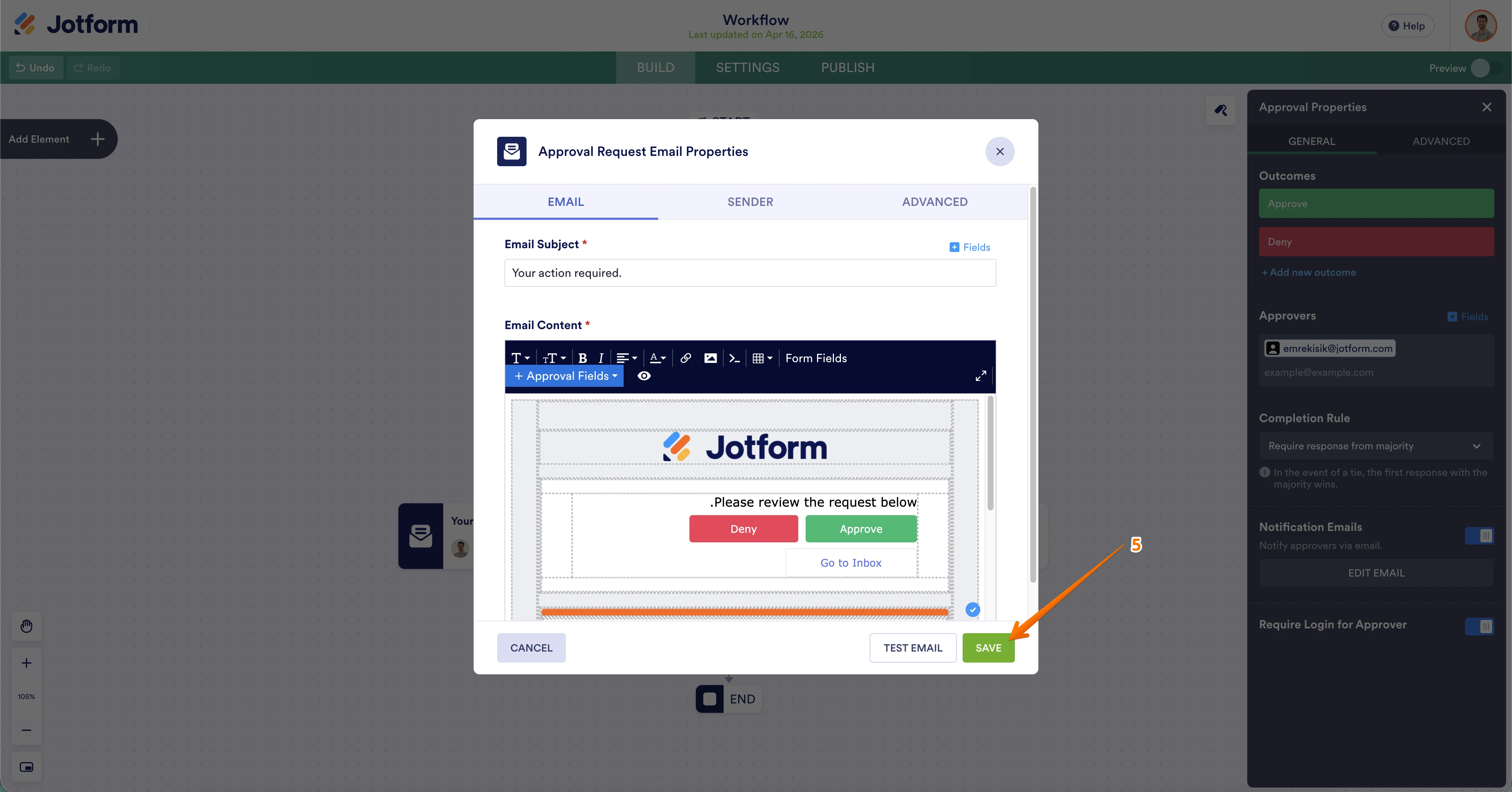
Thanks for reaching out to us for help. I checked this and found a way to enable Right-to-Left (RTL) formatting directly in your Workflow emails. You can manually apply the direction attribute by accessing the source code of the email template.
Here is how to do it:
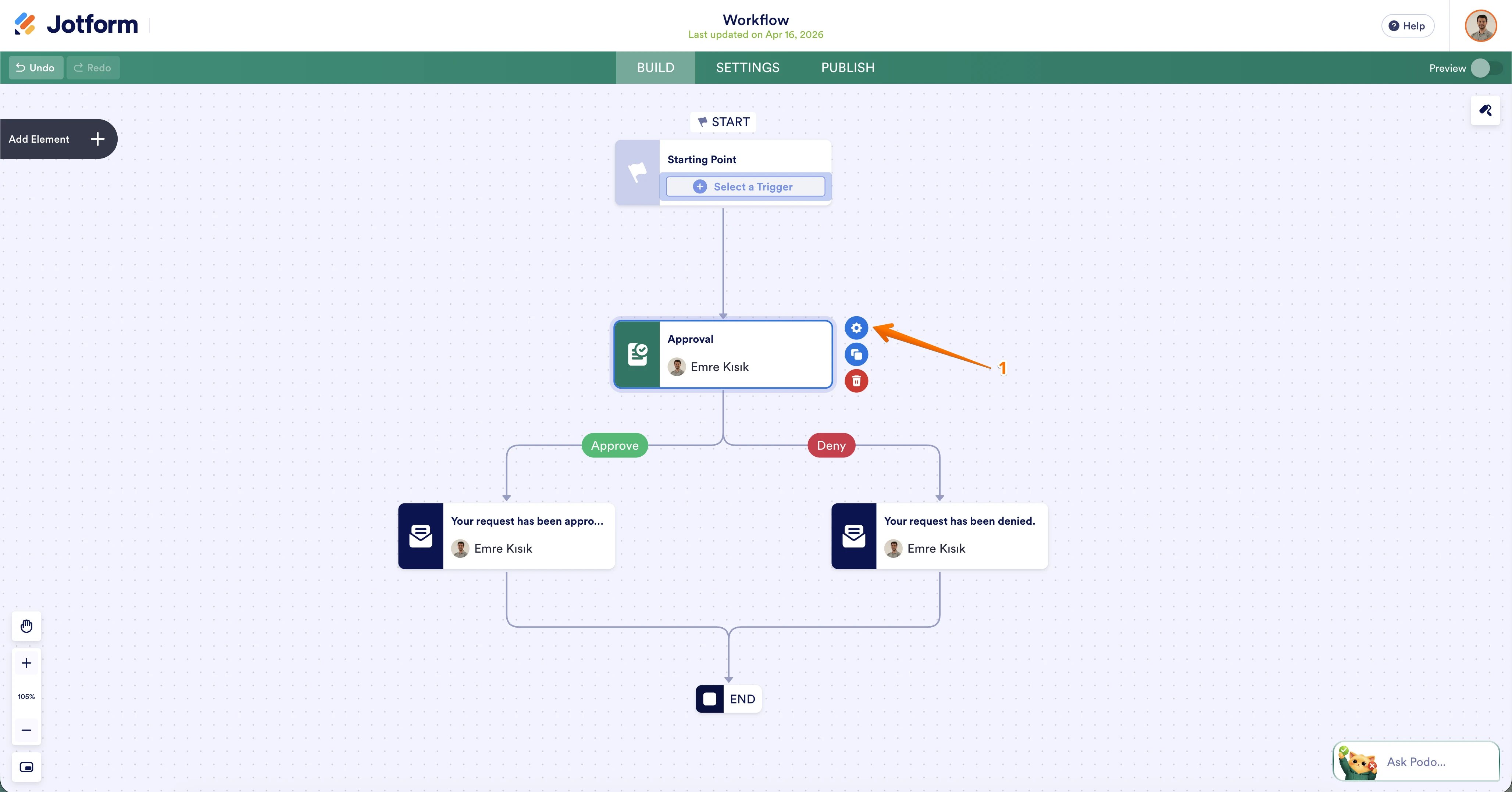
- In Workflow Builder, click on the Settings (gear icon) of the Approval element.

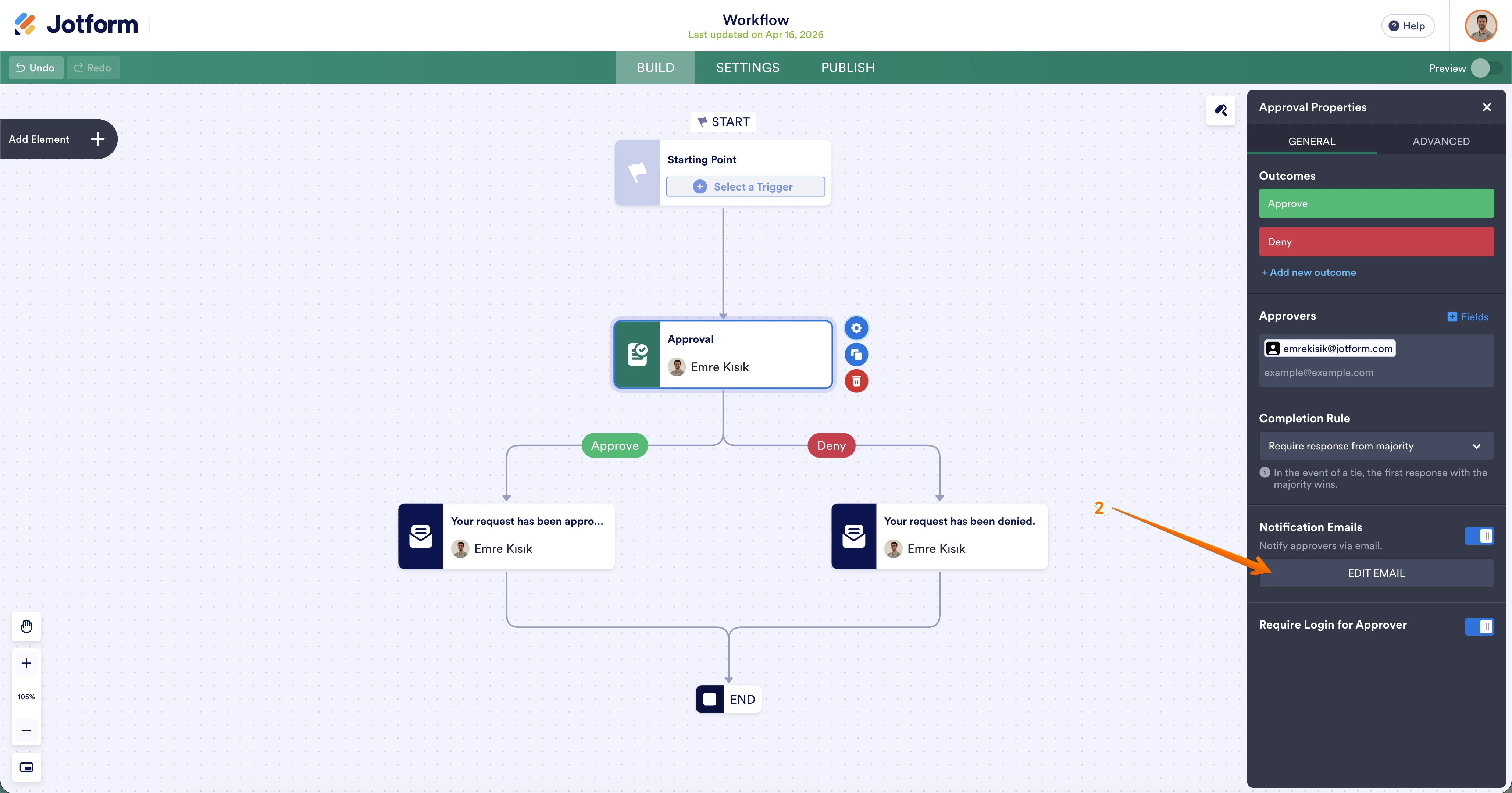
- Go to the Notification Email Section and click on Edit.
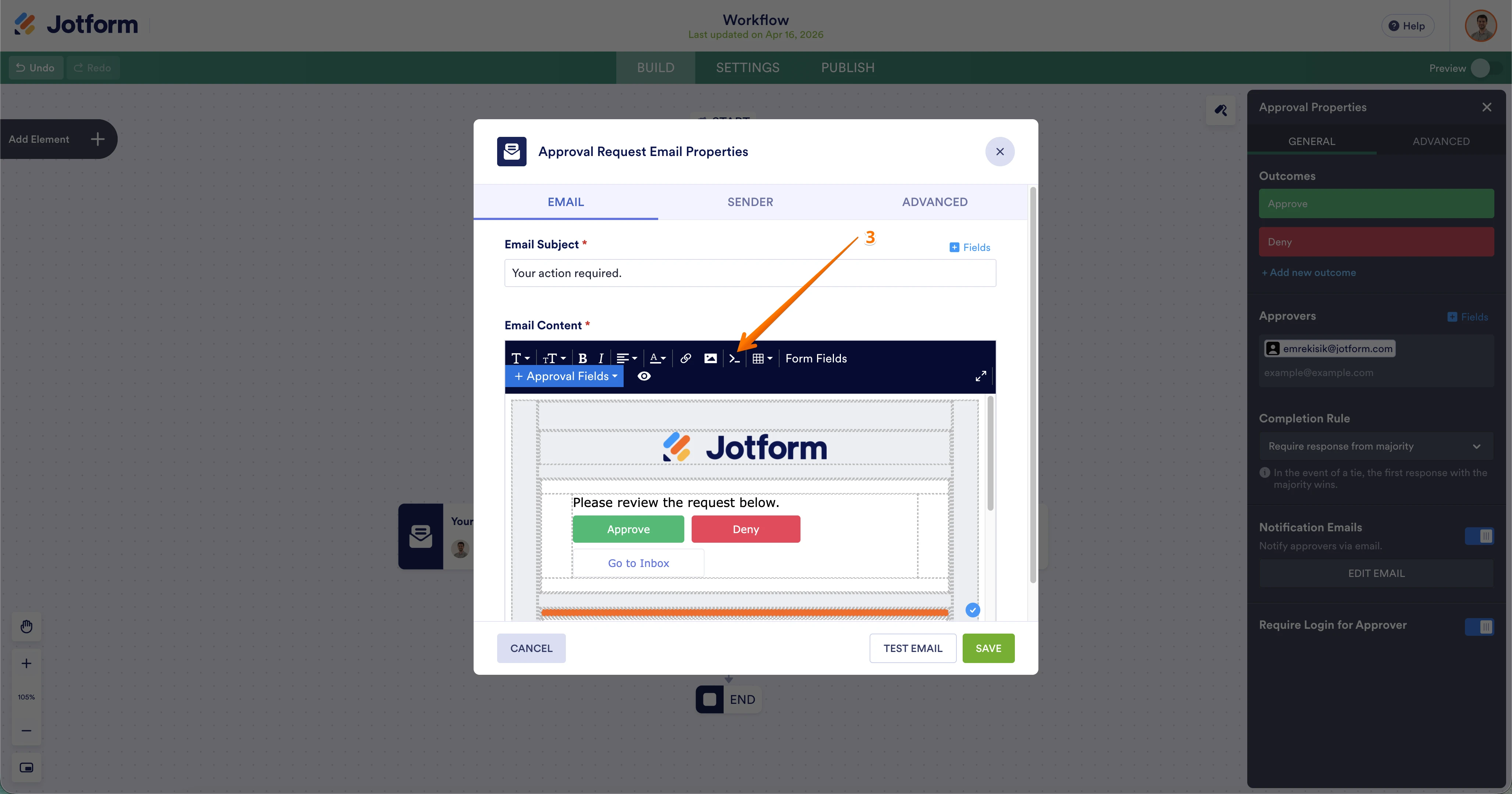
- In the email editor, look for the Source Code icon (represented by >_) and click on it.
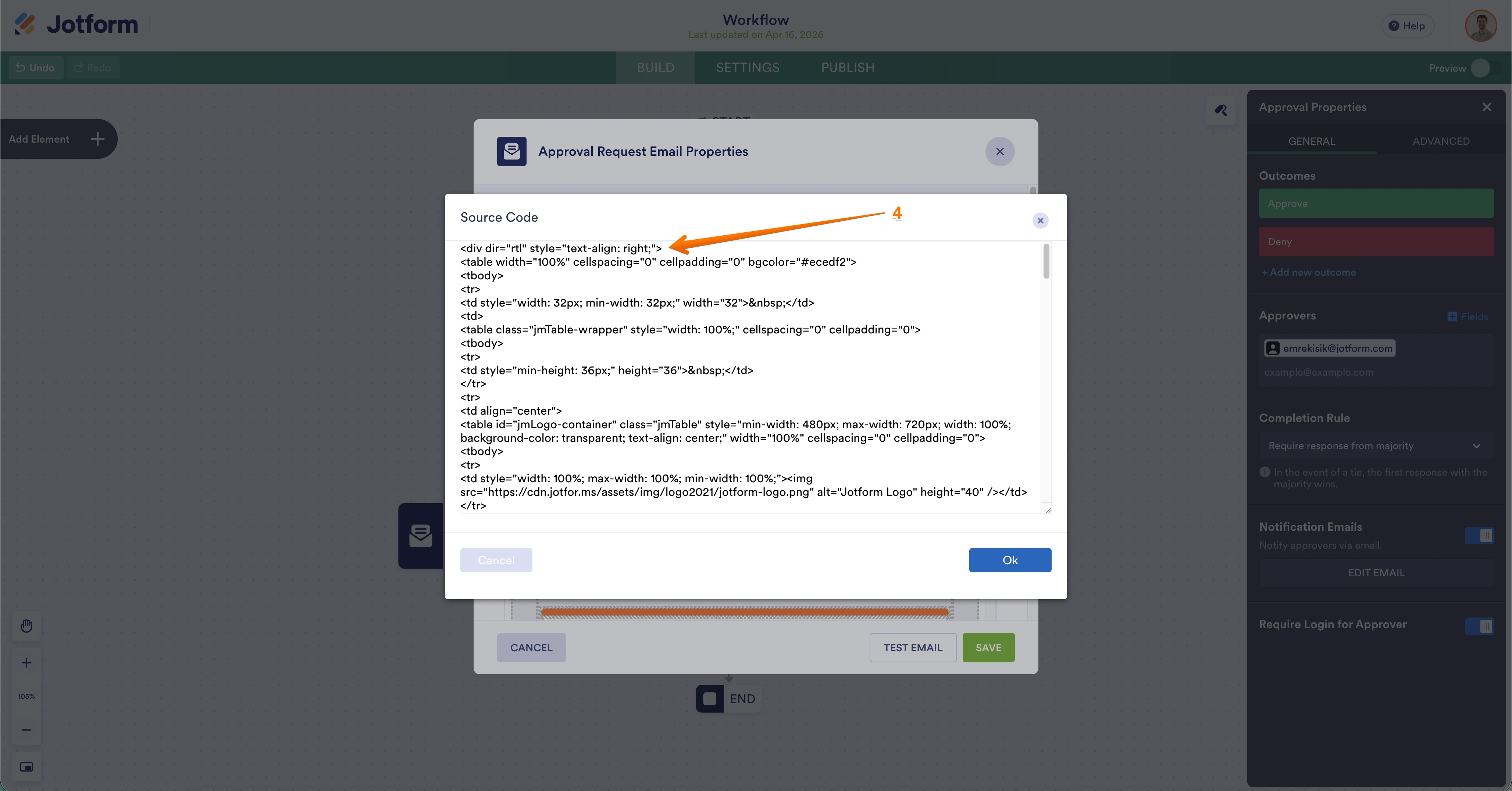
- Add the following code at the very beginning of the code in the window that opens and click "Ok"
<div dir="rtl" style="text-align: right;"> - Click Save.
This will force the email to display in RTL format, ensuring it appears correctly in Outlook.
Give it a try and let us know if you have any other questions.
- In Workflow Builder, click on the Settings (gear icon) of the Approval element.

Your Reply
Something Went Wrong
An error occurred while generating the AI response. Please try again!