-
 rnwforms
Hi Team,
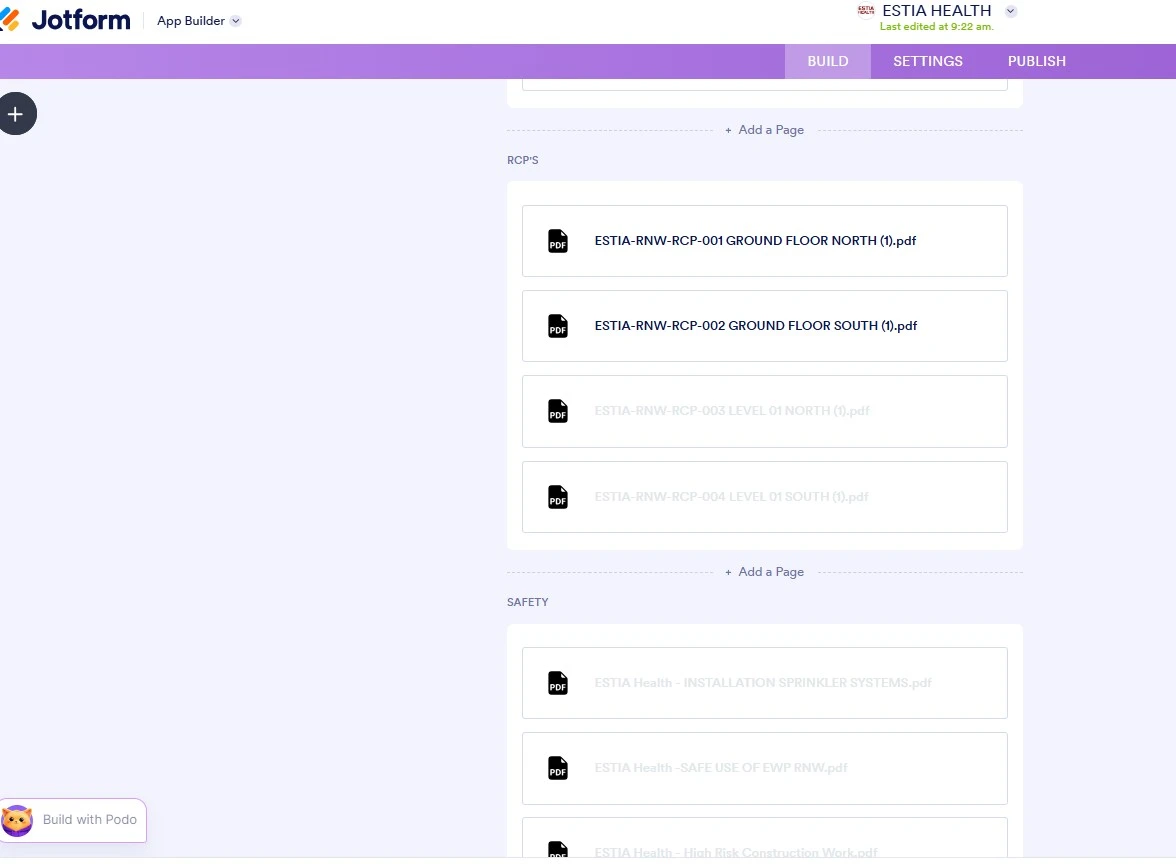
I am trying upload some more documents, but they don't seem to be loading nor visable on the app
Is there a problem with our system?

-
 Podo: Support Specialist
Hi RNW,
Thanks for reaching out to Jotform Support. I'm an AI assistant here to assist you.
Here’s how to do it:
- Open your Workspace page.
- Click Filter at the top and uncheck everything except Forms.
- Select your form, then click Submissions or Inbox.
- Check the submission panel and scroll down to find the File Upload field.
- Open Jotform Tables if needed, then click View on the submission to see the uploaded files.
If you are trying to view app submissions, you can also open the app in App Builder, click the dropdown next to the Jotform logo, and choose Tables. You can then view the submissions for each form from there.
If the files are still not loading or visible, the knowledge base does not include a specific answer for that issue.
Let us know if you have any other questions.
-
 Girish Enterprise Support
Hi rnwforms,
Are you working on this app https://www.jotform.com/app/252870554164864? From your screenshot and from the app, I can see that these are external PDFs that have been added to the app.
But when you click on them it opens on the live app:
Can you provide us access to your account so that we can check the build page of the app?
To do that, we’ll need your permission to access your account. Don’t worry, you can turn it off again once we’re done. Let me show you how to do it:
1. In the top-right corner of your Workspace page, click on your Avatar/Profile Image icon.
2. Then, in the Dropdown menu that opens, click on Settings.
3. Next, in the panel on the left, click on the Security tab.
4. If you haven’t opened your Security page in a while, it’ll ask you to verify. To do that, click on Send Verification Code.
5. Then, enter the Verification Code you receive in your email.
6. Finally, at the bottom of the page, toggle on Jotform Support Access.
After we hear back from you, we’ll have a better idea of what’s going on and how to help.


 After we hear back from you, we’ll have a better idea of what’s going on and how to help.
Your Reply
Something Went Wrong
An error occurred while generating the AI response. Please try again!