-
 LFA_luis
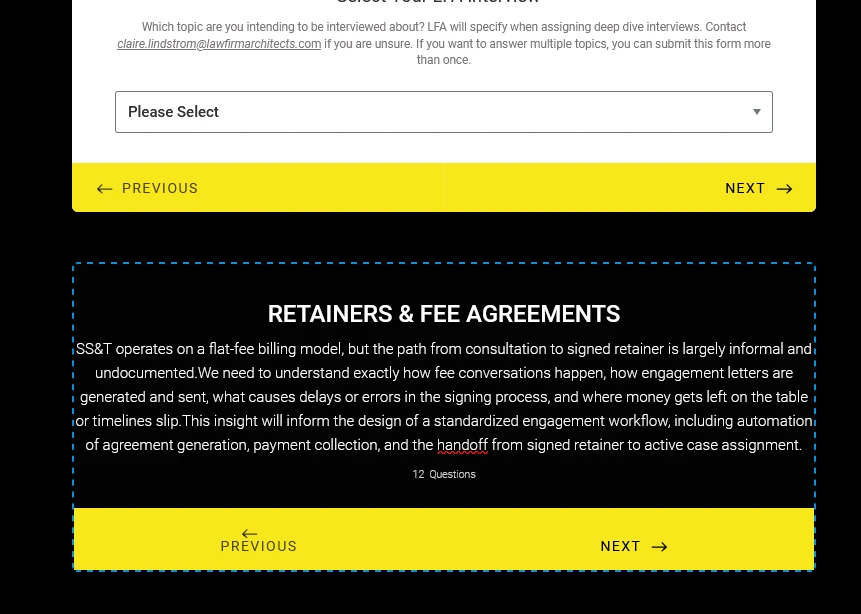
Hi team, I found an issue in the Jotform Deep Dive Interview form. After selecting the interview type, the next category cards are not loading consistently. Sometimes they appear, but most of the time they don’t. Can you help me with the issue. I have attached form link along with card as refernce in screenshot.
 Page URL: https://form.jotform.com/261034065522447
 -
 Podo: Support Specialist
Hi LFA,
Thanks for reaching out to Jotform Support. I'm an AI assistant here to assist you.
The knowledge base includes guidance that may help with card form loading issues:
- Clear your form cache from your Account Settings under Form Caches.
- Check the form layout in Form Designer and confirm whether the form is set to Card Form or Classic Form.
- If the form is embedded, review the Inline Embed settings for Card Forms, including the Show Only Card and Hide All Other Elements option and Smart Embed.
The knowledge base also notes that some fields are not supported in Card Form layout, and unsupported fields will show a message until you switch back to Classic.
If you want, you can try clearing the cache first and then check whether the form is using Card Form layout and the embed settings are correct.
Give it a try and let us know how it goes.
-
LFA_luis
i cant see the clear cache option. Can you show me the steps?
-
Podo: Support Specialist
Hi LFA,
One of our Support Team members will take it from here to follow up shortly.
Reach out again if you need any other help.
-
LFA_luis
How will I know they are trying to reach out to me?
-
Podo: Support Specialist
Hi LFA,
One of our Support Team members will take it from here to follow up shortly.
Reach out again if you need any other help.
-
 Kris JotForm Support
Hi LFA_luis,
You can clear the caches of your forms through your Jotform account settings. Although Clearing Your Form Caches isn't done automatically, it's easy to do it manually. Let me show you how:
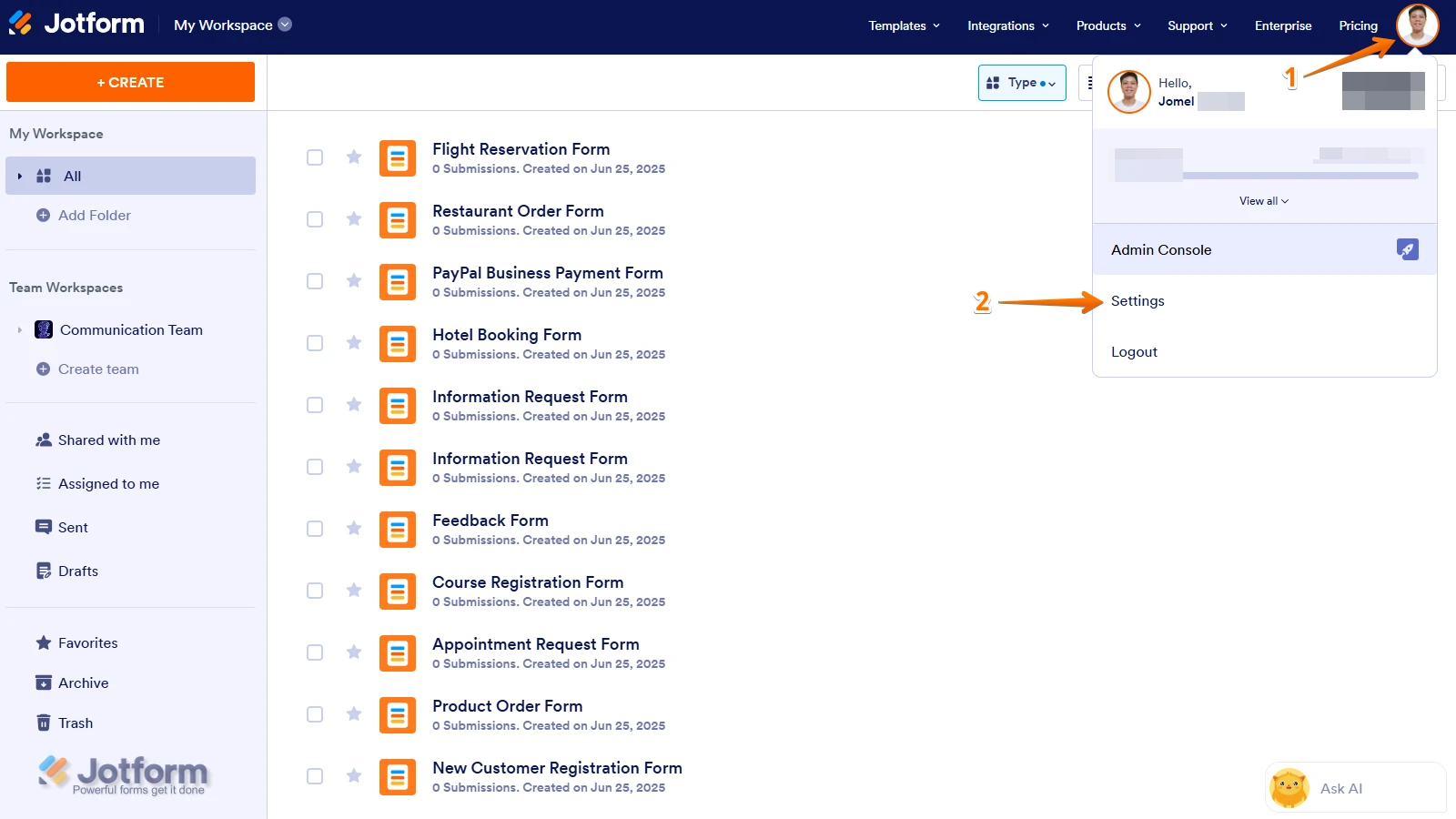
1. On your Workspace page, click on your Avatar/Profile Image icon.
2. In the Dropdown menu, click on Settings.
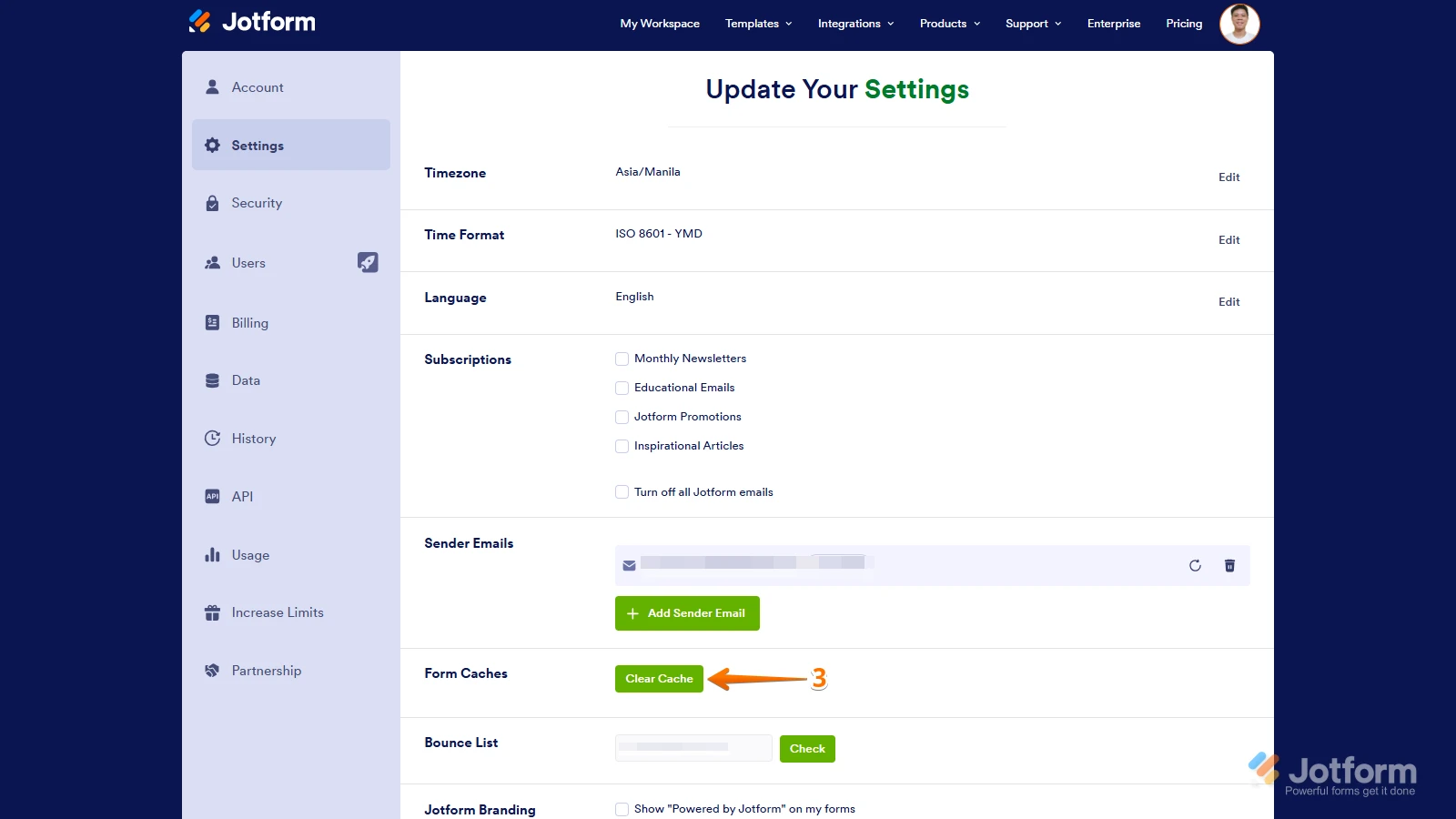
3. In the Settings menu, click on Clear Cache. And that's it, you're done.
Give it a try and let us know if you need any other help.

Your Reply
Something Went Wrong
An error occurred while generating the AI response. Please try again!