-
 CondoOffice
This is the form table and I cannot find the submission for Unit 107. Can you help please?
-
 Podo: Support Specialist
Hi Hernan,
Thanks for reaching out to Jotform Support. I'm an AI assistant here to assist you.
Let me help you with that:
- Open your form in Workspace, click on Filter at the top, and uncheck all assets except Forms.
- Select the form, then click the Submissions button to open its table.
- Check the table for the submission, and if it was deleted, click the three dots in the main submissions tab and select Trashed entries.
- Restore the entry if it appears in Trash.
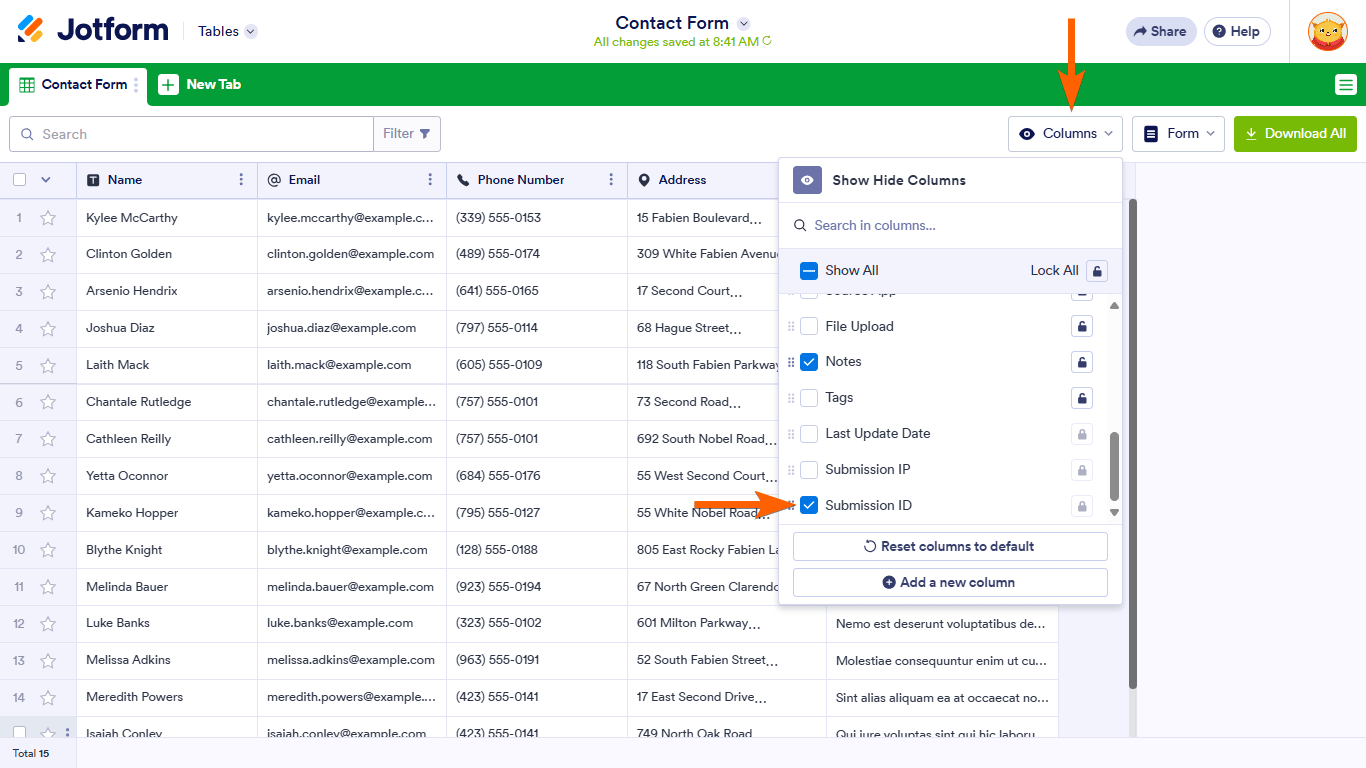
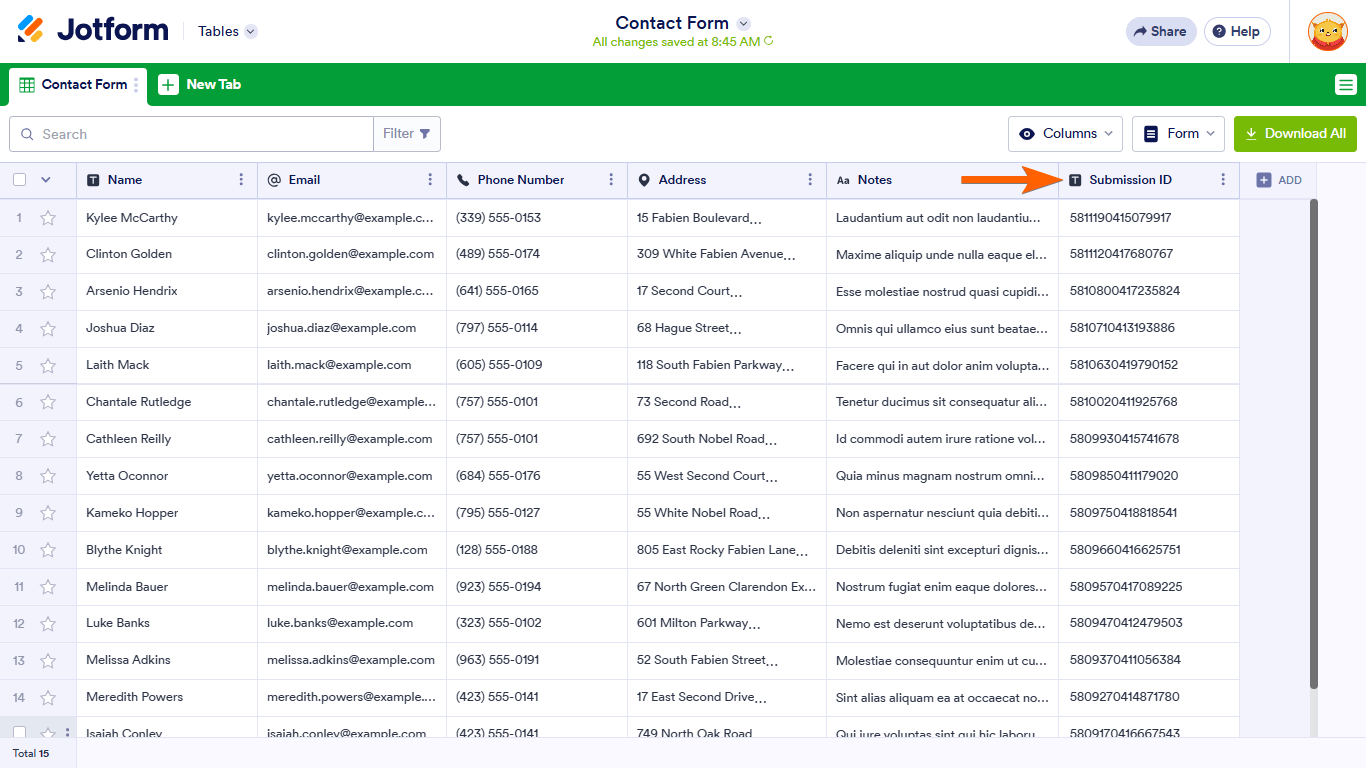
- Turn on the Submission ID column in Jotform Tables by clicking Columns in the upper-right corner and enabling Submission ID.

If Trashed entries are empty, the submission may be hidden by columns in Jotform Tables, so checking the visible columns can help.
Give it a try and let us know how it goes.
Your Reply
Something Went Wrong
An error occurred while generating the AI response. Please try again!