-
 tbeck1010
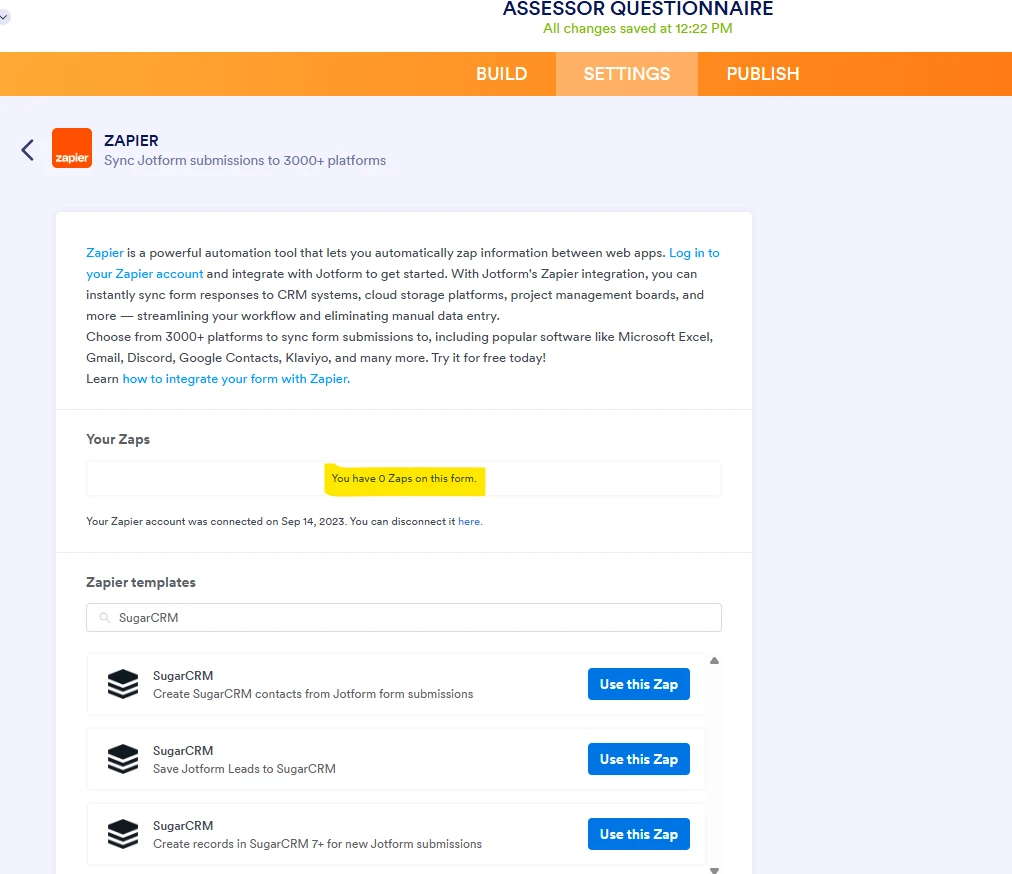
I have an existing form that I created last year and used an integration with Sugar/Zapier that is still currently working, but when I click on the integrations tab in Settings, go to Sugar, it is showing "zero zaps for this form". All I want to do is make an edit to the current integration but it is not showing.

-
 Podo: Support Specialist
Hi Tim,
Thanks for reaching out to Jotform Support. I'm an AI assistant here to assist you.
Here’s how to do it:
- Open your form in Form Builder.
- Click Settings, then Integrations.
- Search for Zapier and click it.
- Click Connect to Zapier to log in to your Zapier account.
- Check the Your Zaps section and use the Zapier templates list to select the Zap you want to edit or use.
The knowledge base says that if you have previously connected the current form with Zapier, you should see its connected apps in the Your Zaps section. It also says you can choose a Zapier template and then continue through the setup, configure, test, and publish steps.
If the integration is still active but not appearing in the form’s integration page, I don’t know this information and our support team will handle your request.
Give it a try and let us know how it goes.

Your Reply
Something Went Wrong
An error occurred while generating the AI response. Please try again!