-
 Jason306
Can someone advise on how to better utilize jotform
We redesigned our website last year using BigCommerce. The design firm used Jotform for our forms but did not give us much info on how to best use it.
Need advice on
- which subscription is best
- how to build a custom form with our branding, remove jotform
- remove jotform from sent and receive email addresss
Thank you!
Email is jason@baldwinbrasscenter.com
phone is 610-373-1040, ext 2
-
 Podo: Support Specialist
Hi Jason,
Thanks for reaching out to Jotform Support. I'm an AI assistant here to assist you.
Here’s how to better use Jotform for your setup:
1. Which subscription is best
Upgrading your account gives you the option to remove Jotform branding from your assets, including Forms, Visual Reports, AI Agents, Apps, and Sign Documents. Our branding is added by default if you're subscribed to the Starter plan, but once you've upgraded to Bronze, Silver, or Gold, you can turn it off to keep everything consistent with your brand.
2. How to remove Jotform branding
Here’s how to do it:
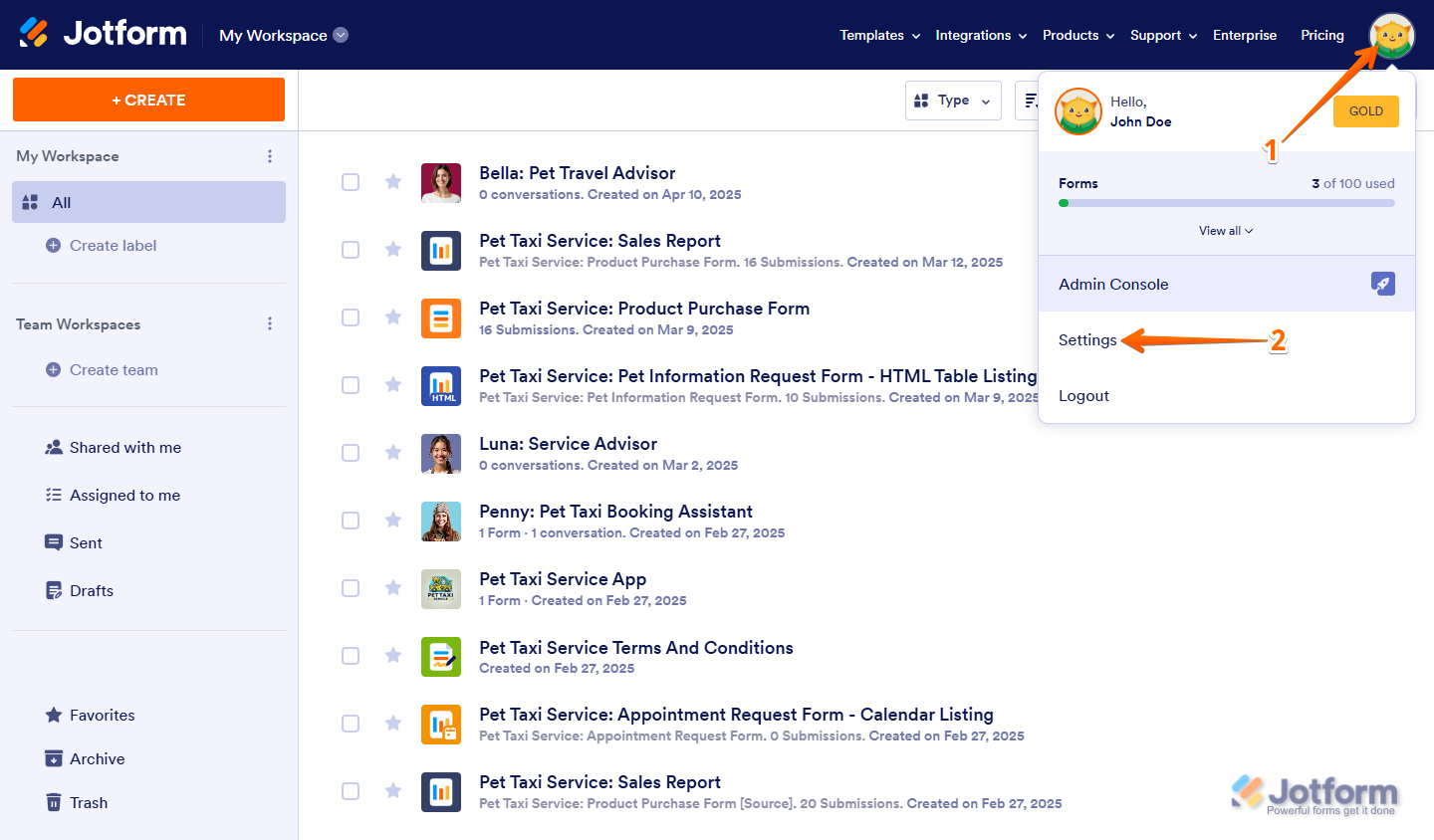
- Click your Profile Picture/Avatar on the top-right side of your Workspace page.
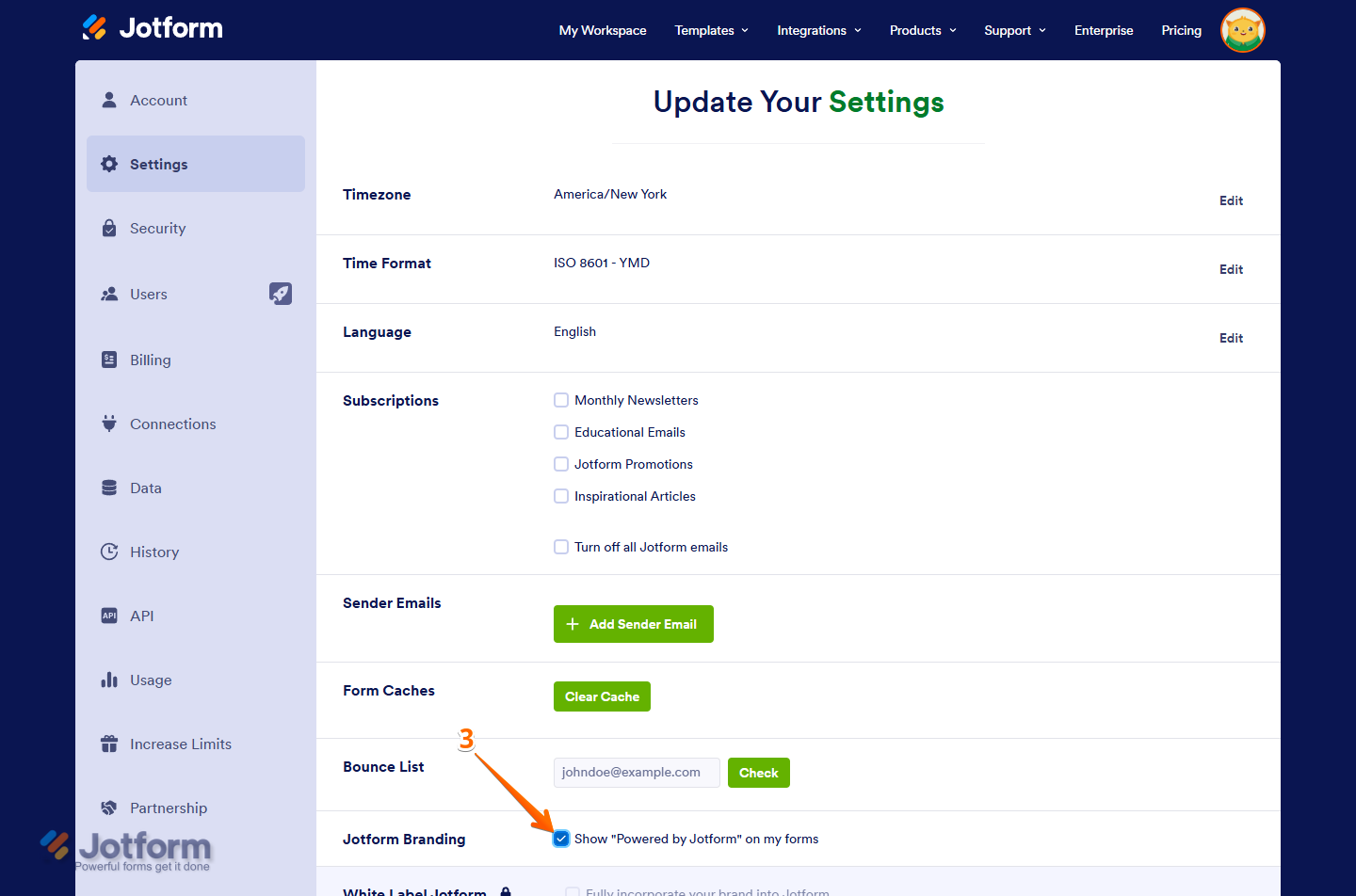
- Select Settings to open your Account Settings page.
- Uncheck the box next to Show Powered by Jotform on my forms in the Jotform Branding section.

Jotform Branding stays in Autoresponder Emails that were set up on your forms before you upgraded, so you’ll need to edit them manually to remove it. You can check the guide on How to Edit Notification and Autoresponder Emails for that part.
3. How to remove Jotform from sent and receive email addresses
If you want to remove a sender email from your account, here’s how:
- Click your Avatar/Profile Image in the top-right corner of your Workspace page.
- Select Settings.
- Click the Trash Can icon under the Sender Emails section.
- Confirm by clicking Delete Now.
If your account email is not receiving Jotform emails, you can also check the bounce list and remove it from there if needed.
Give it a try and let us know how it goes.



Your Reply
Something Went Wrong
An error occurred while generating the AI response. Please try again!