-
 lritzel
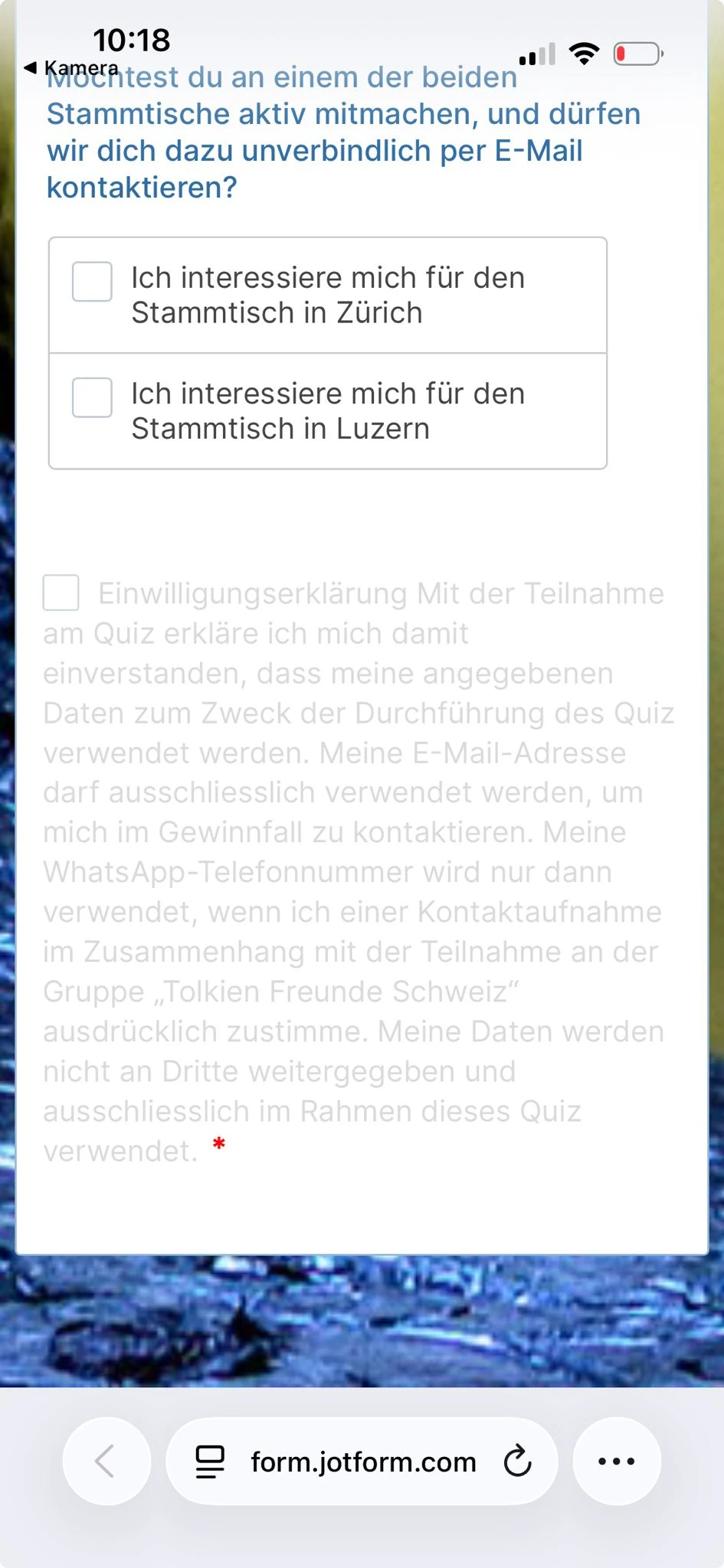
I did what you suggested and added a new section and below the CTA see here
https://form.jotform.com/260774363311050 BUT the CTA button does still NOT show, this cannot be a difficult problem to solve, how can it work with a survey without SUBMIT CTA? Page URL: https://form.jotform.com/260774363311050
 -
 Podo: Support Specialist
Hi Lukas,
Thanks for reaching out to Jotform Support. I'm an AI assistant here to assist you.
You can easily add a Submit button to your form. Let me show you how:
- In Form Builder, click on the Add Element menu on the left side of the page.
- Under the Basic tab, scroll down to Submit and drag it into your form.
Give it a try and let us know how it goes.
-
lritzel
sorry i am not stupid, in the builder the CTA button shows well
https://www.jotform.com/build/260774363311050
BUT when I launch the survey then it disappears -
Podo: Support Specialist
Hi Lukas,
Thanks for clarifying that the Submit button shows in the builder but disappears when you launch the survey.
You can use Conditional Logic to ensure the Submit button only appears after a specific question is answered. Let me show you how:
- In Form Builder, in the orange navigation bar at the top, click on Settings.
- Click on Conditions on the left side of the page.
- Click on Show/Hide Field to create your condition (or click Add Condition first if you already have conditions).
Set the condition to show the Submit button only after a required field (like an email) is filled, then save.
This setup ensures the Submit button stays hidden until the user completes the specified field. Check out the screencast below for how it works:
Reach out again if there’s anything else we can help you with.
-
 Kris JotForm Support
Hi Lukas,
It seems the same issue was also raised on this other support ticket. We encourage you to communicate with us through that support thread. This is to avoid potential confusion from getting help from us.
Reach out to us if you need any more help.
-
lritzel
ok i will only answer on this one
i have now reviewed the conditions and the ONLY condition active is that user must click the CONFIRMATION / Einwilligung at the end
But still then with some of the phones the button SUBMITT / Teilnehmen does not show
Can you tell me in my settings what is NOW still wrong, i pay a lot of money for the SURVEY tool and it does not work well and the AI support is really not well implemented, its a rather limited support system. Can you call me at +41 79 1387209 to solve this issue, i need the survey working soon -
 Kyle JotForm Support
Hi Lukas,
I cloned your form and am still seeing 4 Show/Hide Conditions set for the Submit button. Check out my screenshot below:
Can you give me a few more details so I can understand what you need? Include what fields are required to show the Submit button.
Once we hear back from you, we can help you sort this out.
-
lritzel
i only need the first one, so it shows once the user has clicked the EINWILLIGUNG
i have no deleted the others, i thought since they were not activated it would not effect the surveybut do you tell me that it should now be ok on all platforms?
thx
-
Kyle JotForm Support
Hi Lukas,
I cloned your form again and confirmed that with only the EINWILLIGUNG condition active, the Submit button now displays correctly across devices. Check out my screencast below to see the result:
Since the other conditions have been removed, there’s no longer any conflict affecting the button’s visibility. Your form setup looks good, and you should be all set moving forward.
Reach out again if there’s anything else we can help you with.
-
lritzel
thx for your help and yes now it seems to look good, if it now stays stable for the next days i will be happy,
Lukas


Your Reply
Something Went Wrong
An error occurred while generating the AI response. Please try again!