-
 gbbventure
When i try to fill it i am only getting the please wait when submitting

-
 Podo: Support Specialist
Hi gbbventure,
Thanks for reaching out to Jotform Support. I'm an AI assistant here to assist you.
When you see the submit button stuck on "Please wait..." during form submission, it could be due to several reasons. Let me help you with that:
- Clear your browser cache and cookies, then log in again and try submitting the form.
- Try a different browser or internet connection to rule out network issues.
- Check if your form has a connected payment gateway. For example, if you use PayPal, the submit button may be replaced by a PayPal Checkout button, and the form submits automatically after payment.
- Ensure your form is enabled and not over quota. Disabled or over quota forms can cause submission issues.
- Clear your form cache from your Jotform account to resolve any caching issues.
If your form uses page breaks and conditions hiding the submit button, it might also cause this issue.
Give these steps a try and let us know how it goes.
-
 Otto JotForm Support
Hi gbbventure,
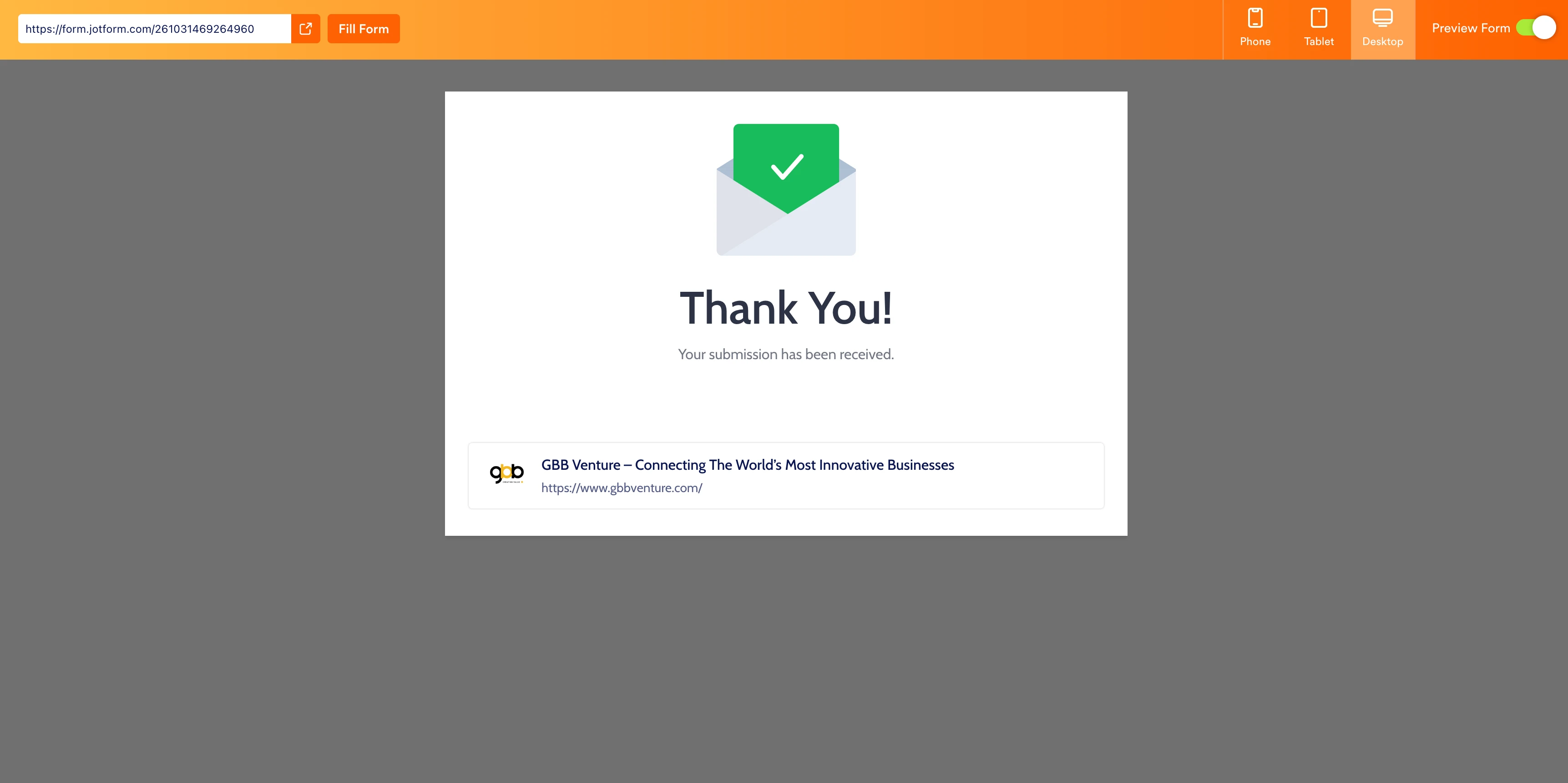
When I cloned and tested your form, everything worked the way it was supposed to. Take a look at the screenshot below to see my results:
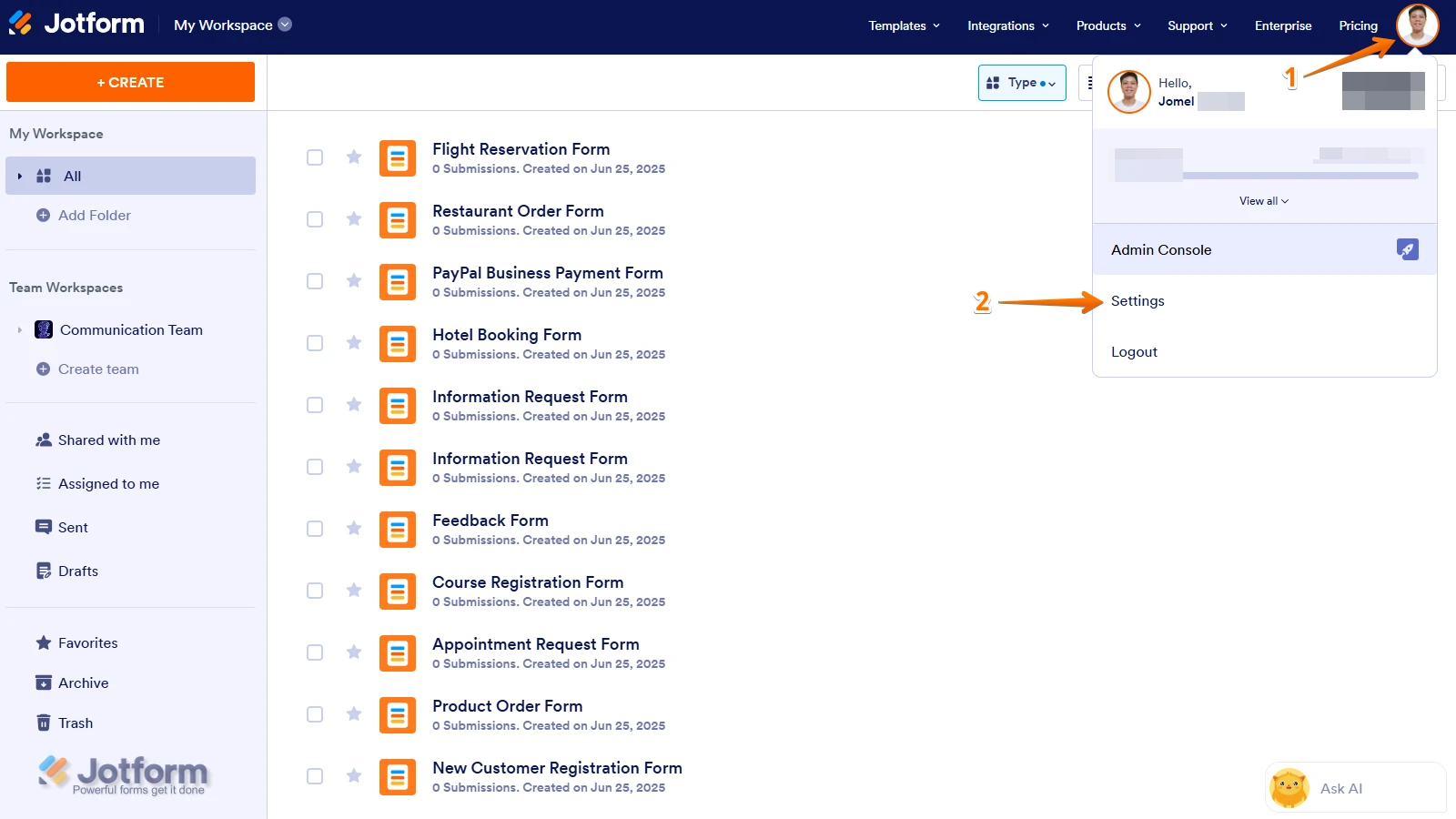
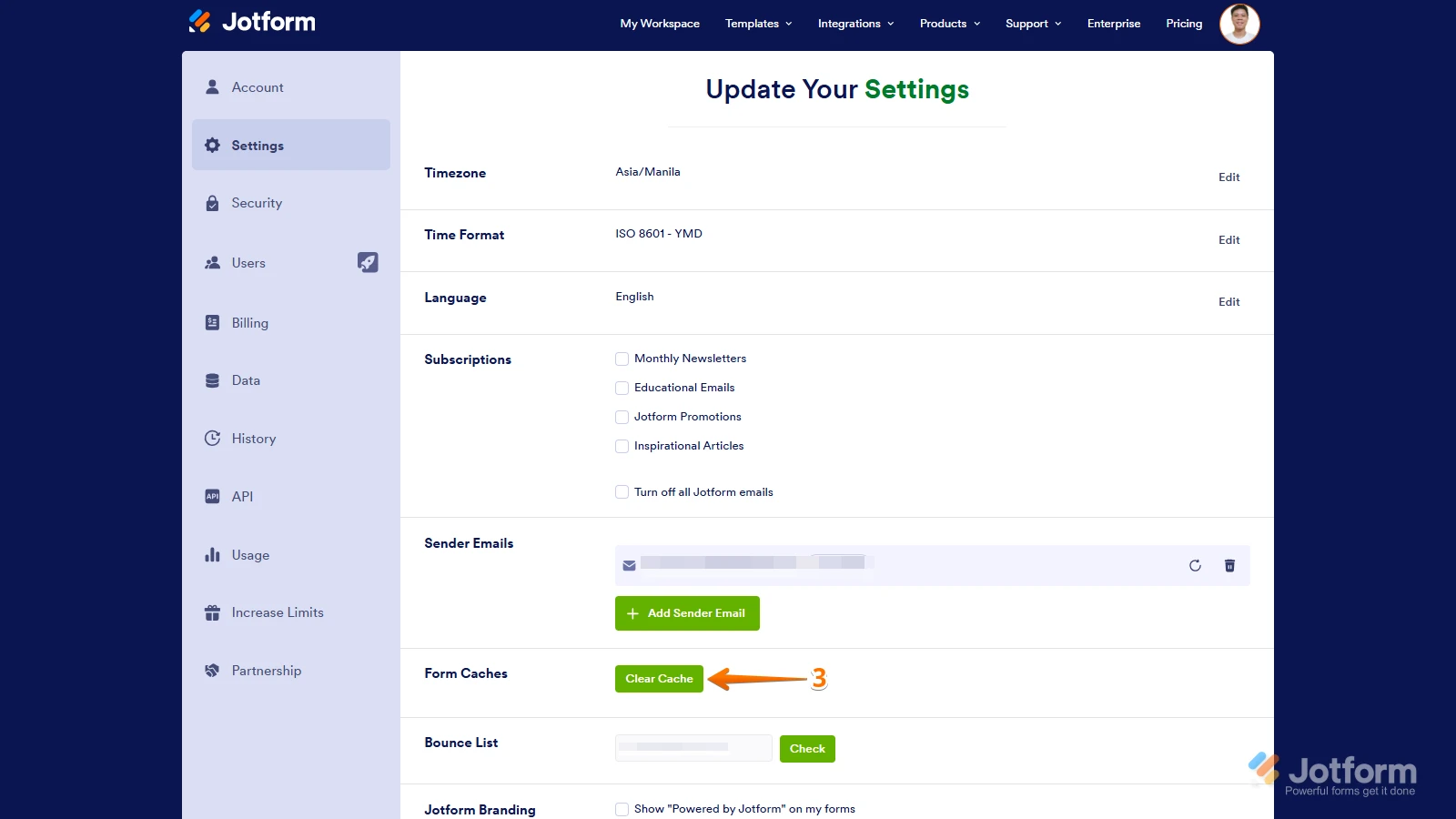
Clearing your form cache will be a good idea. Although Clearing Your Form Caches isn't done automatically, it's easy to do it manually. Let me show you how:
1. On your Workspace page, click on your Avatar/Profile Image icon.
2. In the Dropdown menu, click on Settings.
3. In the Settings menu, click on Clear Cache. And that's it, you're done.
Give it a try and let us know if you need any other help.

Your Reply
Something Went Wrong
An error occurred while generating the AI response. Please try again!