-
 ScecHR
Hello,
I created https://form.jotform.com/261026591364052 and need to know how to make the second page go to the Supervisor and HR for signature and then approval.

-
 Podo: Support Specialist
Hi ScecHR,
Thanks for reaching out to Jotform Support. I'm an AI assistant here to assist you.
Let me help you with that:
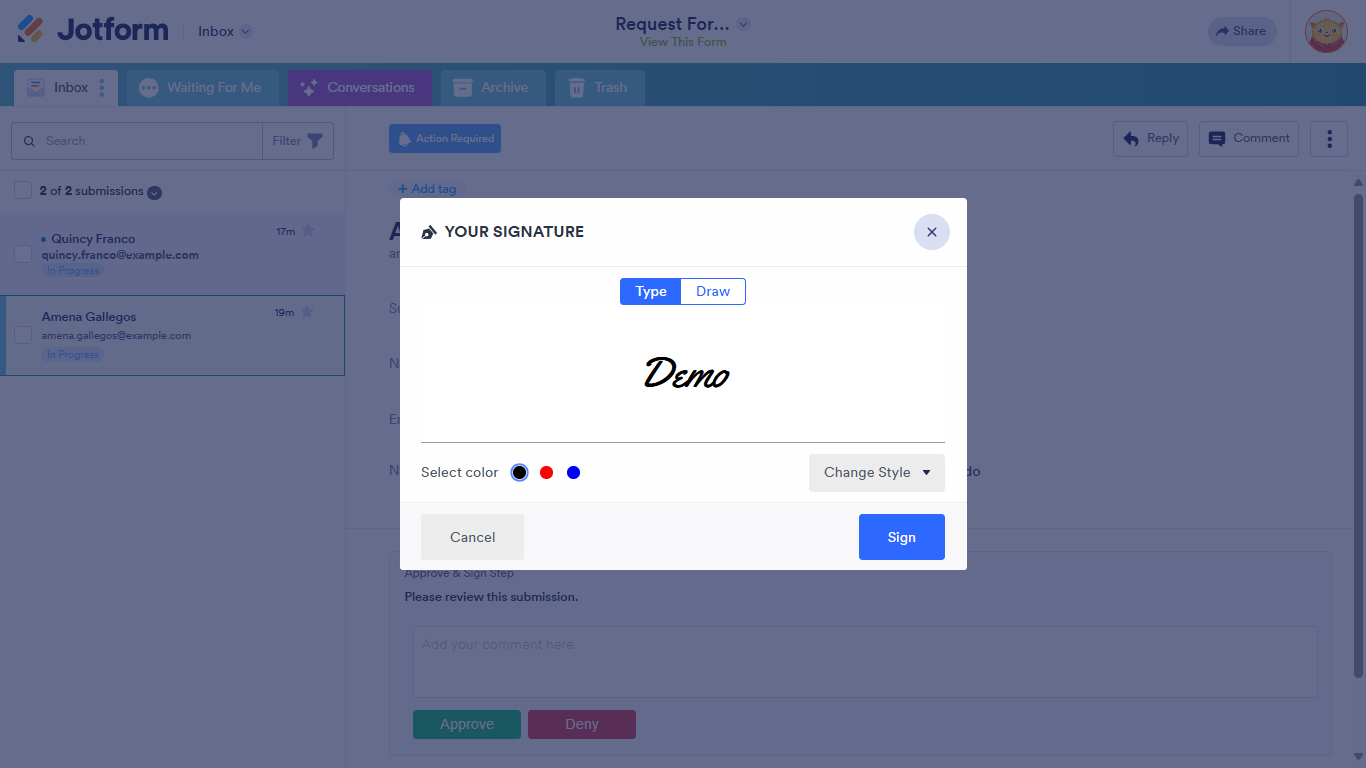
To make the second page of your form go to the Supervisor and HR for signature and approval, you can use Jotform's Workflow Builder with the Approve & Sign element. This feature allows you to send the submission to specific approvers who can then provide their signature and approval directly from their email or Jotform Inbox.
Here’s how to do it:
- Open Workflow Builder for your form.
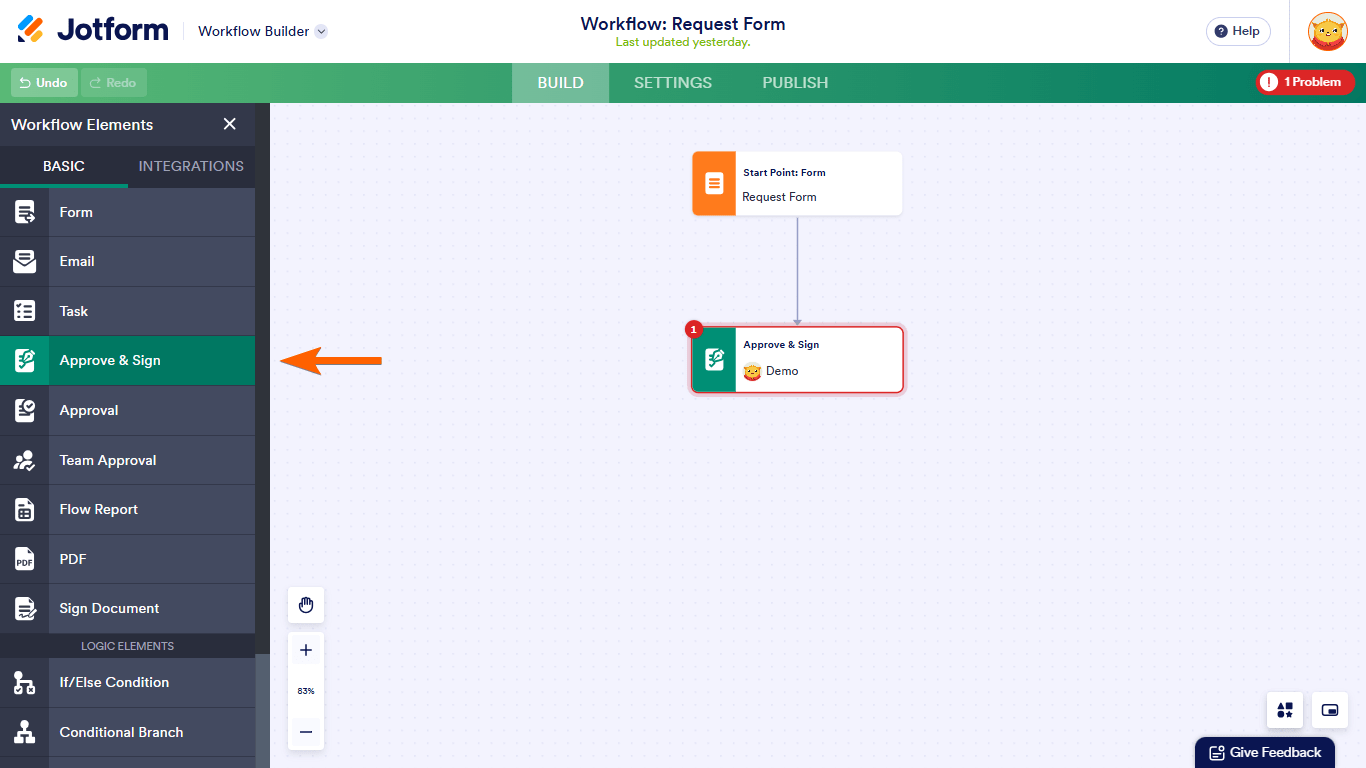
- Add an Approve & Sign element to your workflow.
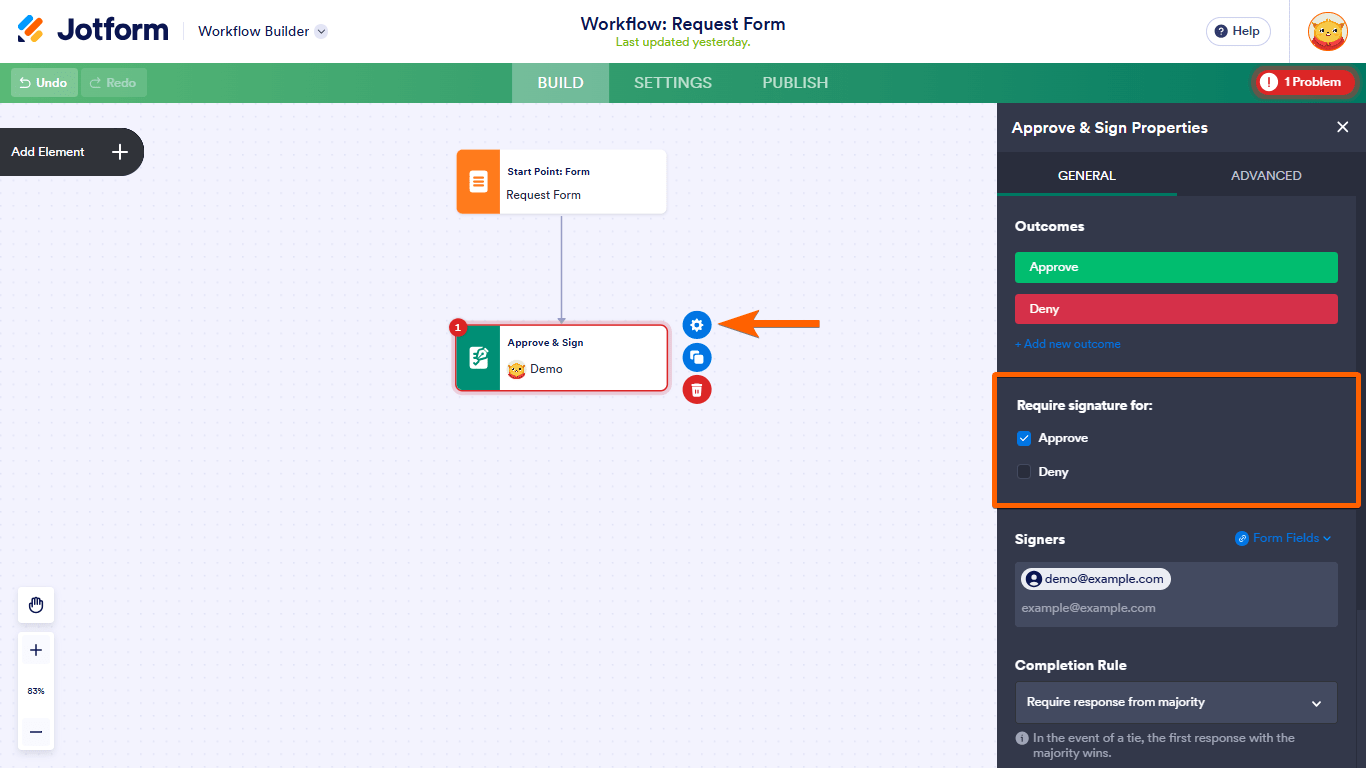
- Configure the Approve & Sign element by clicking the gear icon. In the properties panel, select the outcomes that require signatures.
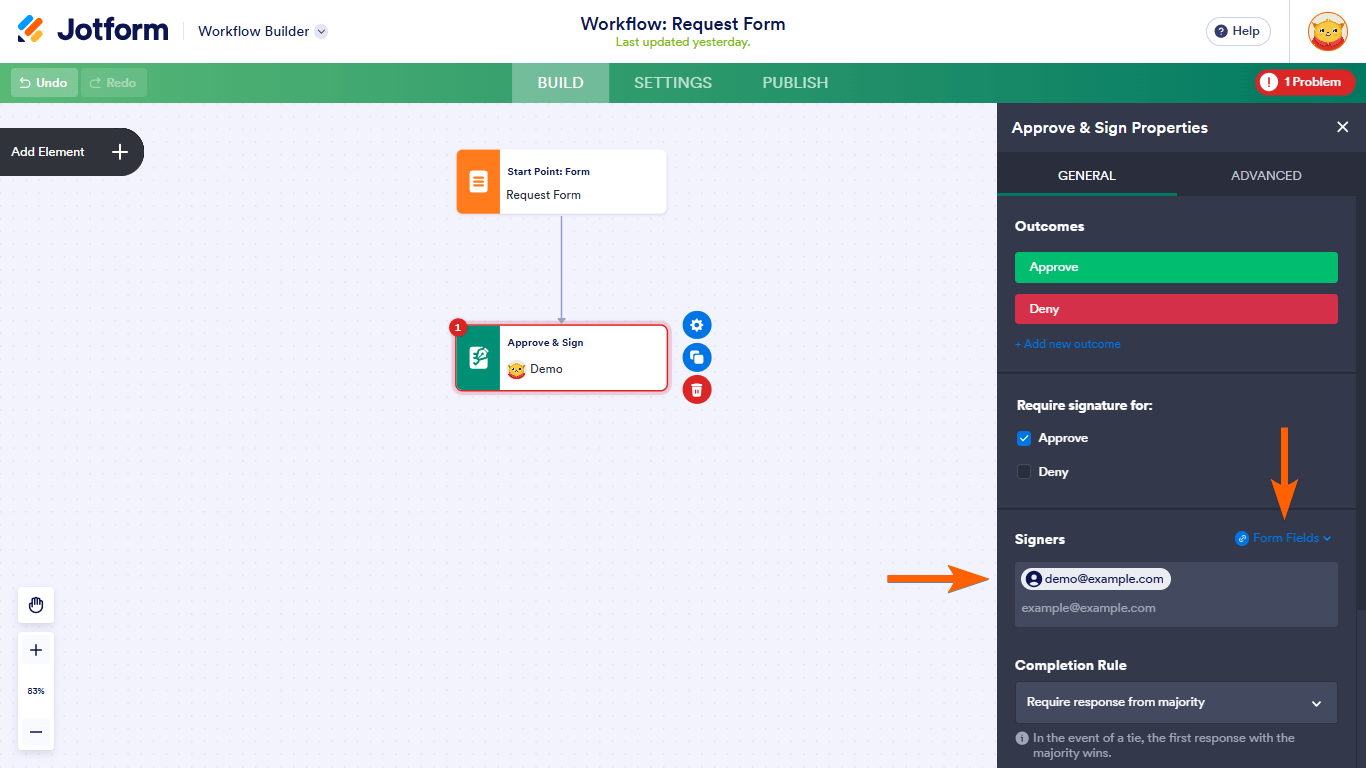
- Enter the email addresses of the Supervisor and HR as signers, or dynamically assign emails using form fields.
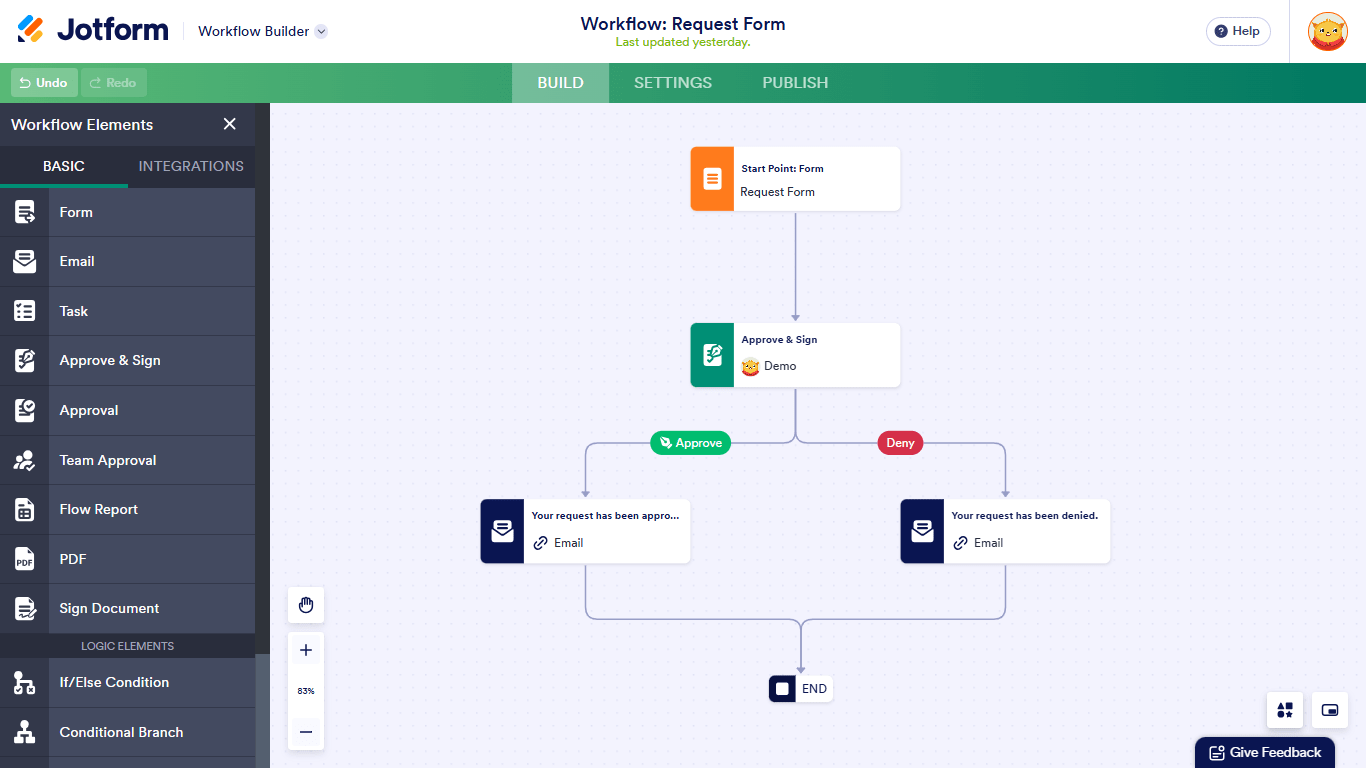
- Complete and activate your workflow.
Once set up, after the form is submitted, the Supervisor and HR will receive notifications to review, sign, and approve the submission.
Visual guide:
Give it a try and let us know how it goes.

Your Reply
Something Went Wrong
An error occurred while generating the AI response. Please try again!