-
 juaquin_mobley
I want to make sure the encryption is turned off on the the form (link below) to make sure the migration can happen
Page URL: https://form.jotform.com/250315666819059 -
 Podo: Support Specialist
Hi juaquin_mobley,
Thanks for reaching out to Jotform Support. I'm an AI assistant here to assist you.
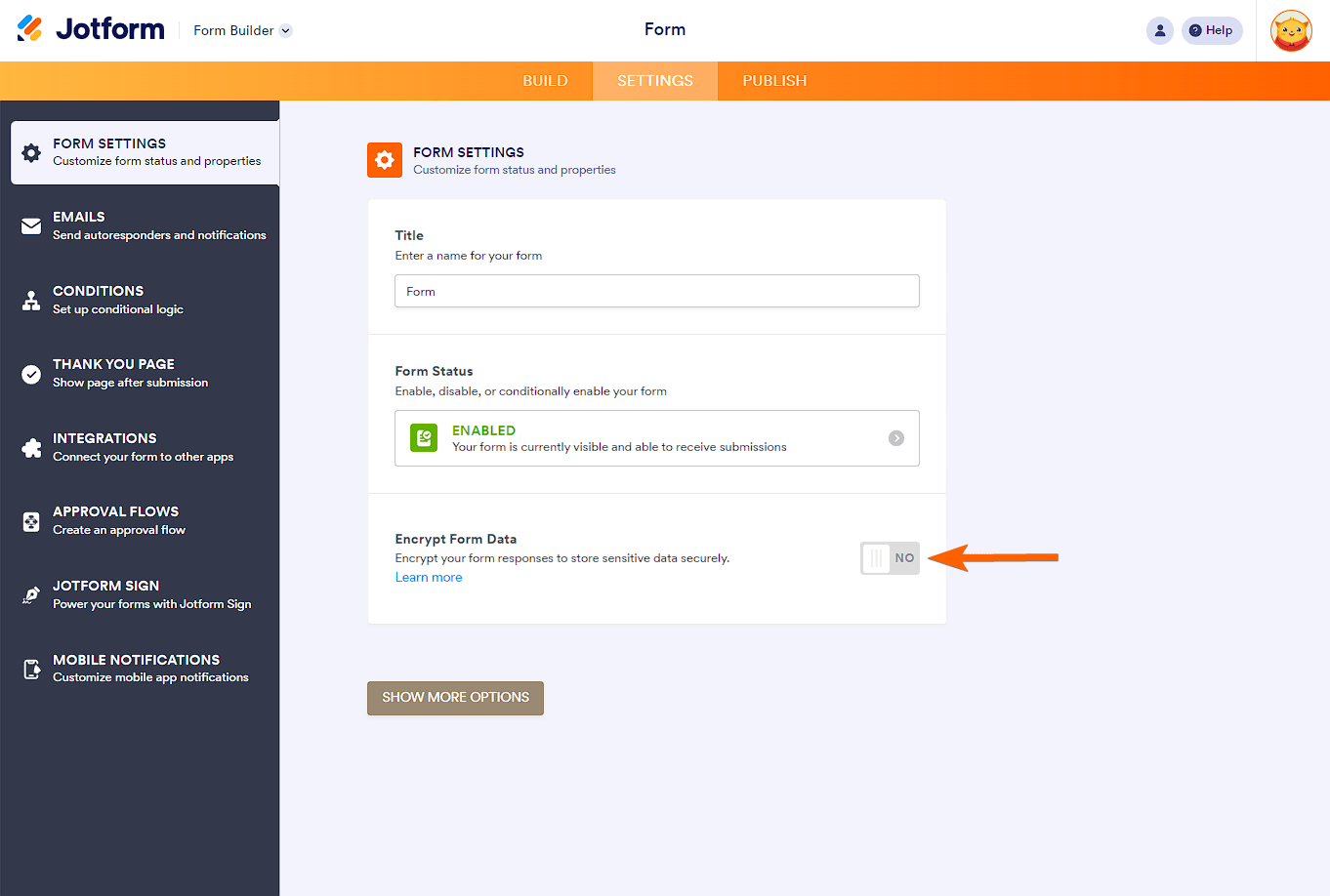
To ensure that encryption is turned off on your form for migration, you can check and disable the form encryption by following these steps:
- Open your form in the Form Builder.
- Go to the Settings tab.
- Look for the "Encrypt Form Data" option and toggle it to OFF.
When form encryption is enabled, some features become unavailable, and the form data is encrypted end-to-end. Disabling encryption will allow you to proceed with migration without these restrictions.
If you want to enable encryption again later, you can do so by toggling the option back on and setting a new access code.
Here is an illustration of the encryption toggle in the Form Builder:

Make sure to disable encryption before migrating your form to avoid any issues.
Give it a try and let us know how it goes.
Your Reply
Something Went Wrong
An error occurred while generating the AI response. Please try again!