-
AAurelia Kreutzer
Hello everyone,
I deleted my account a while ago and now need to create a new one using the same email address.
When I try to register, it says my account is already in use, but when I try to log in, it says my account has been deleted. What can I do?
Best regards,
Aurelia Kreutzer
-
 Podo: Support Specialist
Hi Aurelia,
Thanks for reaching out to Jotform Support. I'm an AI assistant here to assist you.
Regarding your issue with creating a new account using the same email address after deleting your previous account, this situation happens because the system still recognizes the email as associated with a deleted account, preventing new registration.
Let me show you how to proceed:
- Wait for a short period: Sometimes, deleted accounts take some time to be fully removed from the system, so the email remains linked temporarily.
- Try clearing your browser cache and cookies: This can help remove any cached login data that might cause conflicts.
- Use a different browser or device: Attempt to register from another browser or device to rule out local issues.
- If the problem persists: You may need to contact Jotform support directly to have the email fully released from the deleted account status.
Unfortunately, as an AI assistant, I cannot perform account recovery or deletion reversals, but following these steps should help you move forward.
Give it a try and let us know how it goes.
-
AAurelia Kreutzer
I need to contact the support directly
-
Podo: Support Specialist
Hi Aurelia,
One of our Support Team members will take it from here to follow up shortly.
-
AAurelia Kreutzer
Do I have to wait here in the Chat?
-
 Kris JotForm Support
Hi Aurelia,
A deleted Jotform account will take 30 days before it's purged from our system. That's the time you can create a new Jotform account using the email address or replace another one. I can reactivate your deleted Jotform account. Now, it's up to you if you want to continue using it, or you can replace it with a dummy email address to release it. Once it is freed, you can now use it to replace another one.
Once we hear back from you, we can help you sort this out.
-
AAurelia Kreutzer
Hey :) perfect thank you! It would be great if we can reactivate it.
-
Kris JotForm Support
Hi Aurelia,
Your Jotform account is reactivated. If you can access it, you can set a new password by following the steps in resetting the password. Resetting your Jotform account password is easy to do. Let me walk you through it:
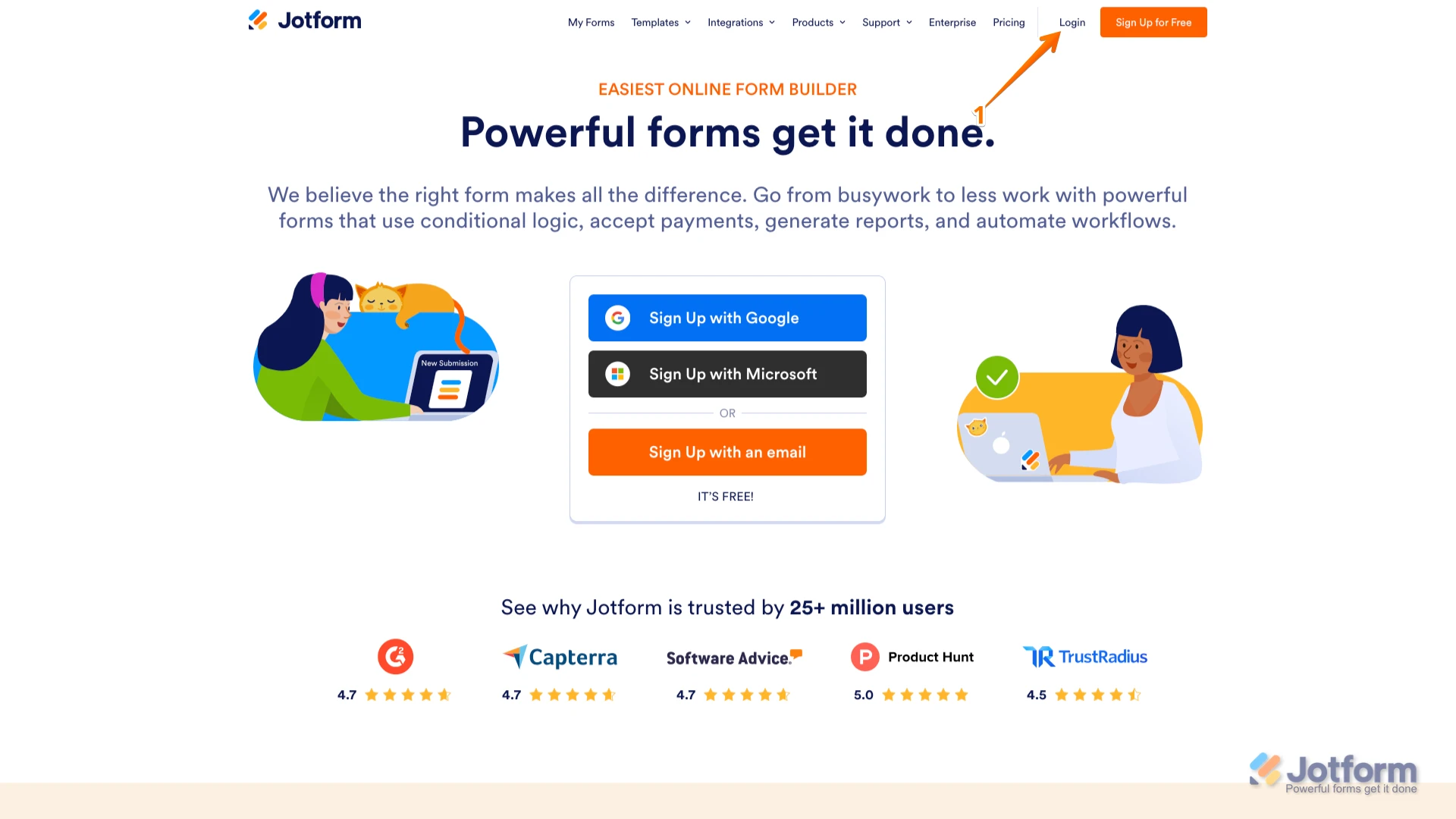
1. Go to the Jotform Main page and click on Login at the top-right corner of the page.

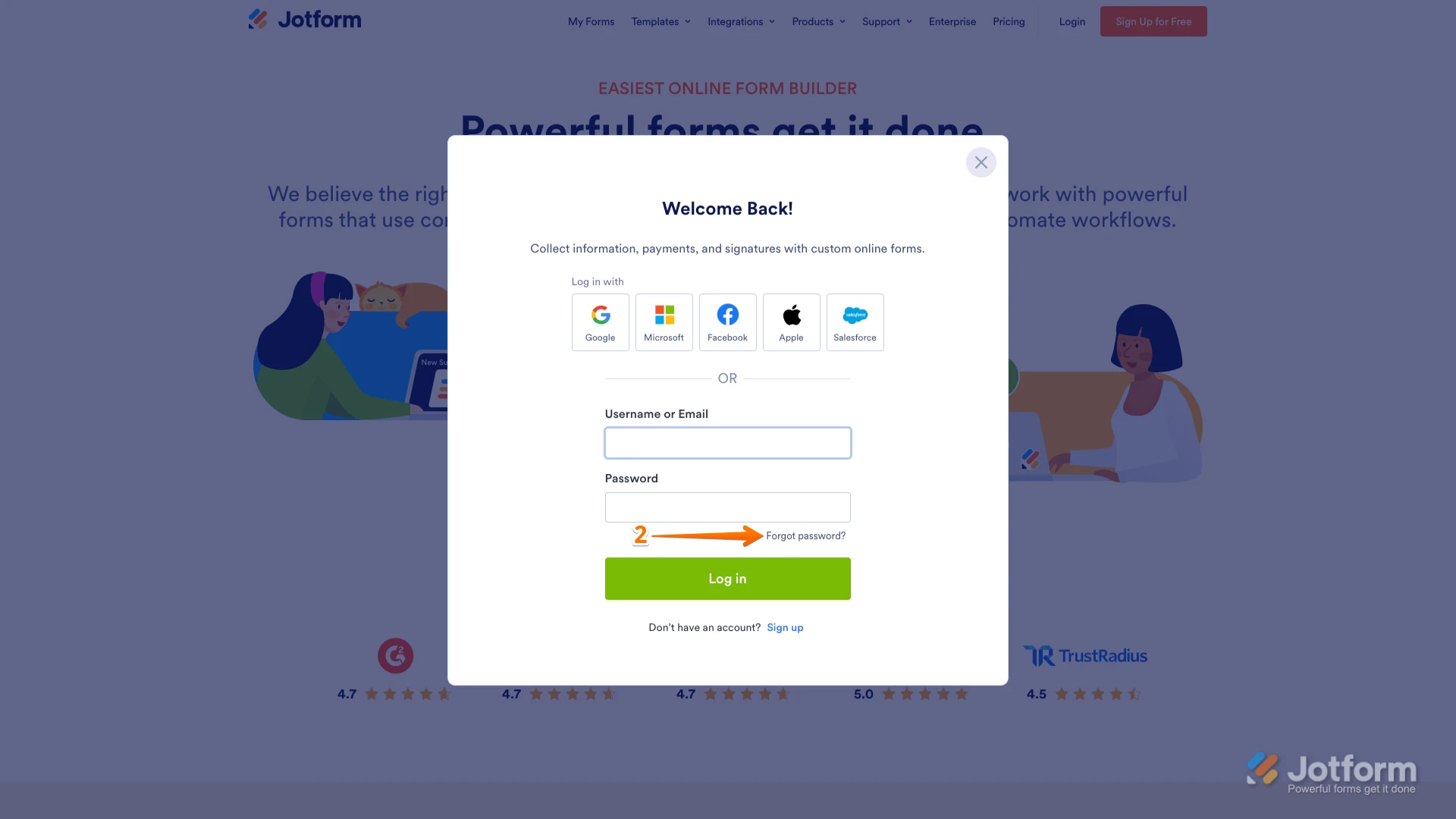
2. In the window that opens, click on Forgot Password?.
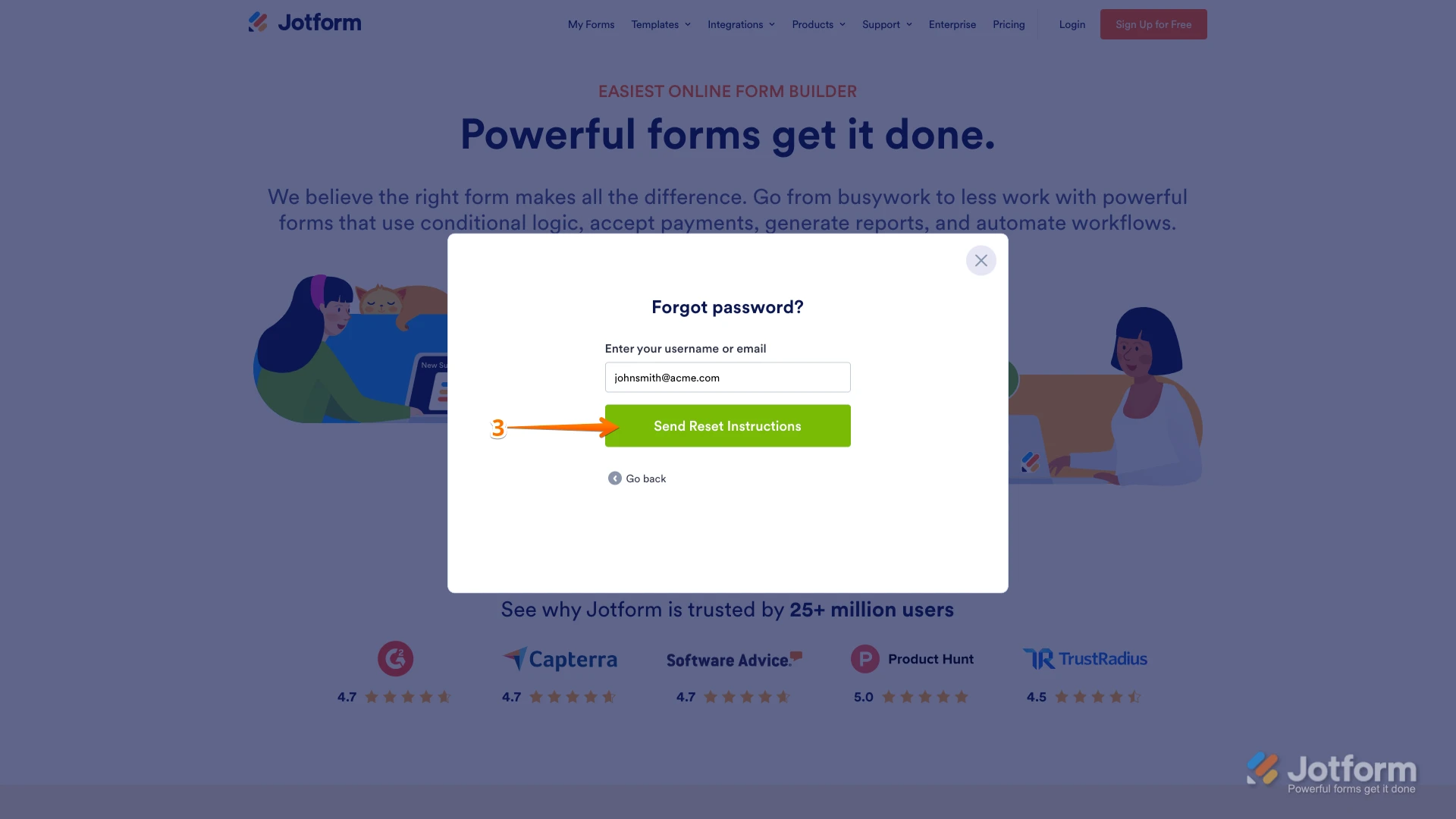
3. Enter your email address, and then click on Send Reset Instructions.
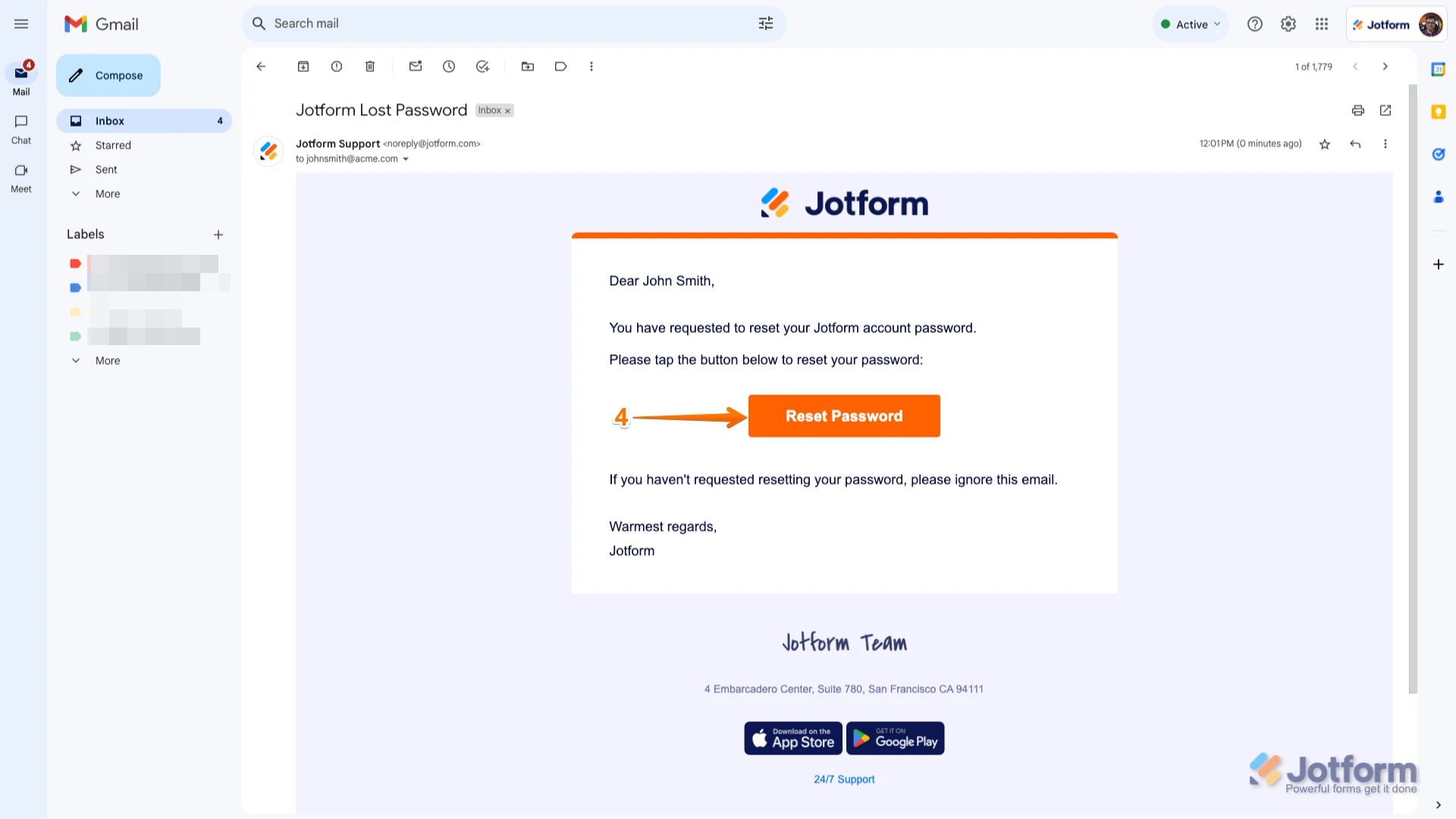
4. You'll receive an email with instructions on how to reset your password. Open the email and click on the Reset Password button.
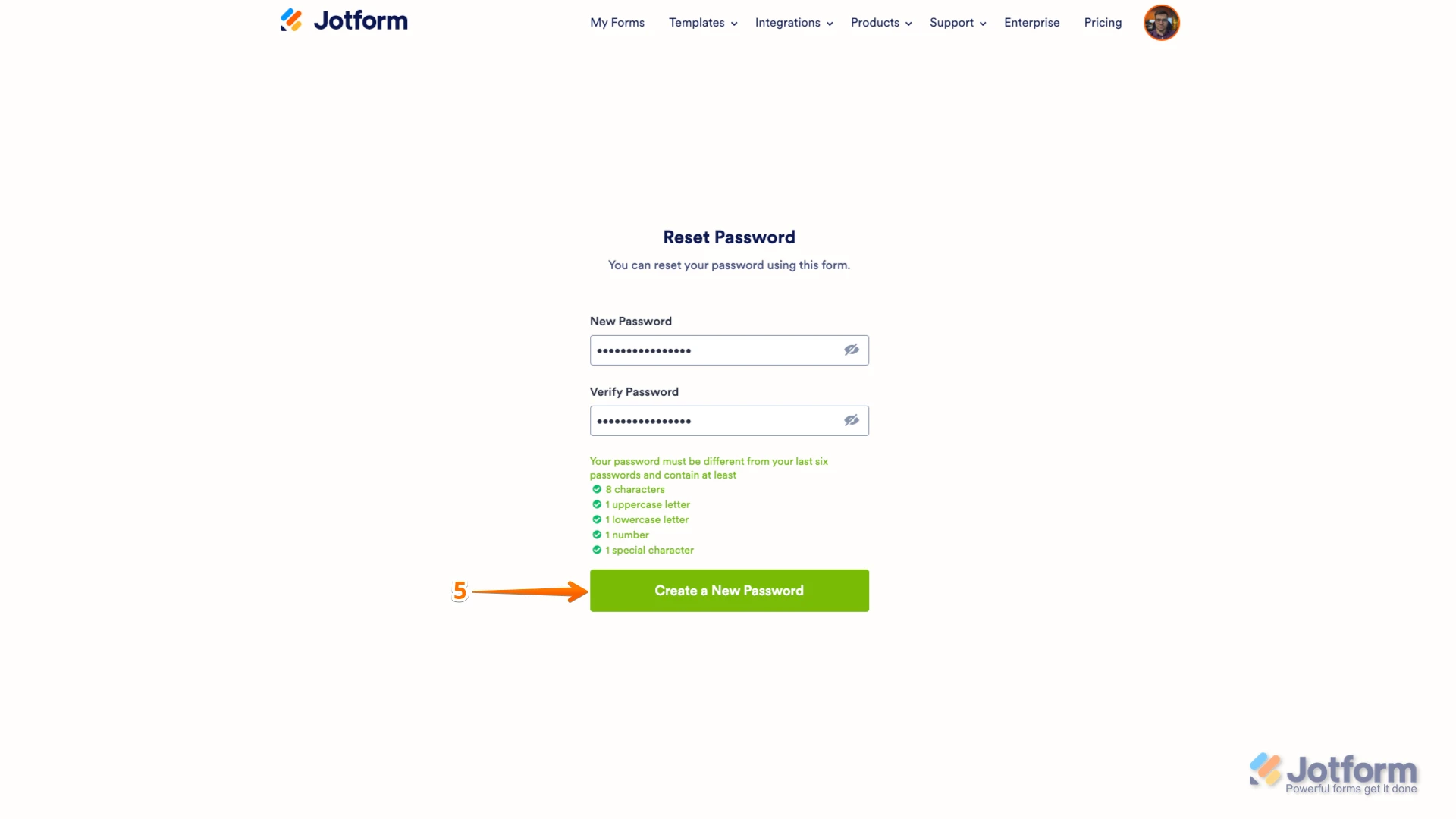
5. Enter your new password, enter it again to verify it, and then click on Create a New Password.
There you go. Your new password is now set, and you can use it to log into your Jotform account. You can also check out our How to Reset Your Jotform Password guide for more information. In addition, I suggest clearing the cache and cookies of the browser you use most of the time before logging into your Jotform account.Reach out again if you need any other help.
Your Reply
Something Went Wrong
An error occurred while generating the AI response. Please try again!