-
 MannaJS
INT HE PDF EDITOR OF THE FORM... I WANT TO SET UP TO EMAIL THE RECEPIENT AUTOMATICALLY. THIS IS NOT WORKING FOR THE PDF ATTACHMENT TO BE EMAILED CAN YOU CECK MY WORK PLEASE..

-
 Podo: Support Specialist
Hi MannaJS,
Thanks for reaching out to Jotform Support. I'm an AI assistant here to assist you.
Let me help you with setting up automatic email with PDF attachment in your form's PDF Editor.
To ensure the PDF attachment is emailed automatically, please follow these steps:
- Go to Form Builder and click Settings on the top orange bar.
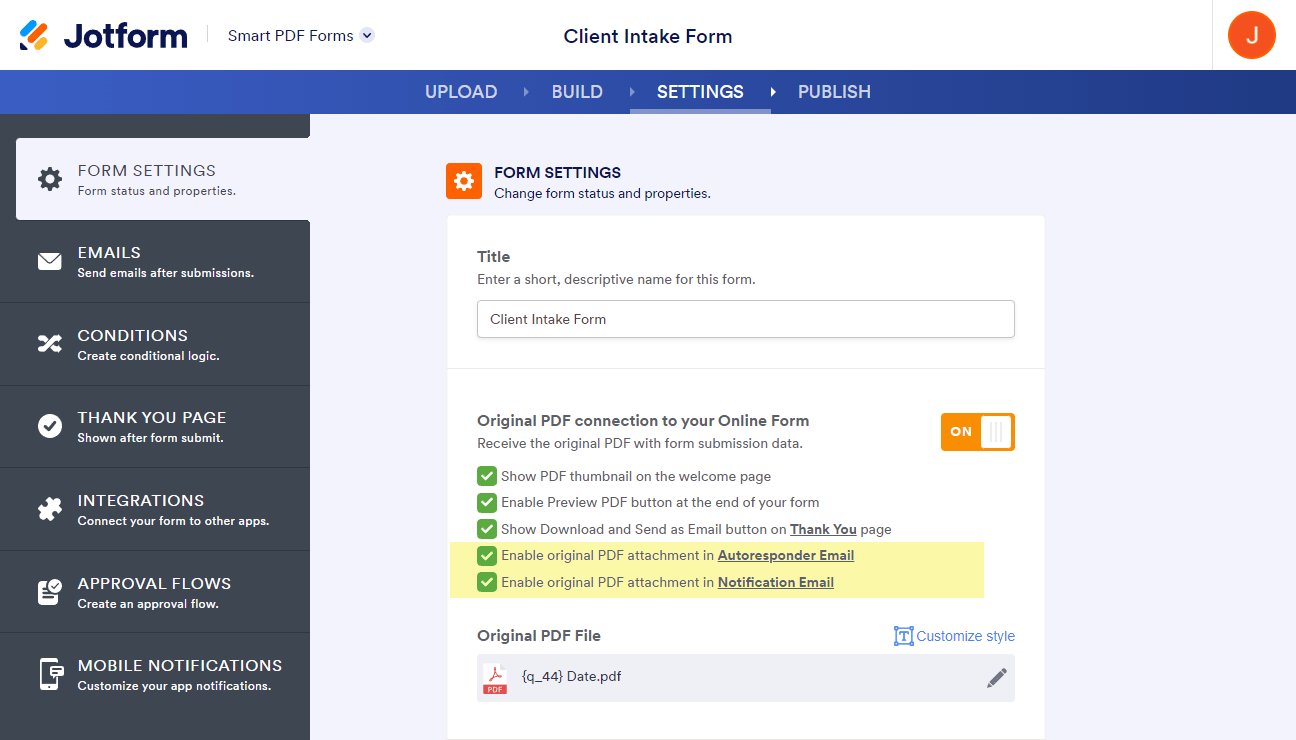
- Select Emails from the left panel, then click the Pencil icon to edit your Notification or Autoresponder email template.
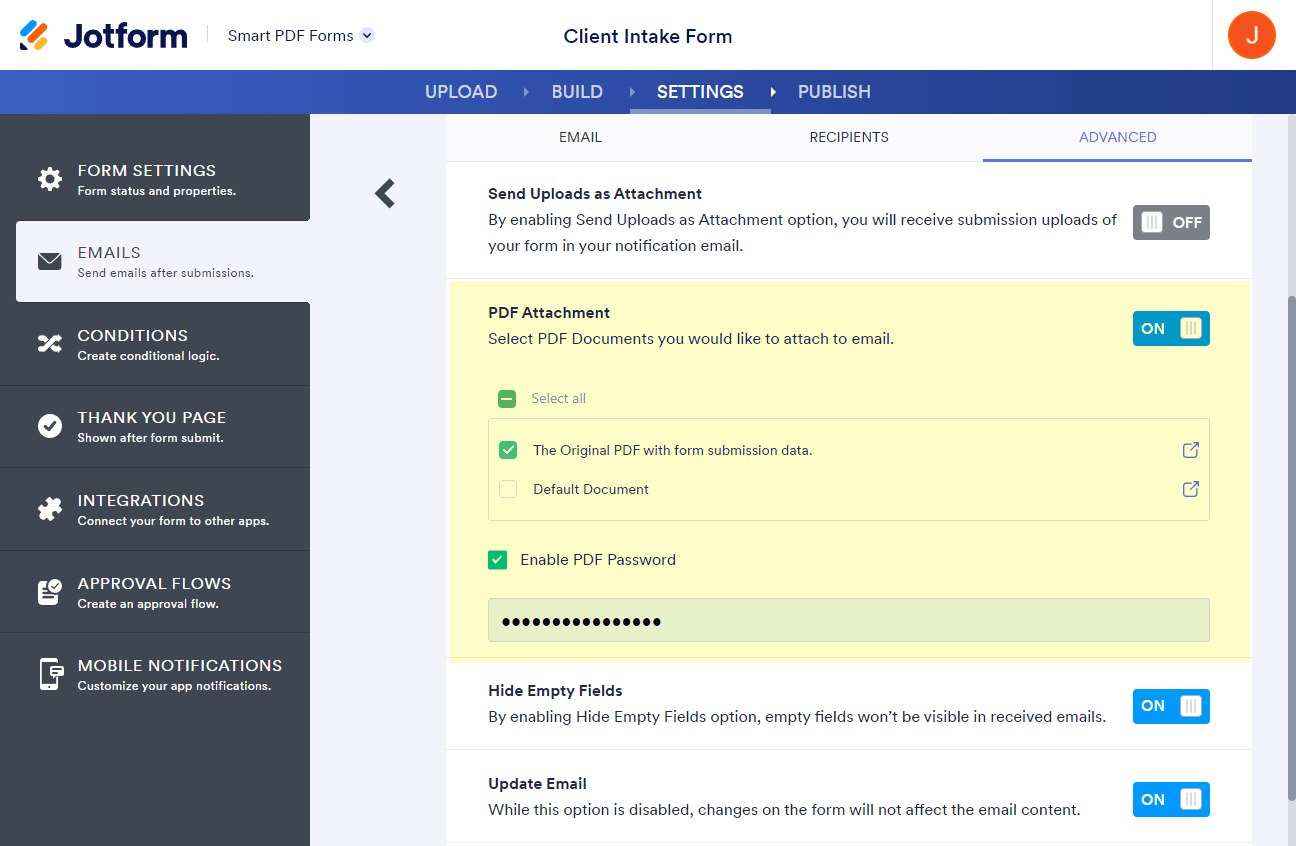
- Go to the Advanced tab within the email settings.
- Enable the PDF attachment option by checking the box for attaching the PDF document (e.g., "New Document" or your custom PDF).
- Save your changes by clicking the Save button.
If the PDF attachment is still not being emailed automatically, try removing the PDF attachment and adding it again in the Advanced tab of your email settings. Also, verify that the option Send Email Automatically is enabled for when a submission is received or edited.
Note that if your PDF attachment size exceeds 5 MB, some email clients may block the attachment. In such cases, consider including a PDF download link in the email content instead by adding the {pdf-link} tag.
Here are some helpful visuals from the knowledge base to guide you:
Give it a try and let us know how it goes.


Your Reply
Something Went Wrong
An error occurred while generating the AI response. Please try again!