-
SSabrina Maddock
Hi there,
I cannot log in to my account (sabrina@bacchanalia.com.au) with my password, and when I click 'Reset Password' no email comes to my Inbox or Junk folder.
When I log into my team mate's account, it is asking us for an Access Code which neither she nor I have input, and therefore have no record of.
Please help, I am a sole operator and these form submissions are the very first I will have towards a mailing list for my microbusiness. I need desperately to access the data.
-
 Podo: Support Specialist
The reset password email is being sent to sabrina@bacchanalia.com.au now. Please check your inbox and also your spam or junk folder. If you still do not see the email, consider whitelisting Jotform's sender email or domain to ensure delivery. Here are a few tips to help prevent future email delivery issues:
- You can view your Email Logs to see what's happening with your form emails
- Whitelist Jotform IP Addresses and Domains
- If the issue persists, Setting Up a Custom SMTP to use your own email provider as the sender may help
-
SSabrina Maddock
When I log into my team mate's account, it is asking us for an Access Code which neither she nor I have input, and therefore have no record of.
Please help, I am a sole operator and these form submissions are the very first I will have towards a mailing list for my microbusiness. I need desperately to access the data.
-
Podo: Support Specialist
Hi Sabrina,
Let me take a look at this for you. To do that, we9ll need your permission to access your account. Don9t worry, you can turn it off again once we9re done. Let me show you how to do it:
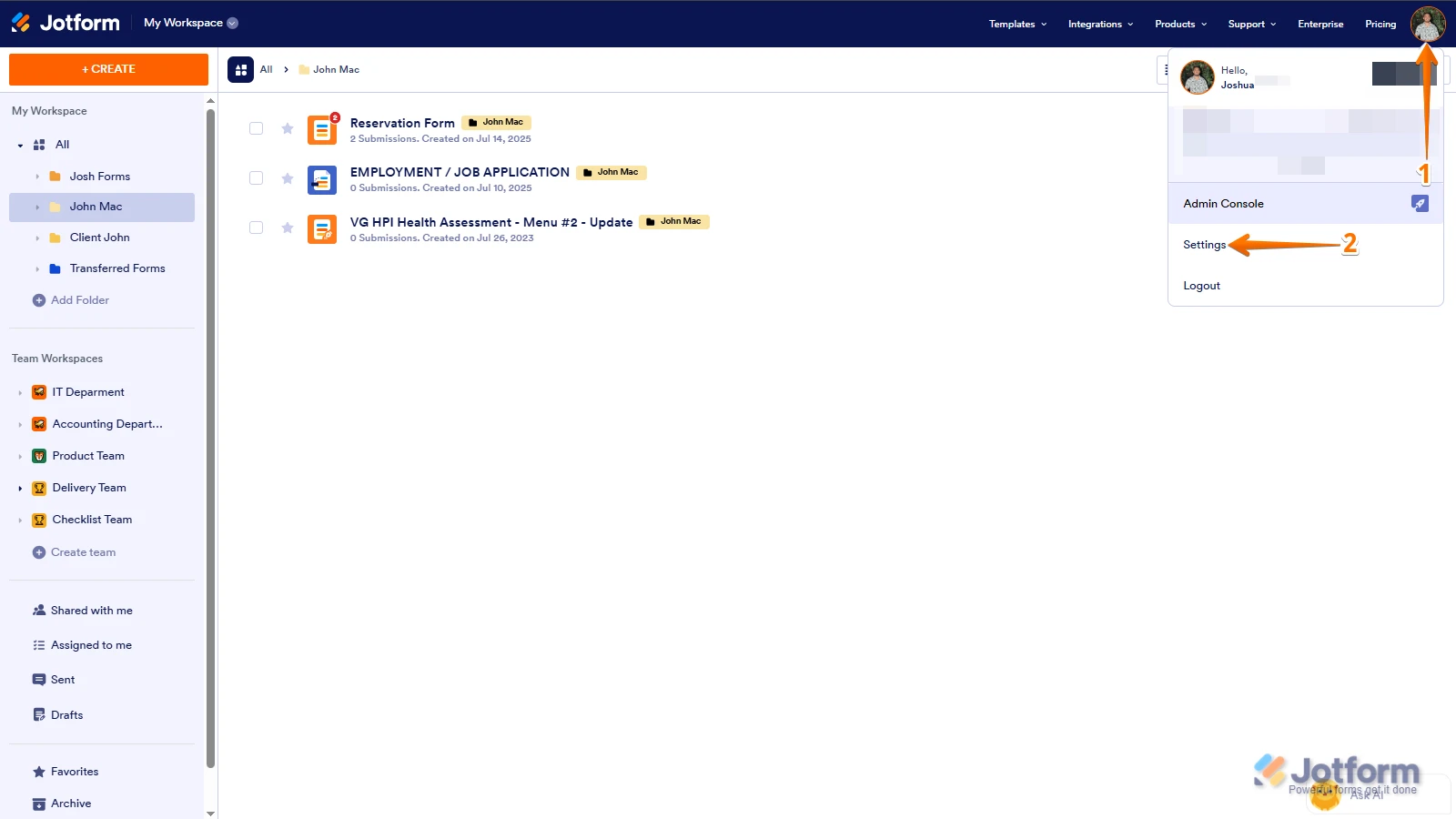
1. In the top-right corner of your Workspace page, click on your Avatar/Profile Image icon.
2. Then, in the Dropdown menu that opens, click on Settings.

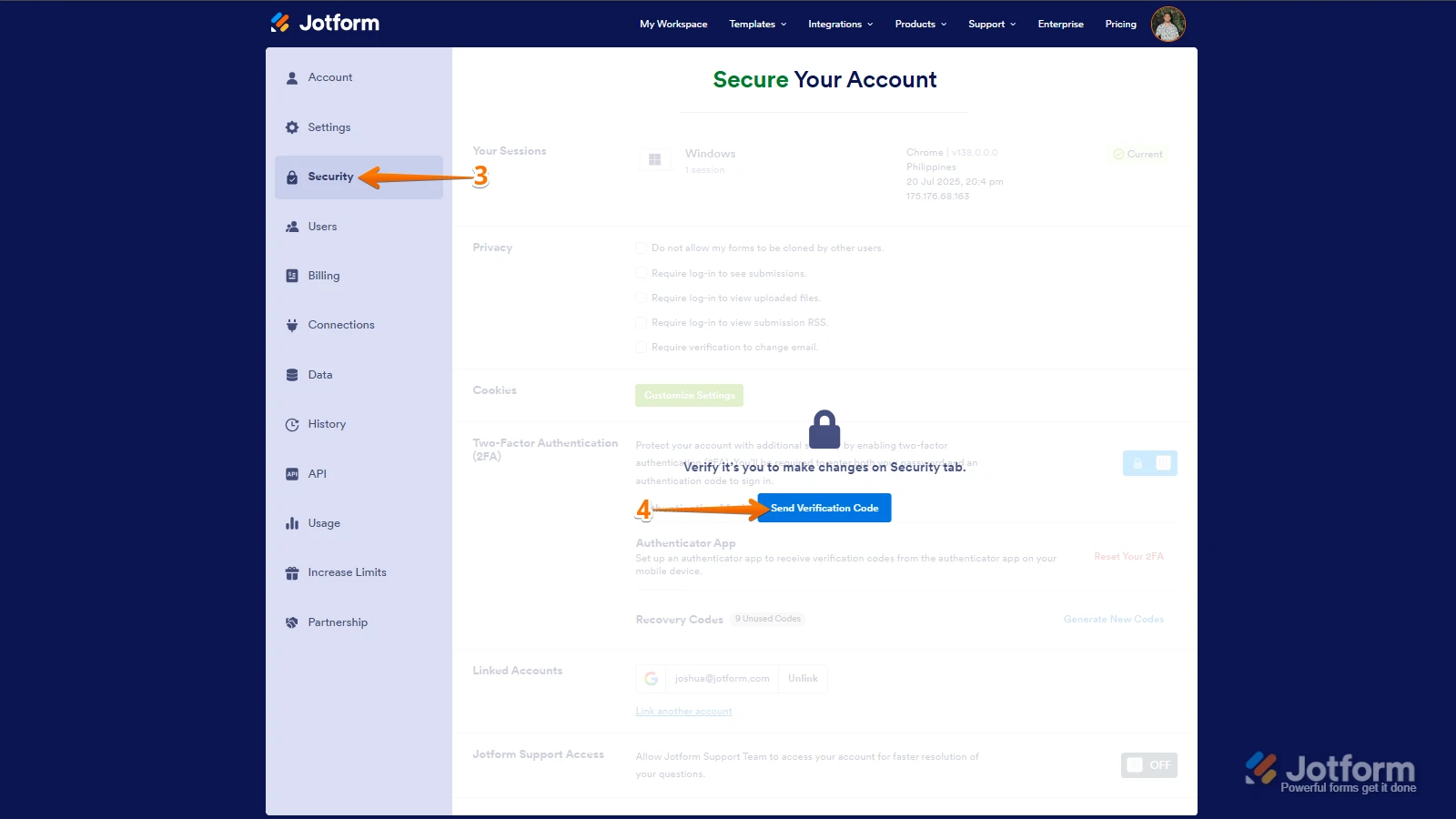
3. Next, in the panel on the left, click on the Security tab.
4. If you haven9t opened your Security page in a while, it9ll ask you to verify. To do that, click on Send Verification Code.
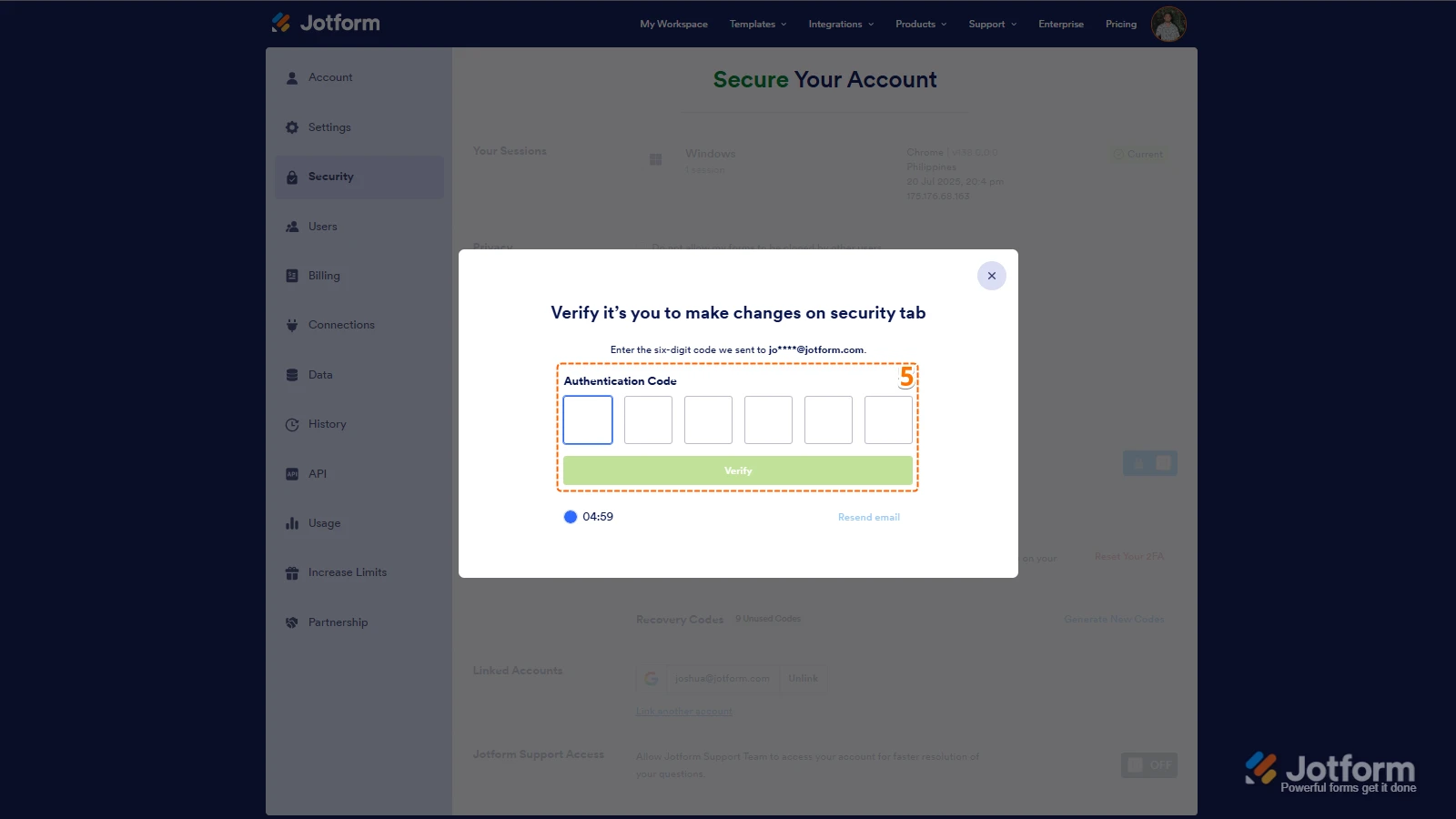
5. Then, enter the Verification Code you receive in your email.
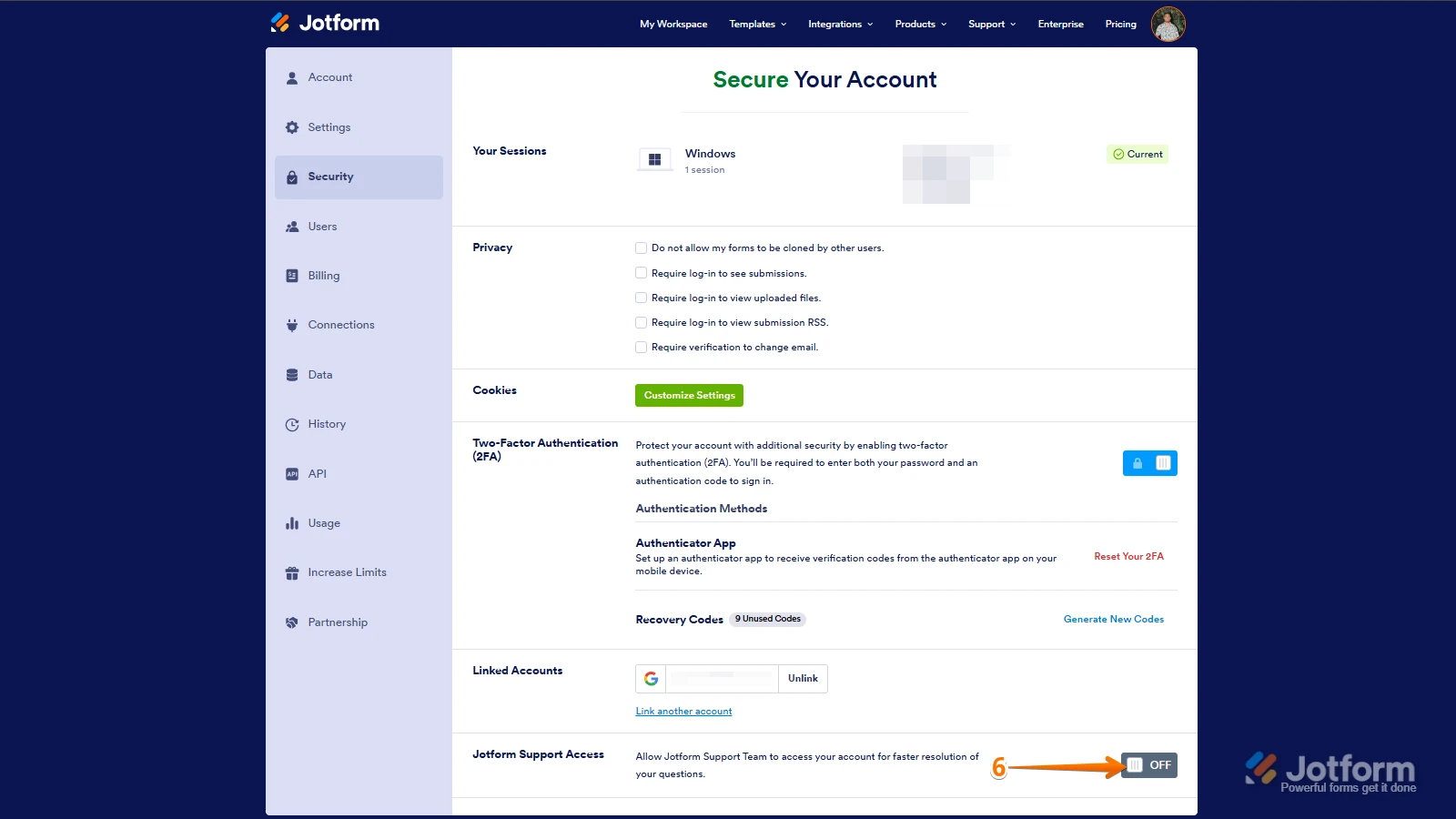
6. Finally, at the bottom of the page, toggle on Jotform Support Access.
After we hear back from you, we9ll have a better idea of what9s going on and how to help. -
 Sheena JotForm Support
Hi Sabrina,
Thanks for using Jotform. We have checked and it appears that there isn't an account associated with the email address you provided. To help us trace and assist you further, could you share a link to any of your forms? This will help us locate your account and resolve the issue more effectively.
Once we hear back from you, we'll be able to help you with this.
 After we hear back from you, we9ll have a better idea of what9s going on and how to help.
Your Reply
Something Went Wrong
An error occurred while generating the AI response. Please try again!