-
 rwashburn2453
Prior to today there were multiple submissions. Other than my tests, these seemed to have disapeared and I cant find them. Here is the from:
-
 Podo: Support Specialist
Hi Randy,
Thanks for reaching out to Jotform Support. I'm an AI assistant here to assist you.
Regarding your issue with missing submissions on your form, here are some points to consider:
- Check if the form is disabled or deleted, as this can make submissions inaccessible.
- Ensure you are using the correct Jotform domain (e.g., jotform.com, jotform.us, jotform.me) to view your form and submissions.
- Verify that the form has not exceeded its submission quota for the month, which can cause submissions to be temporarily unavailable.
- Look into the possibility of accidentally deleted submissions. You can restore deleted submissions by going to your Submission Table in your Workspace, filtering to show only Forms, selecting your form, clicking the Submission button, then accessing the Trashed Entries option to restore any deleted entries.
- Use Jotform Tables or Inbox to view your submissions. In Workspace, filter to show Forms, select your form, and then choose Submissions or Inbox to see the entries.
If you suspect any other issues, clearing your form cache or checking network stability might help.
Let me help you with that:
- Go to your Workspace and click on Filter at the top.
- Uncheck all assets except Forms to display only your forms.
- Select your form and click the Submission button on the upper left side.
- In Jotform Tables, click the vertical ellipsis icon and select Trashed Entries.
- Select entries to restore and click the Restore button.
Give it a try and let us know how it goes.
-
rwashburn2453
This did not work.
-
Podo: Support Specialist
Hi Randy,
One of our Support Team members will take it from here to follow up shortly.
-
rwashburn2453
Thank you.
-
rwashburn2453
Never mind. I found them.
-
 Kyle JotForm Support
Hi Randy,
I reviewed the form, and it currently shows 5 submissions. Notification emails were successfully sent to the recipients you added. Are you seeing fewer than 5 submissions on your end? Each time a submission is made, the notification emails are sent automatically.
If you’re not seeing 5 submissions and not receiving all notifications, let me take a look at this for you. To do that, we’ll need your permission to access your account. Don’t worry, you can turn it off again once we’re done. Let me show you how to do it:
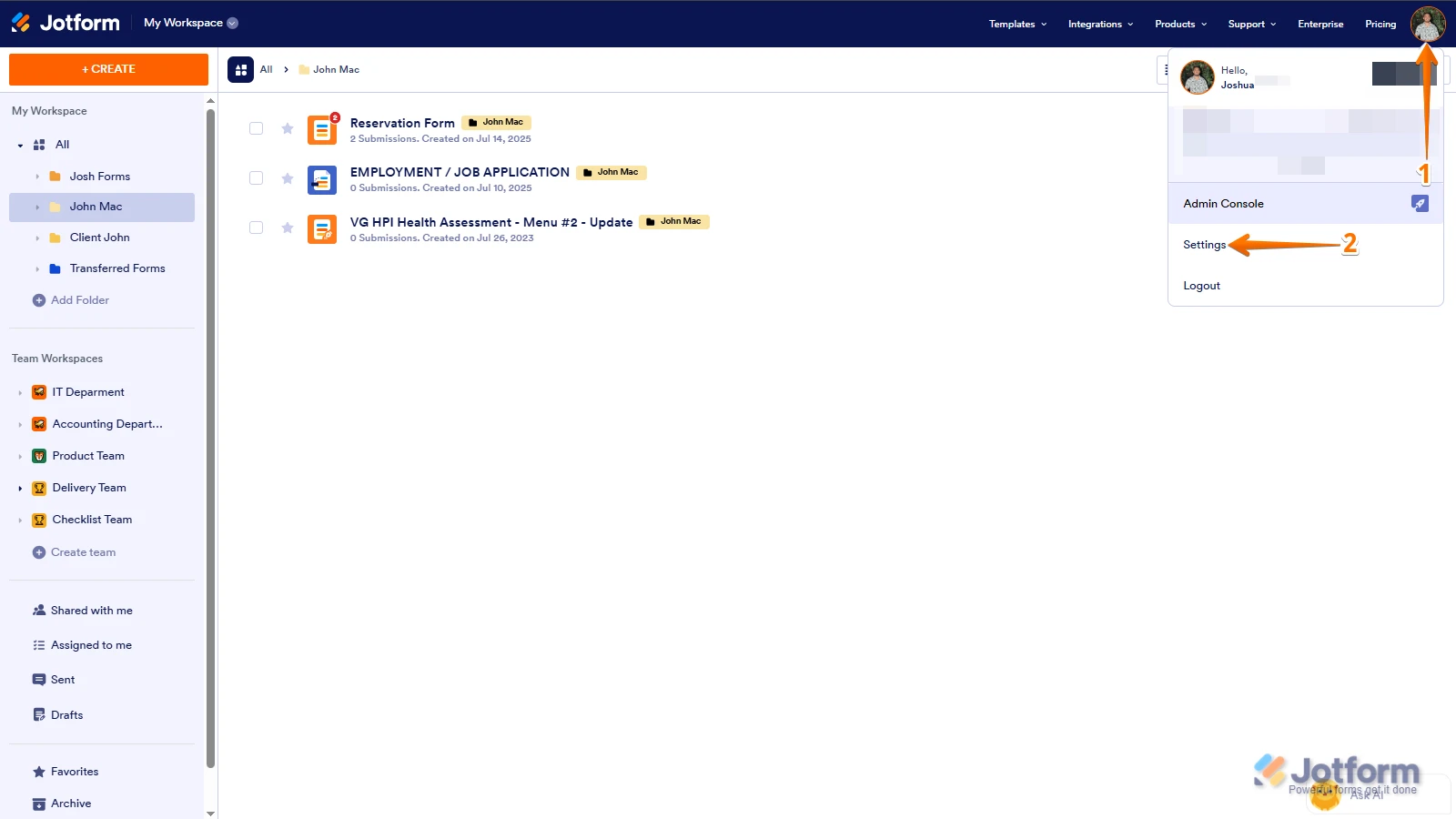
1. In the top-right corner of your Workspace page, click on your Avatar/Profile Image icon.
2. Then, in the Dropdown menu that opens, click on Settings.

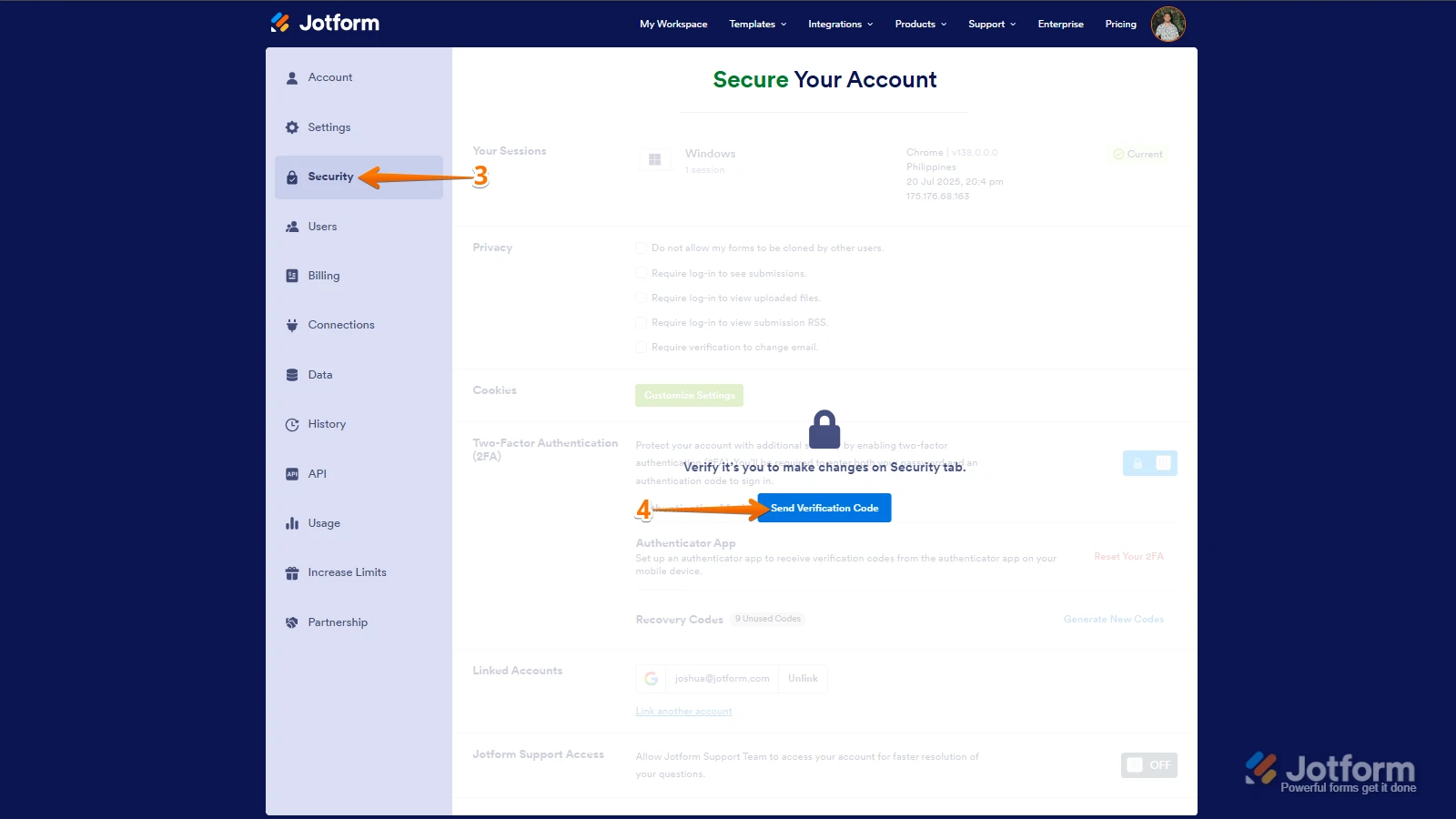
3. Next, in the panel on the left, click on the Security tab.
4. If you haven’t opened your Security page in a while, it’ll ask you to verify. To do that, click on Send Verification Code.
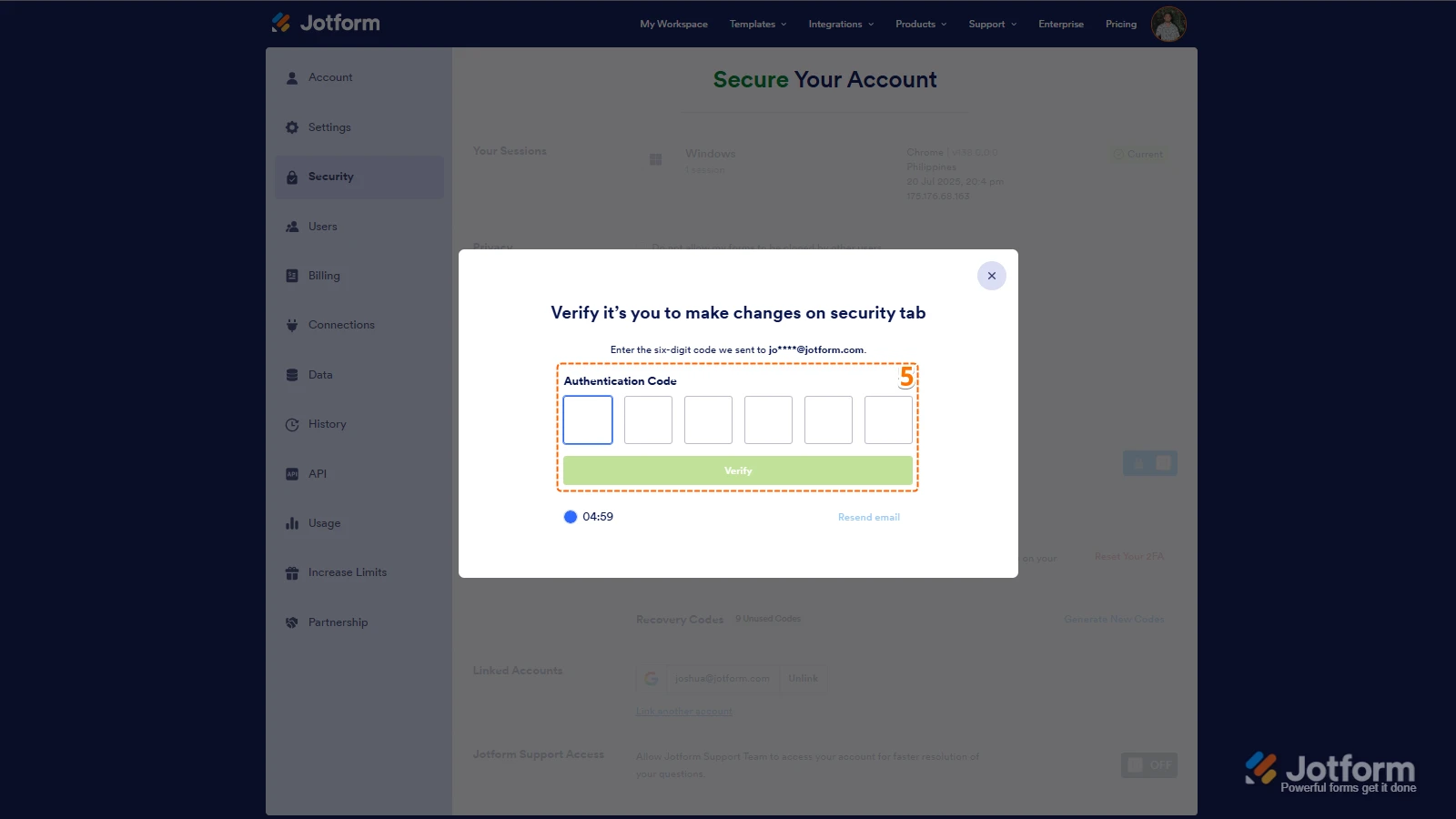
5. Then, enter the Verification Code you receive in your email.
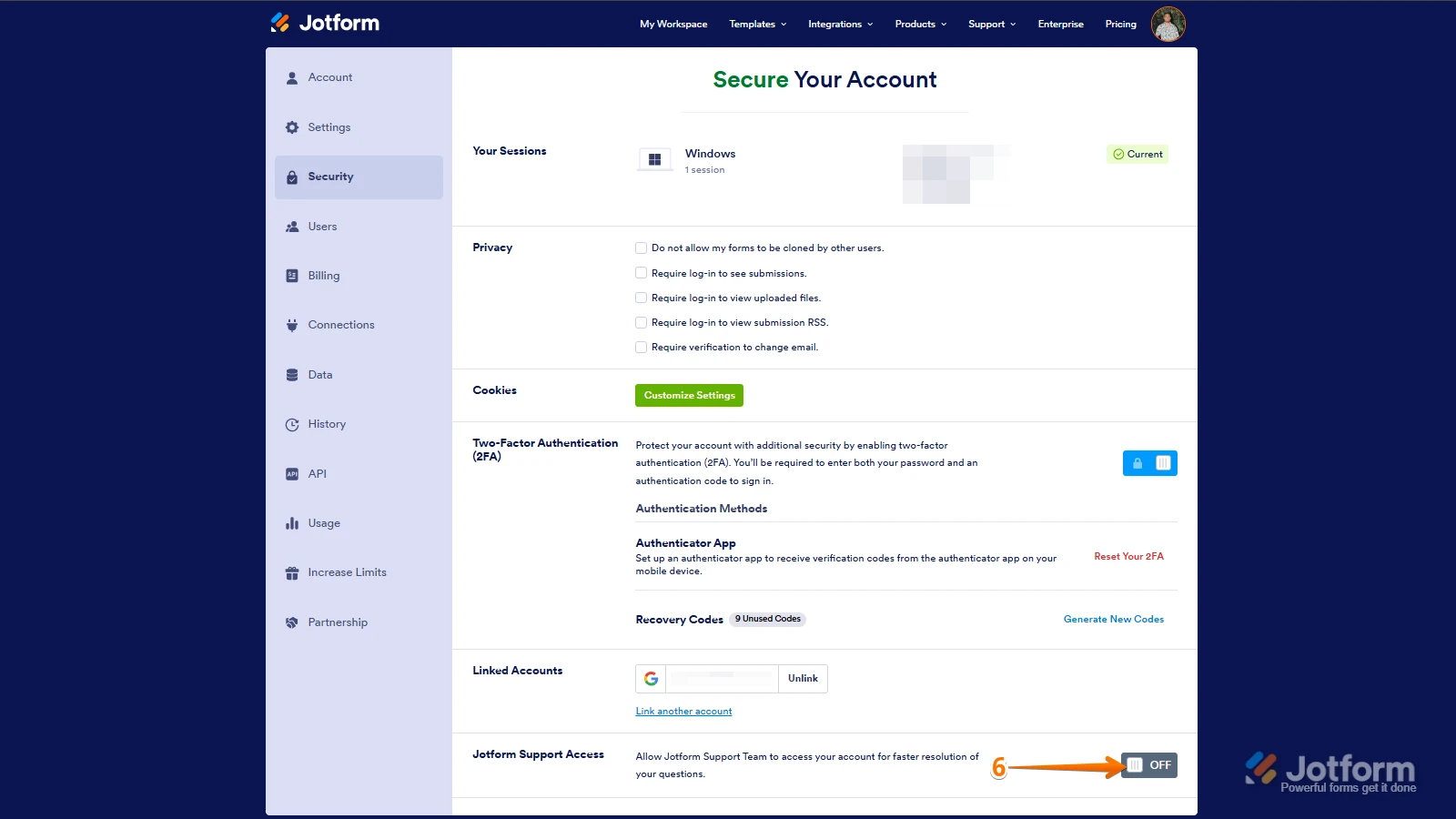
6. Finally, at the bottom of the page, toggle on Jotform Support Access.
After we hear back from you, we’ll have a better idea of what’s going on and how to help. -
rwashburn2453
So sorry. I was confused. Thanks. Randy
-
Podo: Support Specialist
Hi Randy Washburn,
Your request has been answered and the thread is closed.
If you have another question or need more help, feel free to reply here and we'll assist you right away.
 After we hear back from you, we’ll have a better idea of what’s going on and how to help.
Your Reply
Something Went Wrong
An error occurred while generating the AI response. Please try again!