-
Aann
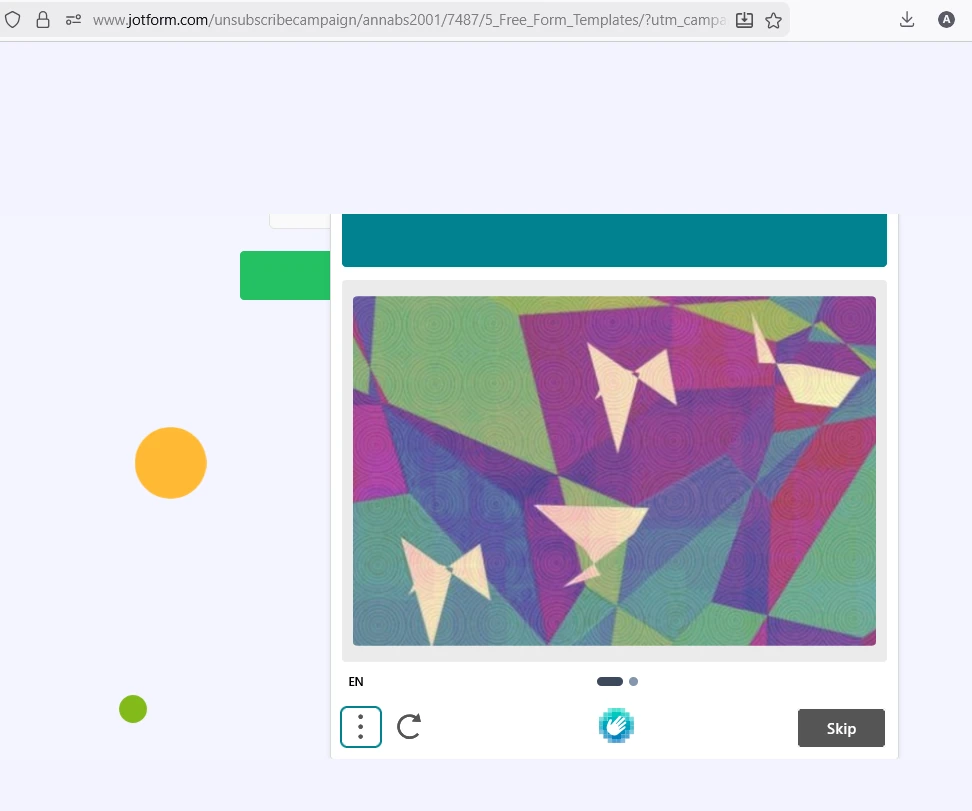
looked into your forms and decided to try them, but don't want to be on the email list anymore. clicked on unsubscribe and left a reason, then it submit. another screen popped up with a "are you human" and "Submit form" i clicked the box and then submit and got a puzzle. but i'm not sure how to do it. the instructions are not visible on the screen, so i can't get out of it nor unsubscribe. come on! why do i need to do this when i am unsubscribing? and what is the stupid game? can't figure it out.
please unsubscribe me from your emails.

-
 Podo: Support Specialist
I’m sorry that the unsubscribe process has been so frustrating, and I understand why that “puzzle” feels unnecessary when you’re just trying to opt out.
I can’t directly unsubscribe your email from here, but you can fully stop our newsletters and promotions from your Jotform account settings:
- Go to your Jotform Workspace and click your Profile Picture/Avatar at the top-right.
- Click Settings.
- In the Settings page, scroll to the Subscriptions section.
- Uncheck anything you don’t want to receive: Monthly Newsletters, Educational Emails, Jotform Promotions, and Inspirational Articles.
- If you prefer, you can also disable Turn off all Jotform emails to stop all subscription emails.
You can see the full guide here for reference: How to Subscribe or Unsubscribe to Jotform's Newsletters.
If you’d like, you can tell me the email address you’re receiving messages on, and I can guide you step-by-step based on what you see on your screen so you don’t get stuck on that puzzle again.
-
Aann
it's not just that the puzzle is unnecessary. there are no instructions. i don't know how to play it. i tried several times, but obviously i don't know how. you need to show the instructions. see the image i posted.
-
Podo: Support Specialist
Hi Ann,
The CAPTCHA is a security measure implemented to help protect your forms from spam submissions and ensure the safety and security of our platform. It may appear when there9s a high volume of submissions within a short period of time or when our system detects unusual or suspicious activity. These automatic triggers are part of Jotform9s built-in anti-spam protection and should return to normal after a while.
If you add a CAPTCHA to your form, the automatic one won9t appear anymore. Let me show you how to add it:
- In Form Builder, click on the Add Element menu on the left side of the page.
- Under the Basic tab, drag and drop the Captcha element to your form.
- Then, click on the Gear icon next to the Captcha field and select a Captcha Type in the menu on the right.
You can also check our guide about How to Add a CAPTCHA to Your Form to learn more.Reach out again if you have any other questions.
Your Reply
Something Went Wrong
An error occurred while generating the AI response. Please try again!