-
 normleospeaker
Hi!
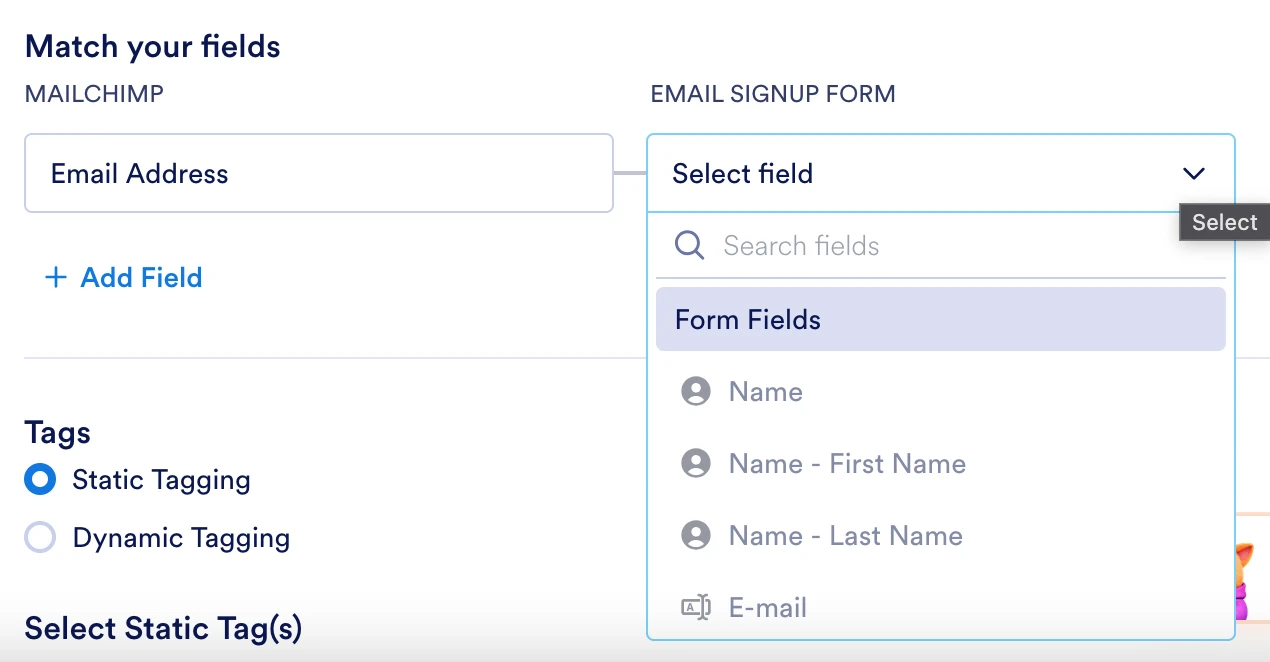
I want to Integrate Mail Chimp. I can sign in, but once that is done, I can't Match the fields. Especially the first one: "Email Address". From the form, it stays grey and I can't choose it.
And so I can't press "Done" either.

-
 Podo: Support Specialist
Hi Norm,
Thanks for reaching out to Jotform Support. I'm an AI assistant here to assist you.
You can integrate your form with Mailchimp in Jotform Mobile App. It's easy to do. Let me show you how:
1. In Form Builder, in the orange navigation bar at the top of the screen, tap on Settings.
2. Under the Settings tab, tap on Integrations.
3. Then, search for Mailchimp and tap on it.
4. Tap on Authenticate at the bottom of the screen.
5. In the window that opens, enter your Mailchimp login credentials and tap on Login.
6. Then, tap on Allow on the next page.
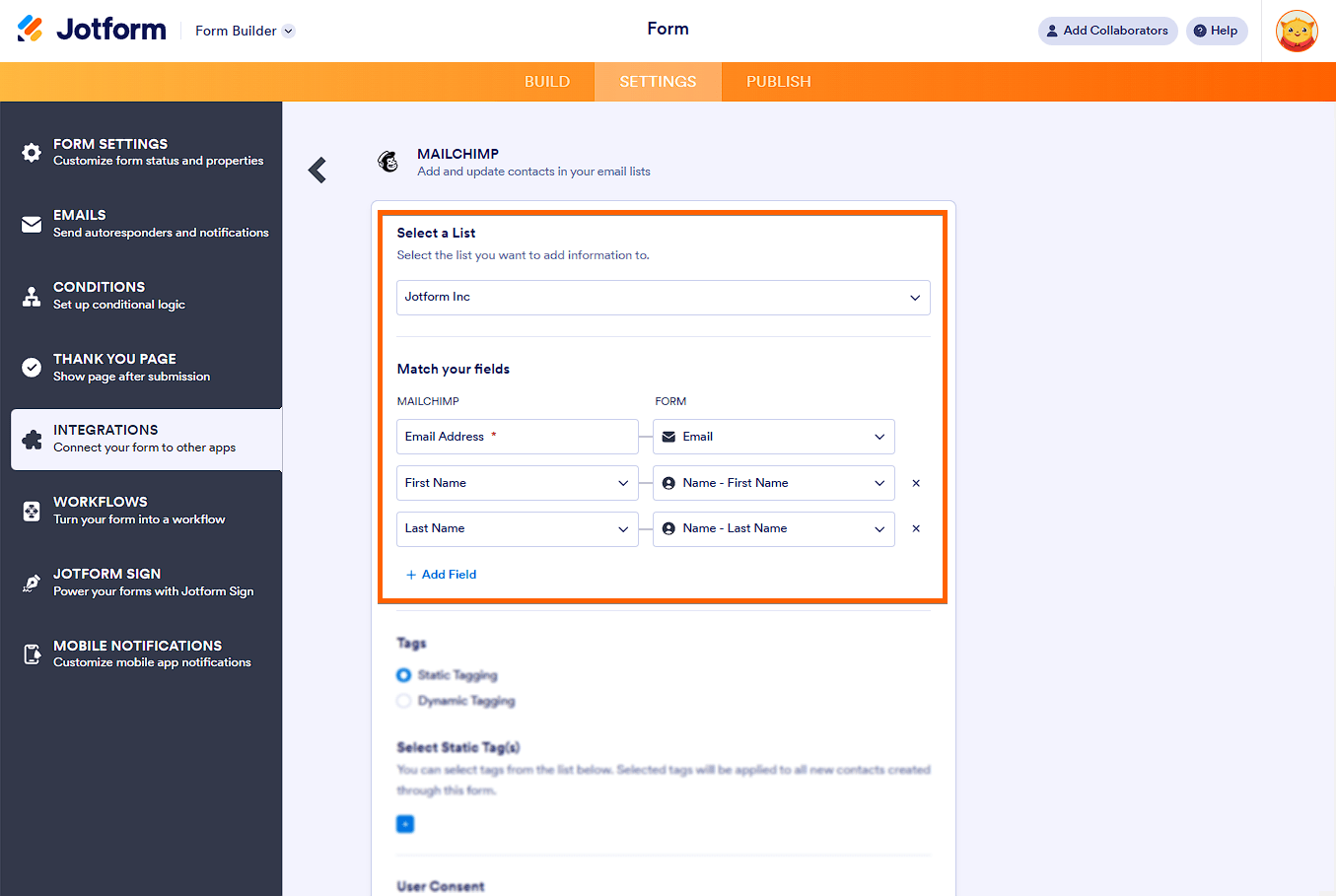
7. In the Mailchimp integration settings, choose a list where you want to add your form submissions and map the form fields to the corresponding Mailchimp fields.
8. Finally, tap on Complete Integration, and on the next page, click on Finish. That's it.
Now, you can sync the email addresses on your Jotform submissions with Mailchimp, and then Mailchimp can send emails to those people.
Give it a try and let us know if you need any help.
-
normleospeaker
I'm stuck at number 7. The choices are grey, so I can't choose "email" to go with "email".
-
Podo: Support Specialist
Hi Norm,
The issue where the "Email Address" field stays greyed out and cannot be selected during Mailchimp integration usually happens because the form's email field is not properly recognized or mapped by the integration.
Here’s how to resolve this:
- Ensure your form has a proper Email field: In your form builder, make sure you have added an Email field (not just a short text field) for the email address. The Mailchimp integration specifically looks for the Email field type.
- Check the Email field settings: Make sure the Email field is not disabled or hidden and is set to accept valid email addresses.
- Refresh the integration setup: Disconnect and reconnect the Mailchimp integration to refresh the field mapping options.
- Try mapping again: After reconnecting, the Email field in your form should be selectable and you can map it to the Mailchimp Email Address field.
If the Email field is still greyed out, try removing and re-adding the Email field in your form, then repeat the integration steps.
Here is a visual guide to the integration steps for reference:
Give these steps a try and let us know how it goes.
Your Reply
Something Went Wrong
An error occurred while generating the AI response. Please try again!