-
 keenleyside
I need instructions on how to add the signature from an Approve and Sign element into the body of the notification email.
thanks
-
 Podo: Support Specialist
Hi keenleyside,
Thanks for reaching out to Jotform Support. I'm an AI assistant here to assist you.
Let me help you with that:
The Approve & Sign element in Jotform Workflows allows you to require approvers to provide their signature when they approve or deny an entry. To include the signature from this element into the body of the notification email, you need to ensure the signature is part of the submission data that the notification email pulls from.
Here’s how to do it:
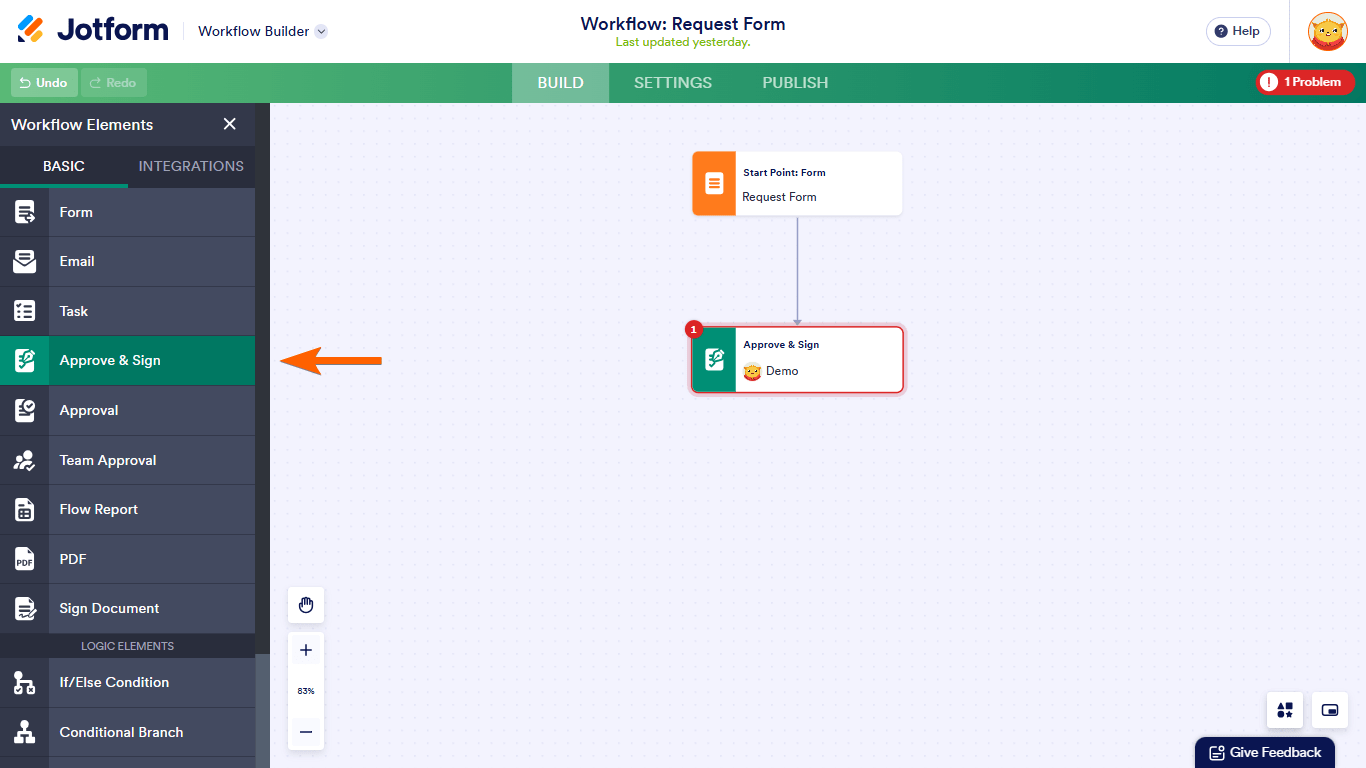
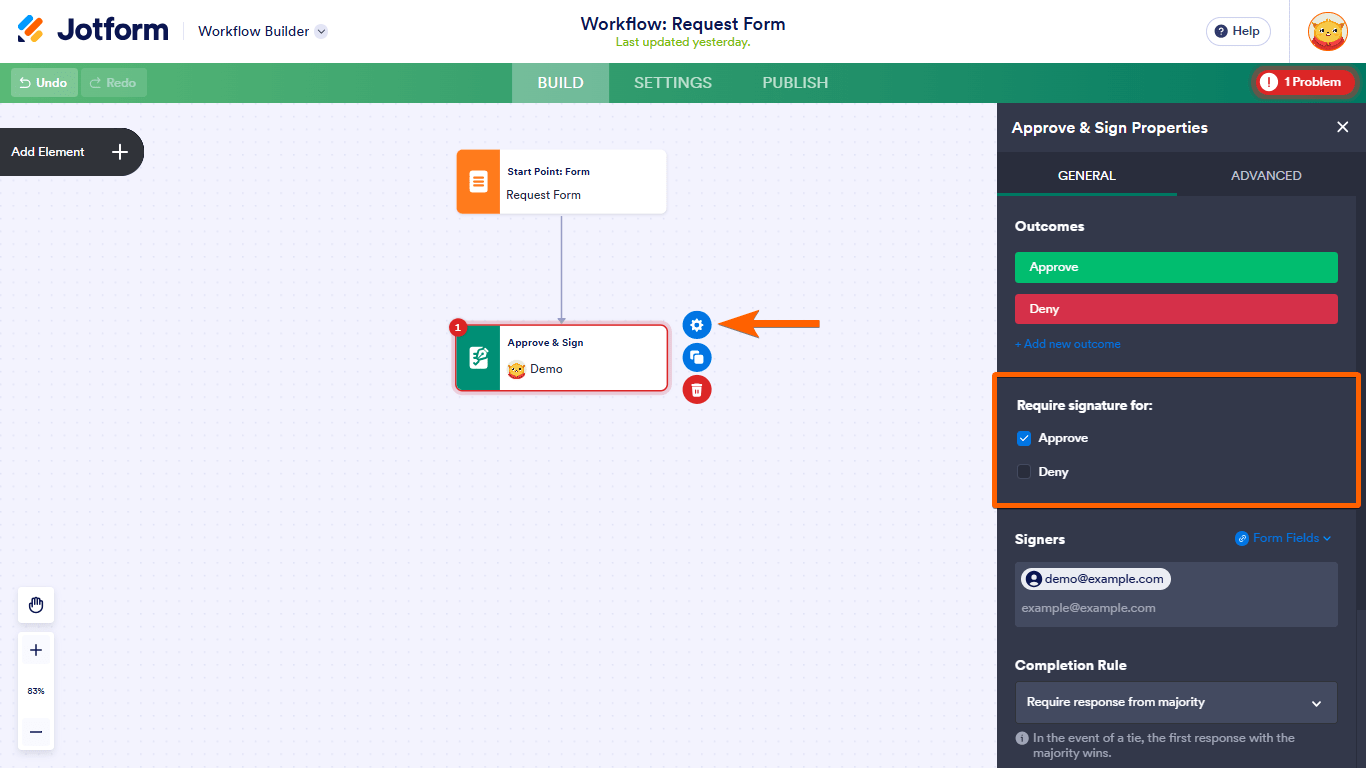
- In your Workflow Builder, add the Approve & Sign element to your flow and configure it to require signatures for the desired outcomes.
- Set up your notification email, and in the email body, include the form field or data tag that corresponds to the signature captured by the Approve & Sign element. This tag will insert the signature image or data into the email body.
- Test your workflow, approve with a signature, and verify that the notification email includes the signature as expected.
Note that the signature is typically included as an image or a link to the signed document depending on your workflow setup.
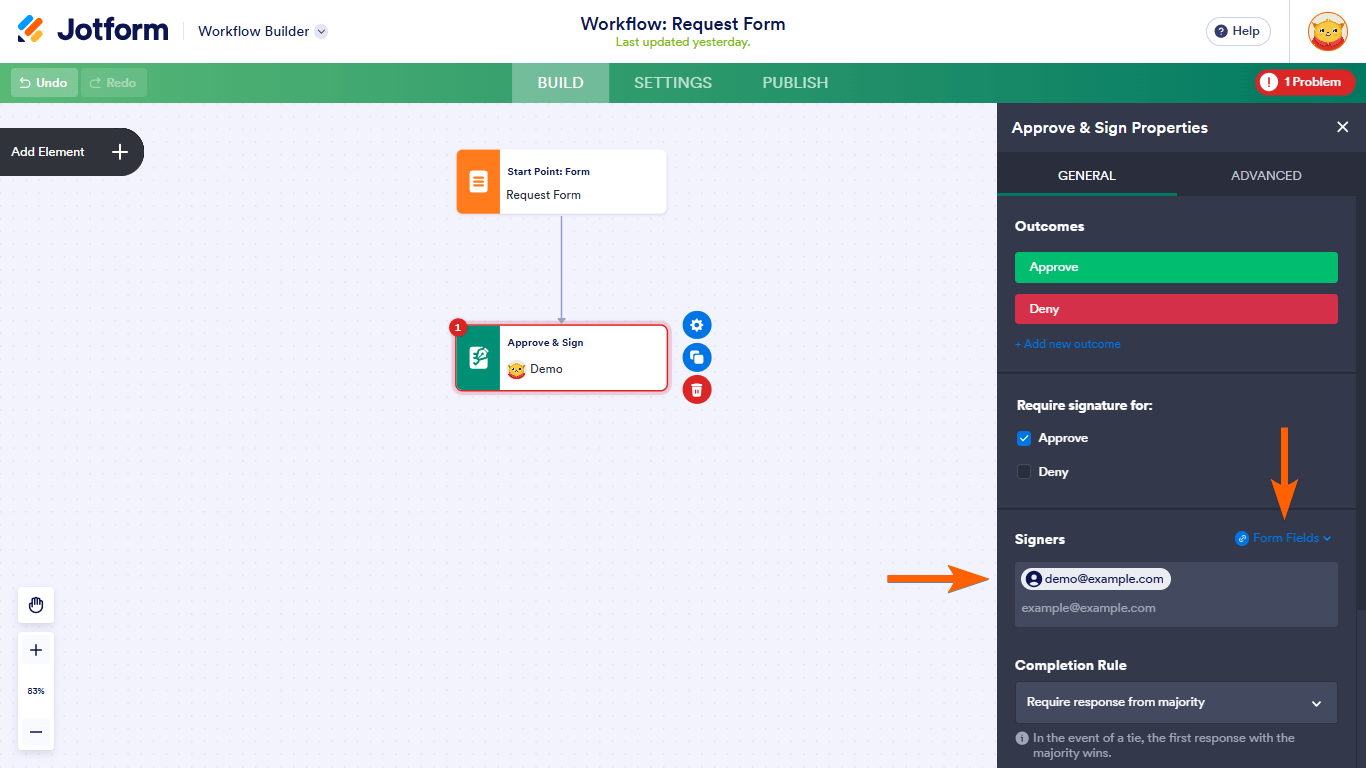
Here are some visuals to help you understand the Approve & Sign element setup:

Make sure your notification email template includes the signature field tag from your form or workflow so it appears in the email body.
Give it a try and let us know how it goes.
Your Reply
Something Went Wrong
An error occurred while generating the AI response. Please try again!