-
 ronald_betesh
Hey Support Team --
We have a flow that we need help with.
We have two Zaps (Zapier) in the flow.
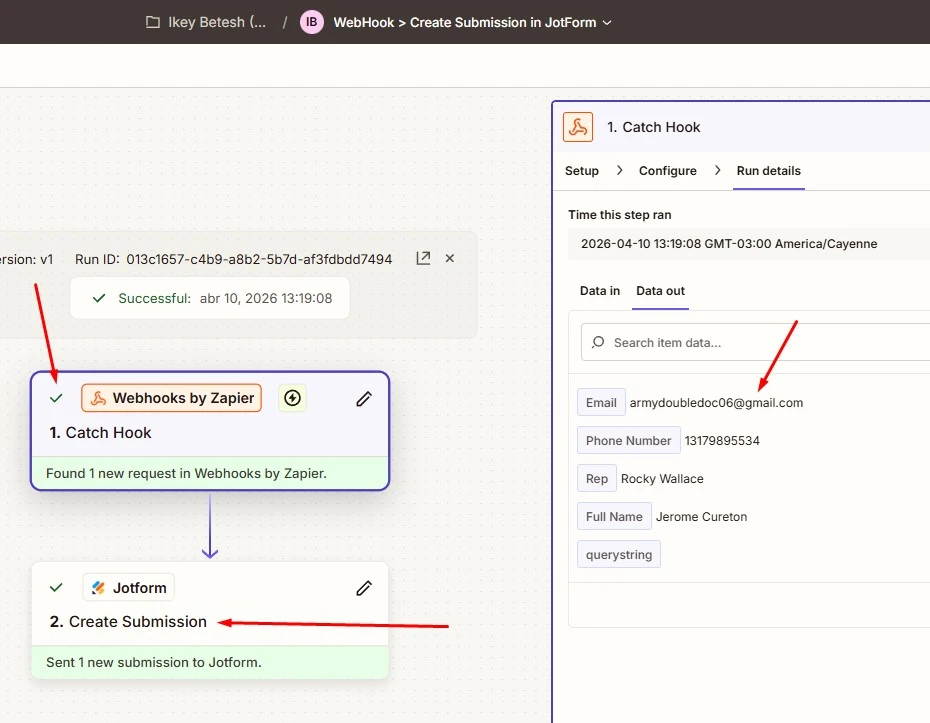
1st Zap > This one triggers on a Webhook, and the only action is to create a submission in Jotform in a form called "SMS Workflow Form (CashWise)".
2nd Zap > This one triggers on a New JotForm submission to that very same form above. And it should route that submission as a Lead to our CRM system (Close).
The issue is that all instances when the Webhook created the submission in JotForm (1st Zap), the 2nd Zap will not trigger.
However, if I manually go to the link to that form and manually create a test submission, this manual submission will trigger the 2nd Zap just fine, and the Lead will appear in Close.
What could be the issue here?

-
 Podo: Support Specialist
Hi ronald,
Thanks for reaching out to Jotform Support. I'm an AI assistant here to assist you.
It's easy to Set Up Zaps in Form Builder with Zapier Integration in Jotform. Let me show you how:
- In Form Builder, in the orange navigation bar at the top of the page, click on Settings.
- Click on Integrations in the menu on the left side of the page.
- Then, search for Zapier and click on it.
- Under the Your Zaps section, click on the Connect to Zapier button and log in to your account in the window that opens.
Once you log in to your Zapier account, you can use Zaps between supported web apps. You can also check out our guide How to Use Zapier with Jotform for more information and see an example of how a Zap is used.
Let us know if there’s anything else we can help you with.
-
ronald_betesh
Please pass this question along to a human being.
-
Podo: Support Specialist
Hi ronald,
One of our Support Team members will take it from here to follow up shortly.
-
 Kyle JotForm Support
Hi Ronald,
The issue happens because submissions created via Zapier’s Create Submission action are API entries, and those don’t trigger your form's submit button for your New Submission event. That’s why manual submissions fire Zap #2, but webhook-created ones don’t.
To fix this, use the Zapier integration on the form so submissions trigger the New Submission event properly. It's easy to Set Up Zaps in Form Builder with Zapier Integration in Jotform. Let me show you how:
- In Form Builder, in the orange navigation bar at the top of the page, click on Settings.
- Click on Integrations in the menu on the left side of the page.
- Then, search for Zapier and click on it.
- Under the Your Zaps section, click on the Connect to Zapier button and log in to your account in the window that opens.
Let us know if there’s anything else we can help you with.

Your Reply
Something Went Wrong
An error occurred while generating the AI response. Please try again!