-
 WebsterCountyHealthDepartment
i have tried several times to change the email from tori.spencer@webstercountyia.gov to mine so when i send a test email it comes to mine. I have used AI for help and it has not helped one bit. my email is matthew.nahnsen@webstercountyia.gov. I have a registration form for a class i made and need to send out ASAP and i can't get it to work as an email.
-
 Podo: Support Specialist
Hi Tyler,
You can change the email recipient on your Notification Email in just a few steps. Here9s how:
- In Form Builder, in the orange navigation bar at the top of the page, click on Settings.
- Then, in the menu on the left side of the page, click on Emails.
- Now, hover your mouse over the Notification Email and click on Edit.
- Next, click on the Recipients tab, and under Recipient Email, remove the old email address and add your email address matthew.nahnsen@webstercountyia.gov.

Reach out again if there9s anything else we can help you with.
-
WebsterCountyHealthDepartment
I HAVE DONE THAT QUITE A FEW TIMES AND IT STILL DOES NOT WORK
-
Podo: Support Specialist
According to our logs, the emails were successfully sent to matthew.nahnsen@webstercountyia.gov. Please check your spam or junk folder. Consider whitelisting Jotform's sender email or domain to avoid future issues. Also, make sure your form's email fields and conditions are set up correctly. To prevent email bounce issues, please use valid, correctly formatted email addresses. Here are a few tips to help prevent future email delivery issues:
- You can view your Email Logs to see what's happening with your form emails
- Whitelist Jotform IP Addresses and Domains
- If the issue persists, Setting Up a Custom SMTP to use your own email provider as the sender may help
Feel free to let me know if it’s still not working.
-
WebsterCountyHealthDepartment
When were these emails sent?
-
Podo: Support Specialist
Hi Tyler,
You can view when the emails were sent by checking your form's Email Logs. These logs provide detailed information including timestamps, delivery status, recipients, and form IDs, which can help you verify the exact time your notification emails were sent.
Here’s how to view your Email Logs:
- Go to your Account History page at https://www.jotform.com/myaccount/history.
- Use the date filter in the upper-right corner to select the period you want to check.
- Set the action filter to "Emails" to see email logs specifically.
- Click the new window icon next to an entry to view details, including the exact time the email was sent.
Note that test emails sent using the test submission feature are always sent to your account email address by default and may not reflect the recipient email configured in your notification settings. To see emails sent to the recipient address you specified, check the logs for live submissions.
For more information, you can visit the guide on How to View Your Form Email Logs.
Let me know if you need further assistance.
-
WebsterCountyHealthDepartment
Whats a phone number for customer service?
-
Podo: Support Specialist
Hi Tyler,
I don9t have a phone number for customer service to provide. Our support team will handle your request and assist you through this chat.
Let us know if you have any other questions.
-
WebsterCountyHealthDepartment
I dont want to talk to AI
-
Podo: Support Specialist
Hi Tyler,
One of our Support Team members will take it from here to follow up shortly.
-
 Reymae JotForm Support
Hi Tyler,
Thanks for reaching out to Jotform Support. The test email will be sent to the form owner's email address. If you want to change your account's email address, you can do it easily. Changing your account email address only takes a minute. Let me show you how:
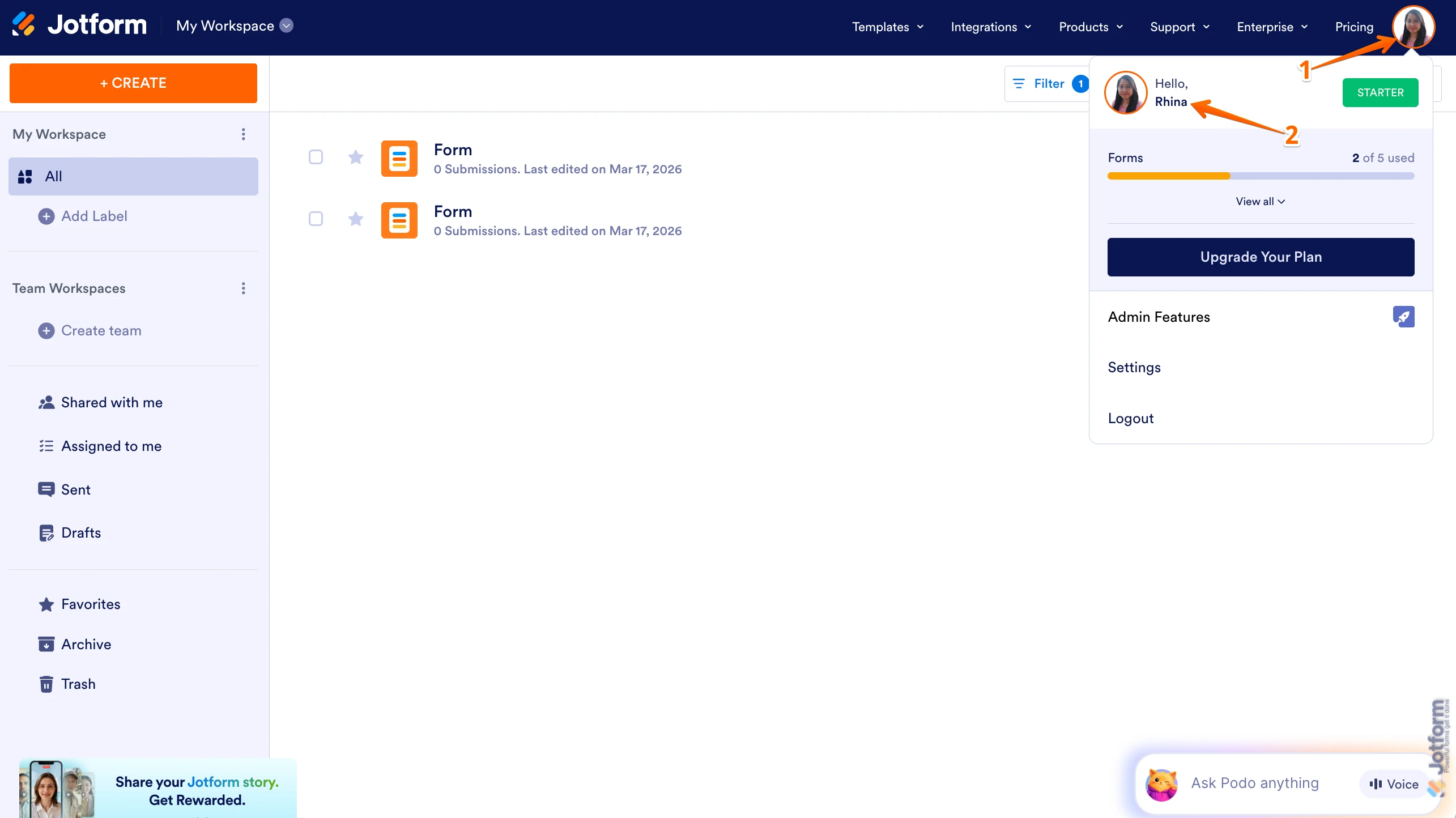
1. On your Workspace page, click on your Avatar/Profile Image in the top-right corner of the screen.
2. In the Dropdown menu that comes up, click on your name.
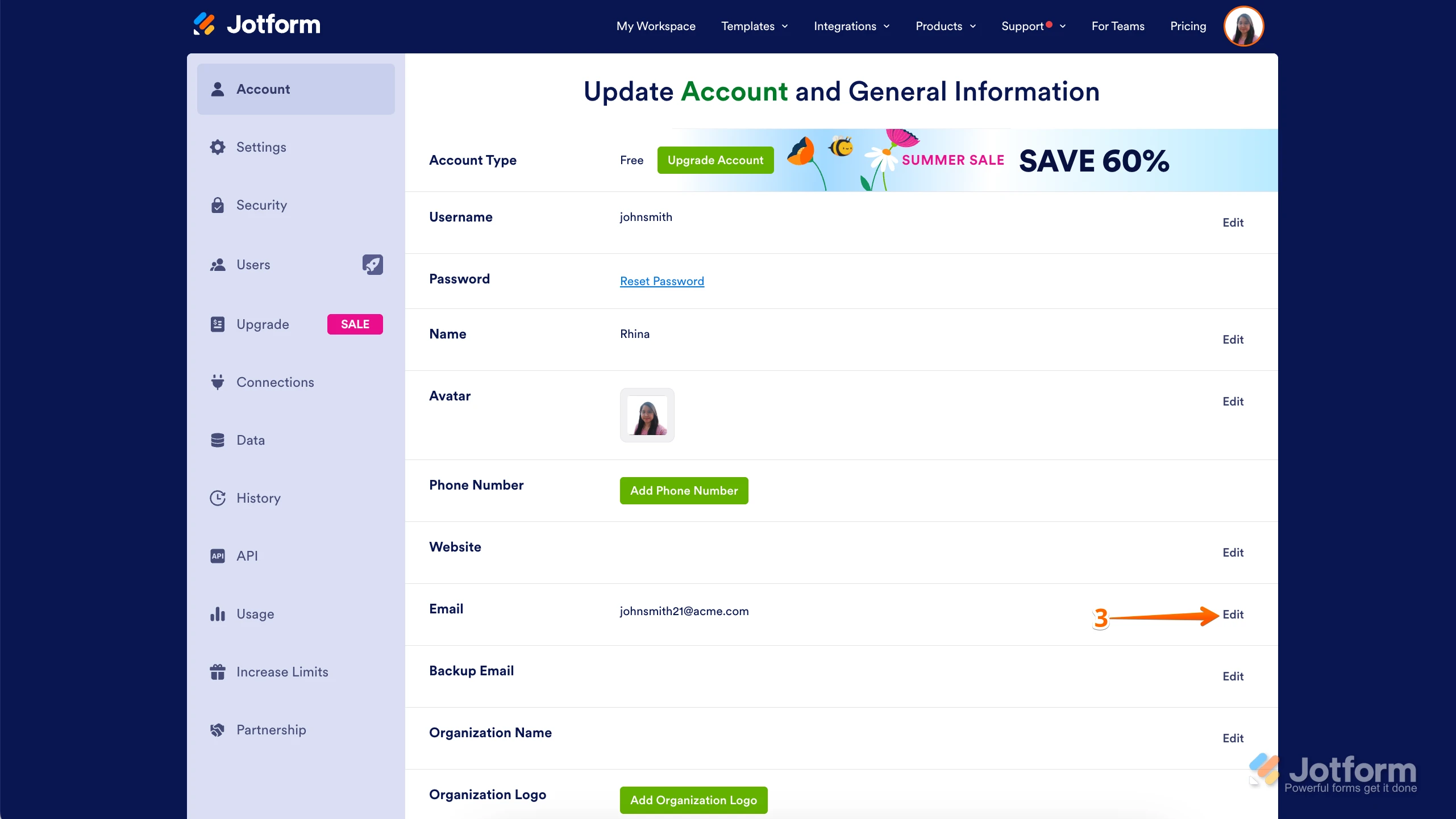
3. On the right side of the page, under the Email section, click on Edit.
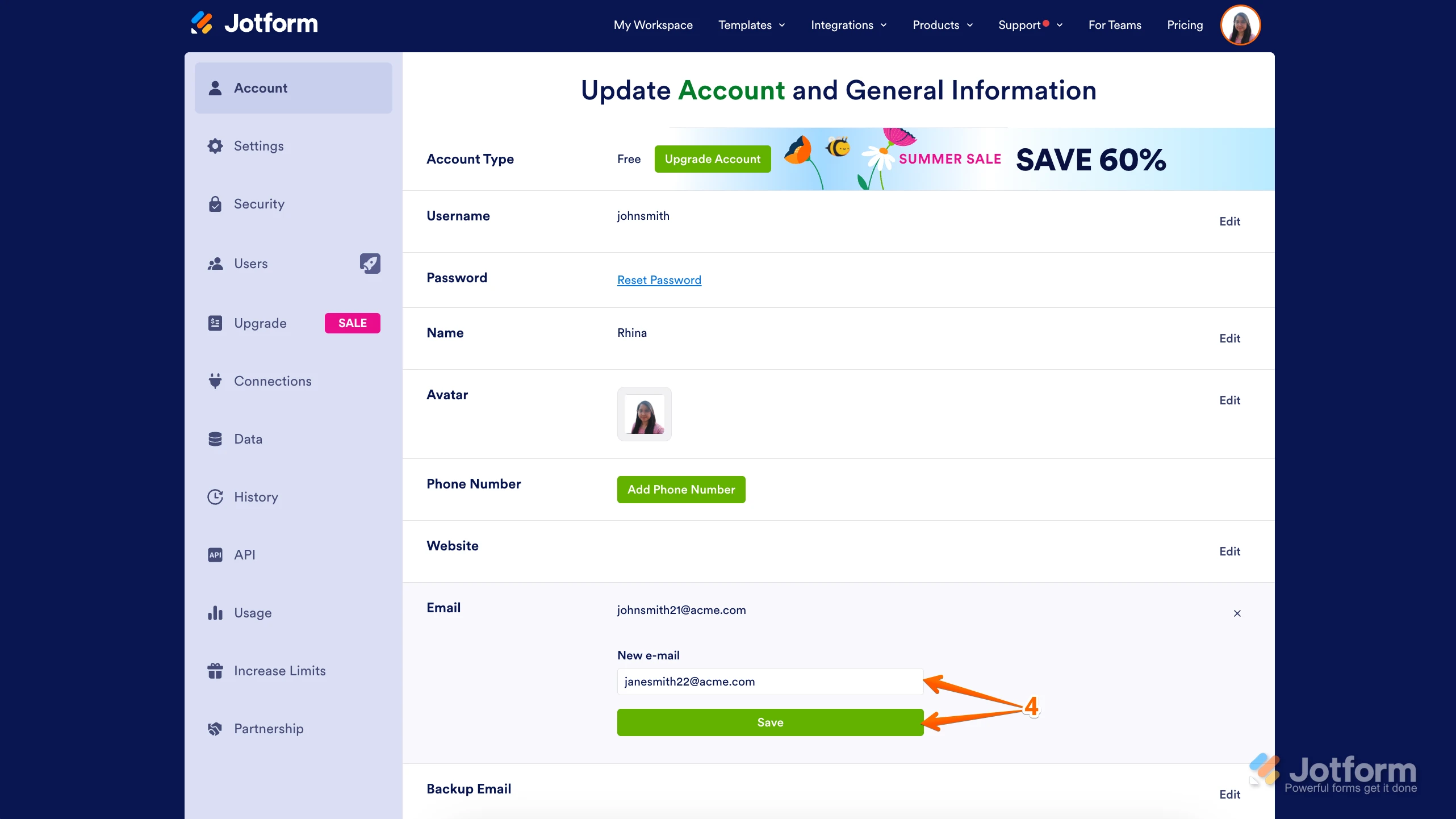
4. Next, enter the new email address you want to use and click on Save.
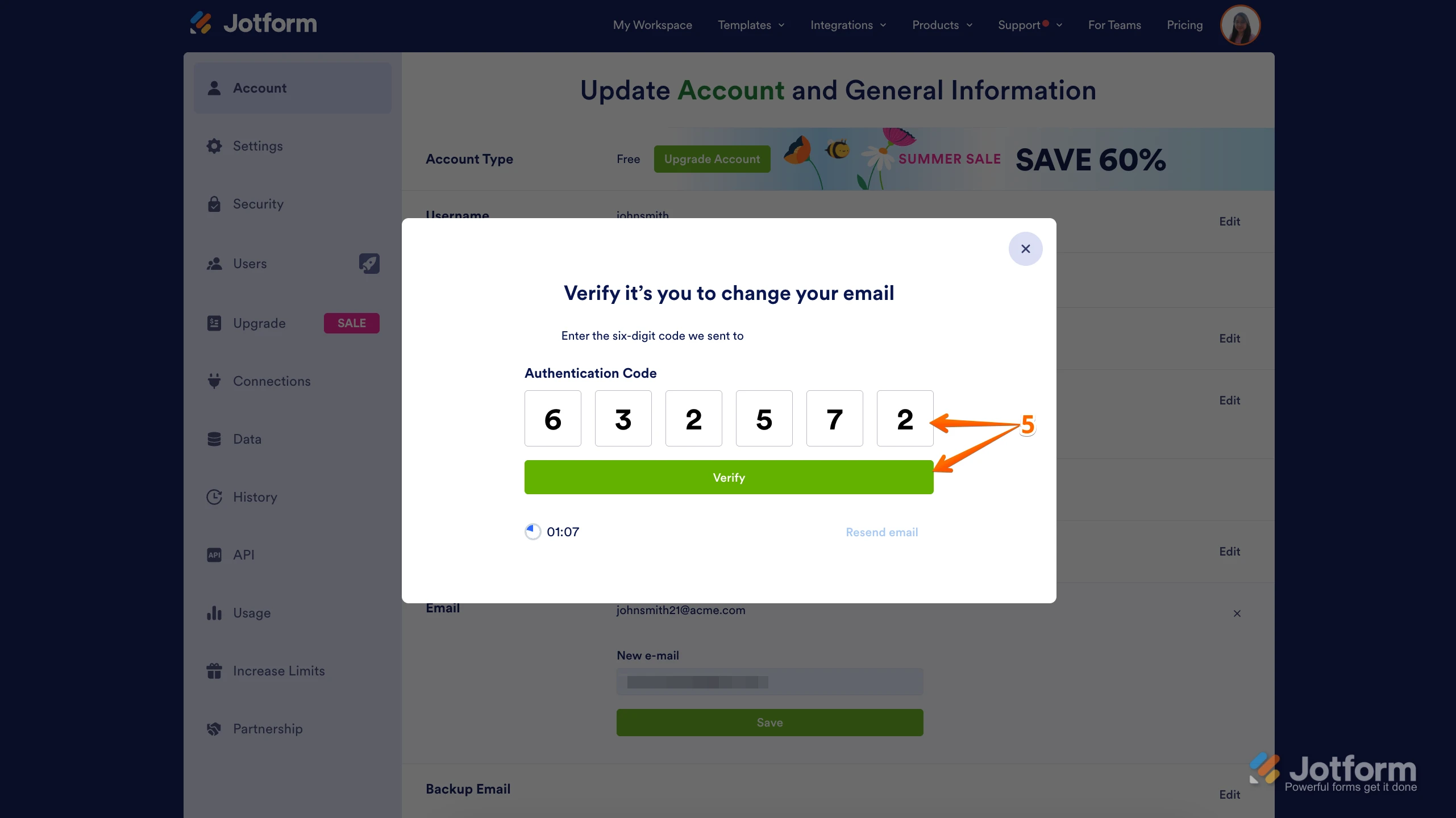
5. In the Confirmation window that opens, enter the Authentication Code sent to your new email and click on Verify.
Reach out again if there’s anything else we can help you with.
Your Reply
Something Went Wrong
An error occurred while generating the AI response. Please try again!