-
 carrisaandersonI am experiencing an issue where only the greyed out input fields in my form are translated to Spanish, but the field questions themselves remain in English. I have already selected Spanish and Español as the language options, but the questions do not change. I want the entire form, including the field questions, to be translated into Spanish. I do not know how to speak other languages, so I need assistance with this issue.
 -
 Eduardo_Ca
Hi Carrisa,
Thanks for reaching out to Jotform Support. It's easy to translate an existing form into another language. Let me walk you through it:
1. Open your form in Form Builder, and in the orange navigation bar at the top of the page, click on Settings.
2. Click on Show More Options, scroll down to the Form Languages section, and click on Edit.

3. In the Form Language section, click on the Downward Arrow icon and select your form's main language.
4. In the Translations section, click on Add Language, and select the language you want it translated to.
5. Click on Add under the Dropdown menu, and translate the fields that haven't been automatically translated into the target language.
6. Then, click on the Form Warnings tab to see/edit any untranslated fields or edit the translated fields. It'll be automatically saved when you add or edit any text.
-
carrisaanderson
The form questions did not translate, that is what i also need translated. Can you help figure that out?
-
 Joeni JotForm Support
Hi Carrisa,
The reason the field label isn’t showing in Spanish is that it hasn’t been translated yet in the Field Translation settings. Take a look at the screenshot below:
This happens because Jotform only auto-translates system text when you add a language, but it doesn't automatically translate your form labels/questions. Those need to be entered manually in the field translation editor. Let me show you how:- In Form Builder, click on the Settings tab in the orange navigation bar and click on the Show More Options button.
- Now, click on the Edit button of the Form Languages section and click on the Pencil icon of the Language in the Translations menu.
- Then, manually paste the translated Field Label in the corresponding input box.
-
carrisaanderson
Just to confirm, that all needs to be translated manually?
-
 Brandon
Hi Carrisa,
If the text is changed from the original placeholder text, then yes. At the moment, Jotform does not offer the functionality to translate text that differs from the default. That said, we've gone ahead and escalated your request to our developers. Exactly when or if it's developed depends on their workload, how viable it is, and how many other users also request it. If there are any updates, we’ll circle back to this thread and let you know.Thanks for your patience and understanding, we appreciate it.
-
carrisaanderson
Thank you so much for that information and for pushing our request, Brandon!
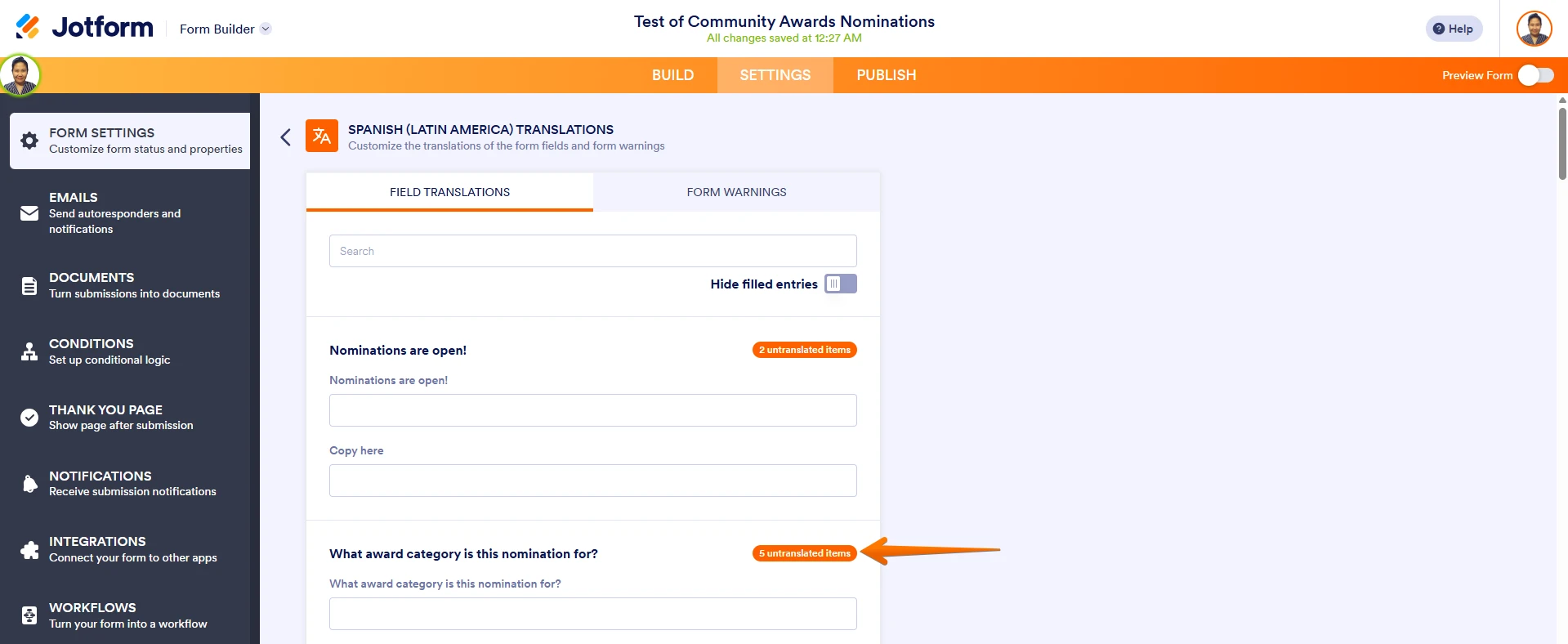 This happens because Jotform only auto-translates system text when you add a language, but it doesn't automatically translate your form labels/questions. Those need to be entered manually in the field translation editor. Let me show you how:
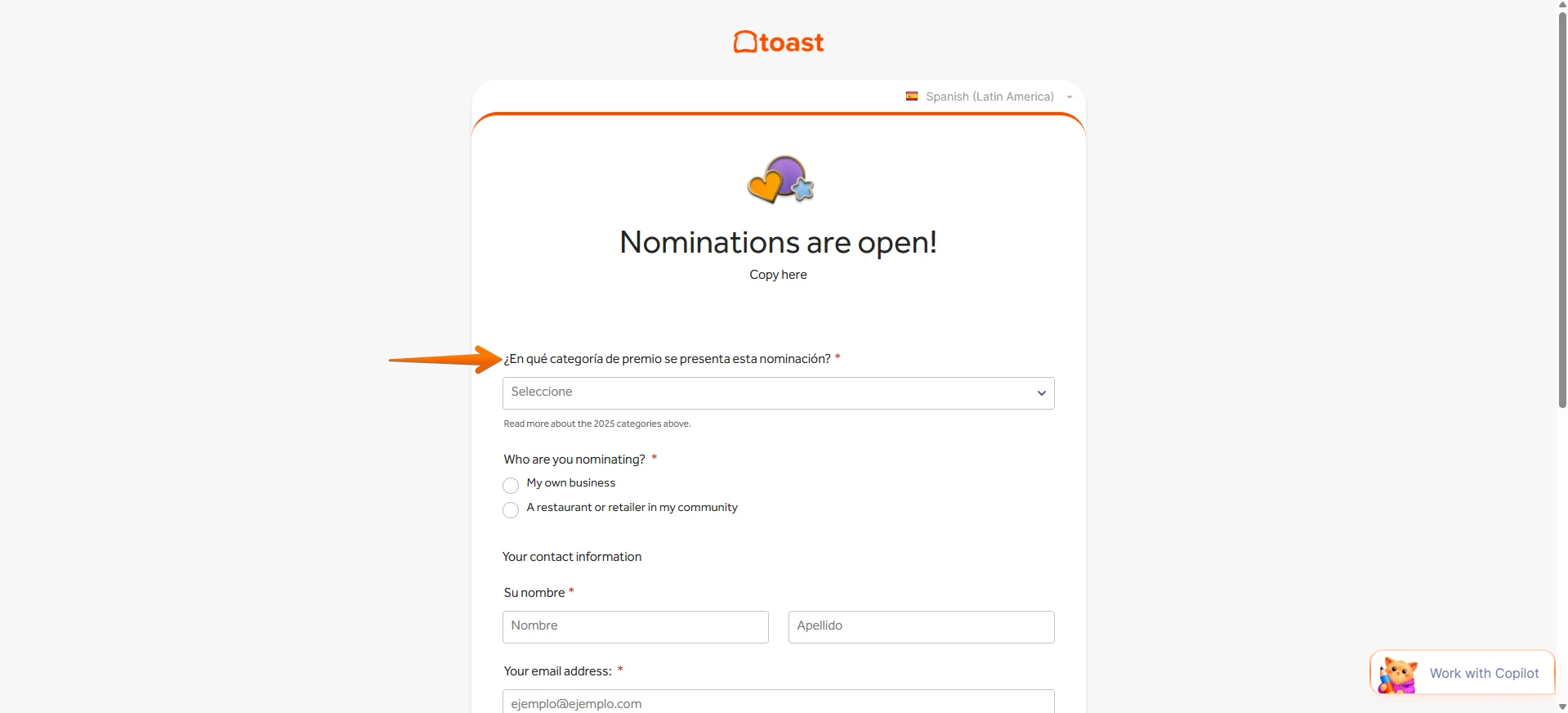 Give it a try and let us know if you have any other questions.
Your Reply
Something Went Wrong
An error occurred while generating the AI response. Please try again!