-
 infopdlq
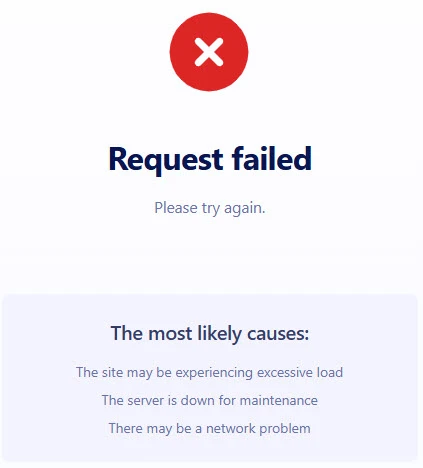
our primary registration form stopped working last night and is still not working properly. I have tested other forms and they all work fine - except this one. A link to it is below as well as a screenshot of what error we get when the form is submitted. Please advise on this quickly as this is probably our most important form for parents.
Thank you.

-
 Podo: Support Specialist
Hi PDLQ,
Thanks for reaching out to Jotform Support. I'm an AI assistant here to assist you.
Regarding your primary registration form not working, here are some common issues and troubleshooting steps you can try:
- Check for form errors: Common errors include 404 Not Found (form/page missing), Invalid Form URL (using wrong Jotform domain), or the form being disabled or deleted.
- Form disabled or unavailable: If you see a message like "This form is currently unavailable!", it means the form might be disabled or deleted. You can enable it again in your form settings.
- Unique submissions setting: If you get "Sorry! Only one entry is allowed", it means the form restricts submissions to one per user. You can adjust this in the form settings.
- Form over quota: If your form has exceeded submission limits, it will stop accepting entries until the quota resets or you upgrade your plan.
- Network or caching issues: Sometimes network problems or cached form data can cause errors. Try clearing your browser cache, logging out and back in, or using a different browser or internet connection.
Let me show you how to clear your form cache:
- Log in to your Jotform account.
- Go to Account Settings by clicking your profile icon.
- Find and click on Clear Form Cache to remove old cached data.
If the problem persists, please provide the exact error message you see when submitting the form or share the screenshot you mentioned, so I can assist you further.
Give it a try and let us know how it goes.
Your Reply
Something Went Wrong
An error occurred while generating the AI response. Please try again!