-
 assistanttovanessam
Hello I can't create a jot form account using a different email
-
 Podo: Support Specialist
Hi,
As I checked, you appear to be logged in. There seems to be no issue with accessing your account. If you have any other questions, let me know.
Let us know if you have any other questions.
-
assistanttovanessam
I have another email that I'm trying to create to here is the email address: Vanessa@kasere.com
-
Podo: Support Specialist
Hi,
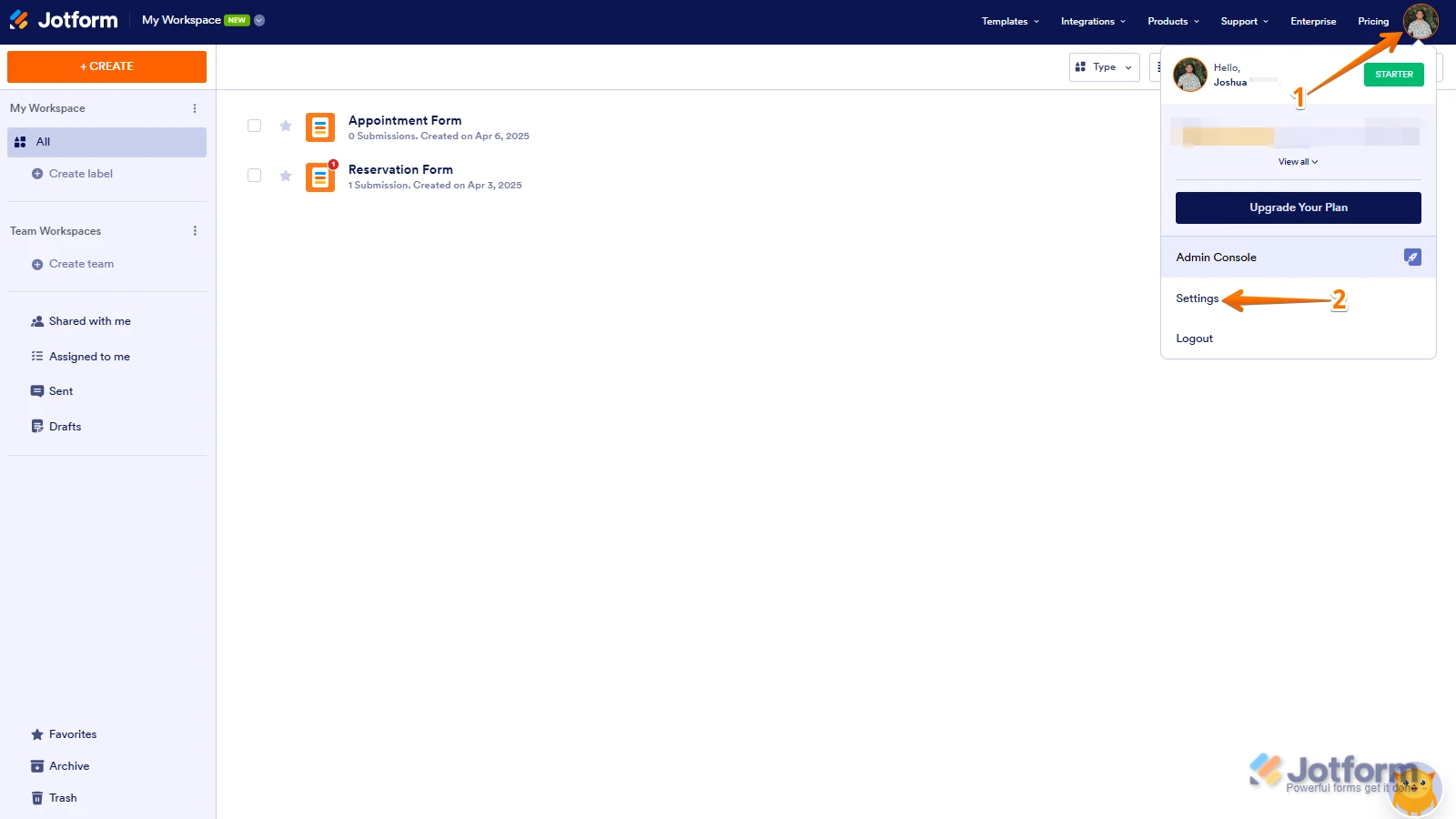
Adding a backup email to your account is easy, and it helps if you ever have issues with your main email. Let me show you how:
1. On your Workspace page, click on your Avatar/Profile Image on the top-right side of the screen.
2. In the window that opens, click on Settings.

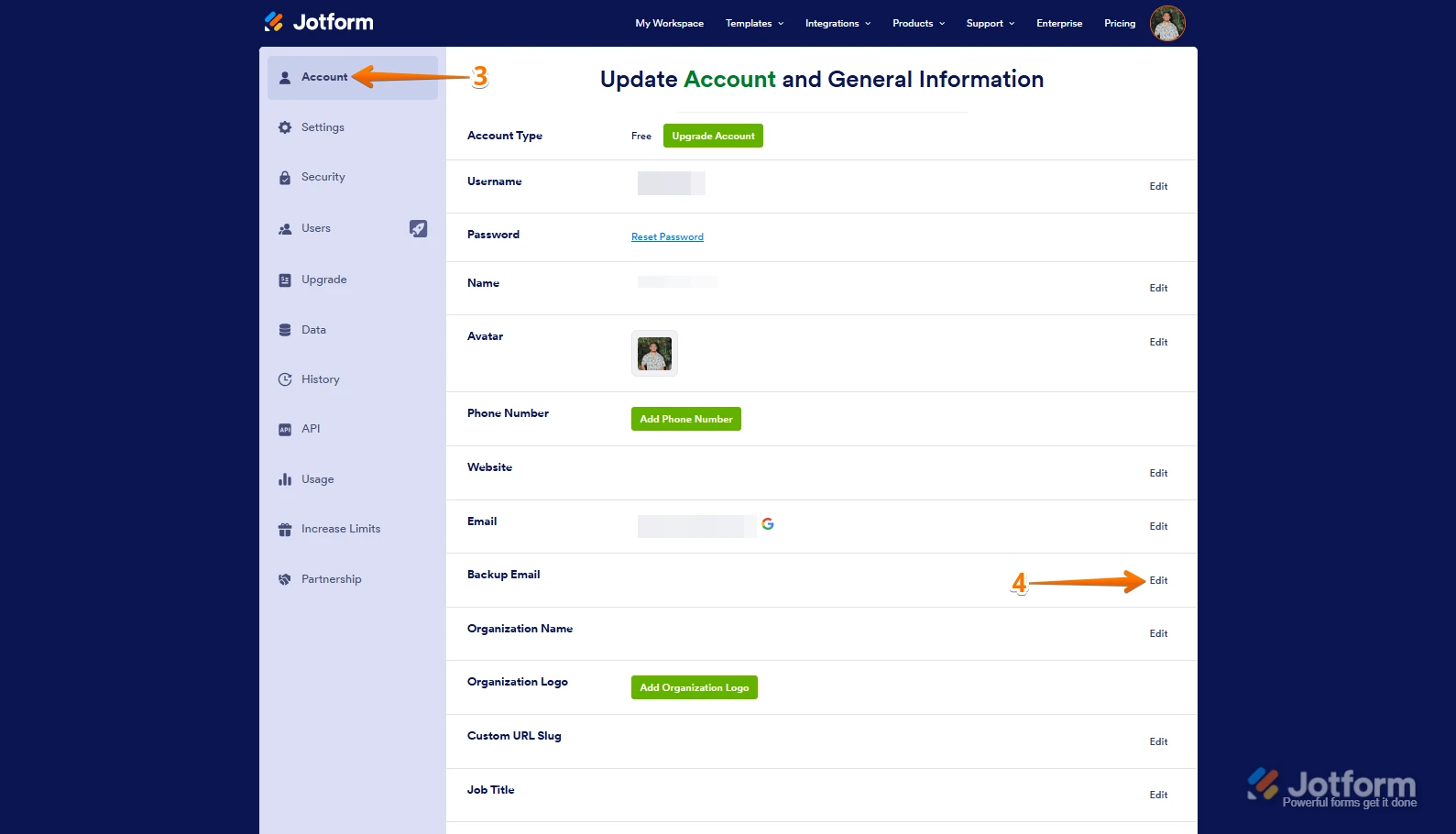
3. Next, in the menu on the left, click on Account.
4. Then, in the Backup Email section, click on Edit in the right corner.
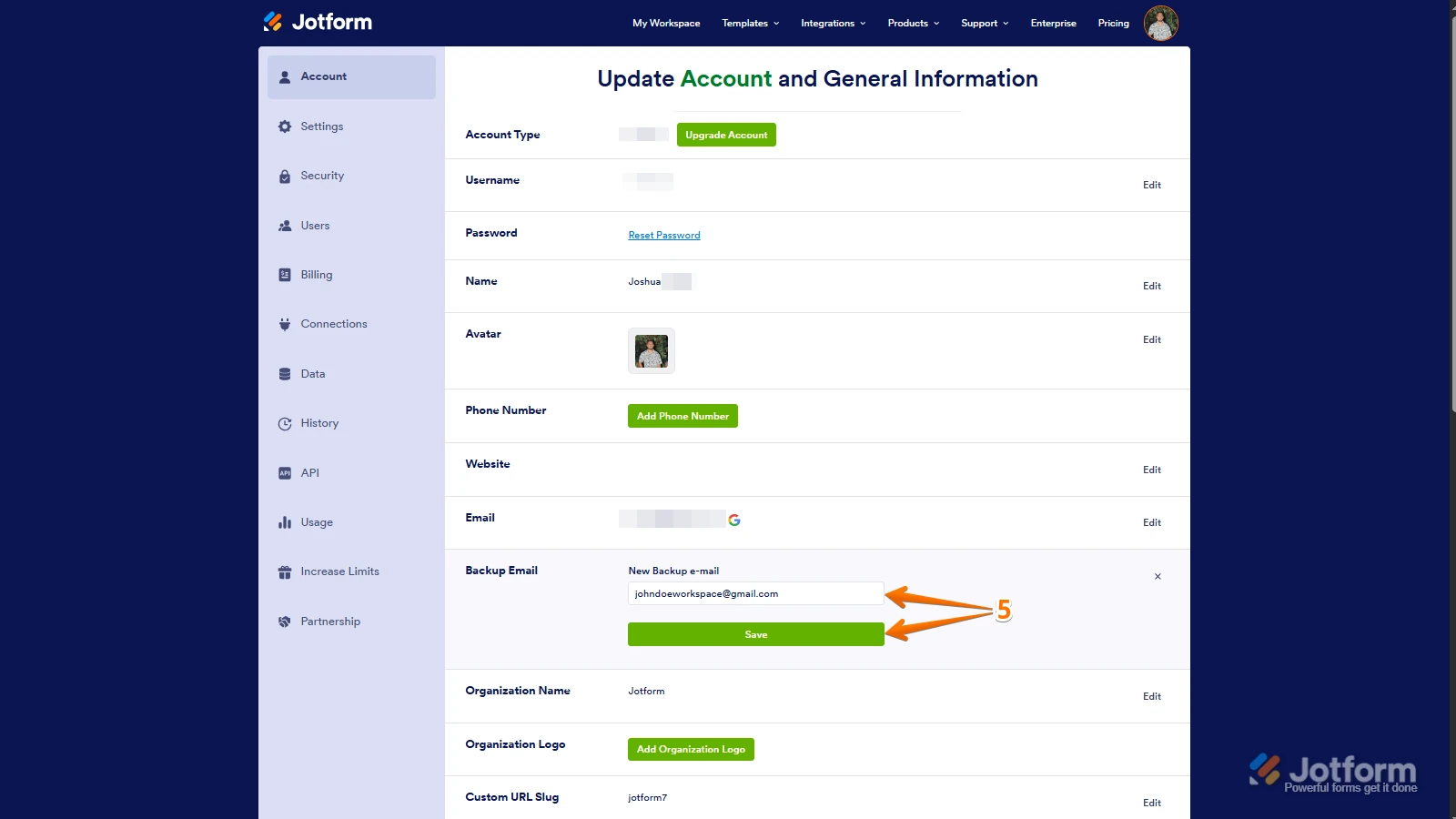
5. Finally, enter your backup email address in the New Backup Email field, and then click on Save.
That’s it. Reach out again if you need any other help.
-
assistanttovanessam
I need a totaly different account not a back up
-
 Jeric_T
Hi assistanttovanessam,
Is there any error message when you try to create an account using the email address? If you can take a screenshot of what’s happening, that'll help us to understand better what’s going on. Let me show you how to post a screenshot to our Help Center:
1. On the Help Center page, scroll down to the Your Answer section and click on the Image icon.
2. Drag and drop your image into the Upload box, or click on it and select your file.
3. Then, click on the Add button in the bottom-right corner of the window.
4. To resize it, click on your screenshot and then click on one of the boxes in the corners, and drag it inward.
5. Once you're finished, click on the Post Answer button at the bottom right of the Your Answer section.

Your Reply
Something Went Wrong
An error occurred while generating the AI response. Please try again!