-
 legacybatoncompany
Hello,
I am attempting to build an online store. However, I have been trying to connect my site to Venmo and PayPal, but it’s not connecting. Can you help to troubleshoot this issue?

-
 Podo: Support Specialist
I can definitely help you troubleshoot this. First, please share the link to your form or your form’s URL/ID so I can check how Venmo and PayPal are currently set up on it.
-
legacybatoncompany
-
Podo: Support Specialist
Hi Legacy,
Thanks for sharing the link to your form. Regarding your issue with connecting Venmo and PayPal to your online store, here are some important points and troubleshooting steps:
- PayPal Invoicing integration is no longer available to new Jotform users as of March 2025. Instead, you should use the standard PayPal integration for your payment needs.
- For payment gateways like Venmo and PayPal, incomplete payments can occur if users do not complete the payment process after being redirected to the payment page. These incomplete payments are recorded but not finalized.
- You can view and manage incomplete payments on your forms by going to your Workspace page, selecting your form, and checking the submissions under the "Incomplete Payments" section in Jotform Tables.
- To get notified about incomplete payments, you can enable the Pending Payment Email option in the PayPal Standard integration settings on your form. This will send you email alerts when payments are not completed.
- Make sure you are using the updated PayPal integration, as older PayPal products like PayPal Express, Pro, Invoicing, and Checkout have been discontinued or will be retired soon.
- For Venmo, it is considered an off-page payment gateway, so incomplete payments might also be logged if the payment process is not fully completed by the user.
Here’s how to set up and troubleshoot your payment integrations:
- Check your payment integration: Ensure you are using the current PayPal integration and that your PayPal Business account is verified.
- Enable incomplete payment notifications: In the PayPal Standard integration settings, toggle on the Pending Payment Email option to receive alerts about incomplete payments.
- Review incomplete payments: Go to your Workspace, find your form, open submissions, and check the Incomplete Payments tab to see if there are any pending transactions.
- Switch from deprecated PayPal integrations: If your form uses older PayPal integrations, switch to the new PayPal integration to avoid disruptions.
If you continue to experience issues connecting Venmo or PayPal, please let me know any specific error messages or behaviors you observe, and I can assist you further.
Give it a try and let us know how it goes.
-
legacybatoncompany
Still not working
-
Podo: Support Specialist
Hi Legacy,
One of our Support Team members will take it from here to follow up shortly.
-
 Keenly JotForm Support
Hi legacybatoncompany,
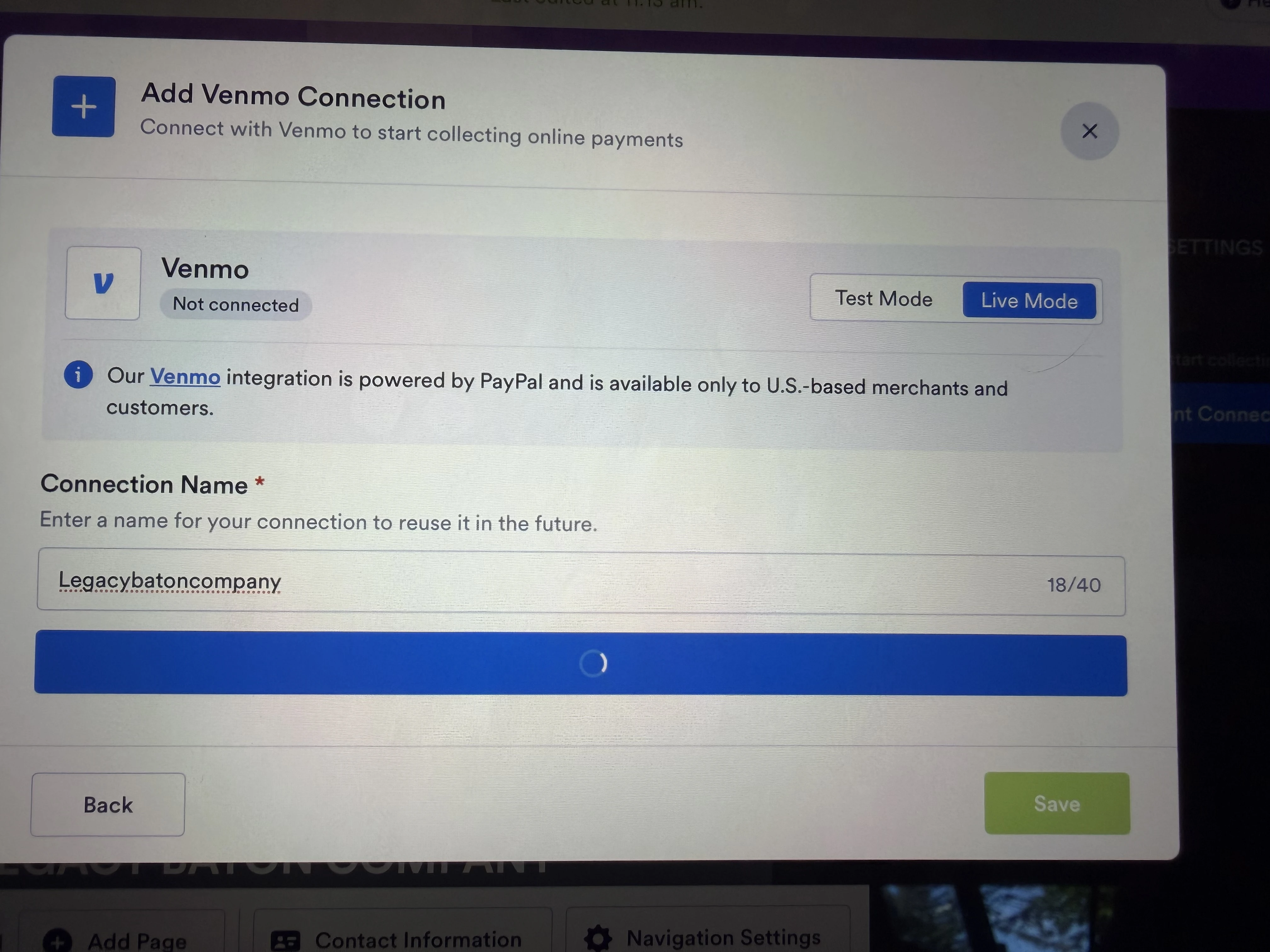
I checked the screenshot you shared, and it looks like your browser may be blocking the pop-up window needed to complete the connection to your PayPal account. Could you try allowing pop-ups in your browser settings, then try setting it up again and see if that helps?
If pop-ups are not currently blocked, could you also check your other open browser windows, as the window where you can connect your PayPal account may have opened behind your current one?
Keep us updated and let us know if you need any more help.

Your Reply
Something Went Wrong
An error occurred while generating the AI response. Please try again!