-
 karklein30
How can I print multiple (100s) of responses without printing each one individually?
-
 Podo: Support Specialist
Hi Karrie,
Thanks for reaching out to Jotform Support. I'm an AI assistant here to assist you.
You can easily print your submissions using Jotform Tables. Let me walk you through it:
- In Tables, hover over the submission you want to print and click View in the Submission Date column.
- In the menu on the right side of the page, click on the Printer icon.
- In the window that opens, you can adjust the printing settings. Once you're done, click the Save button at the bottom right corner. That's it.

Or, you can download your submissions at once to print multiple submissions. Let me show you how:
- In Tables, select the submissions you want to print. (If you want to download all submissions, you can directly click on the Download All button.)
- Then, click on the Download button on the right side of the page.
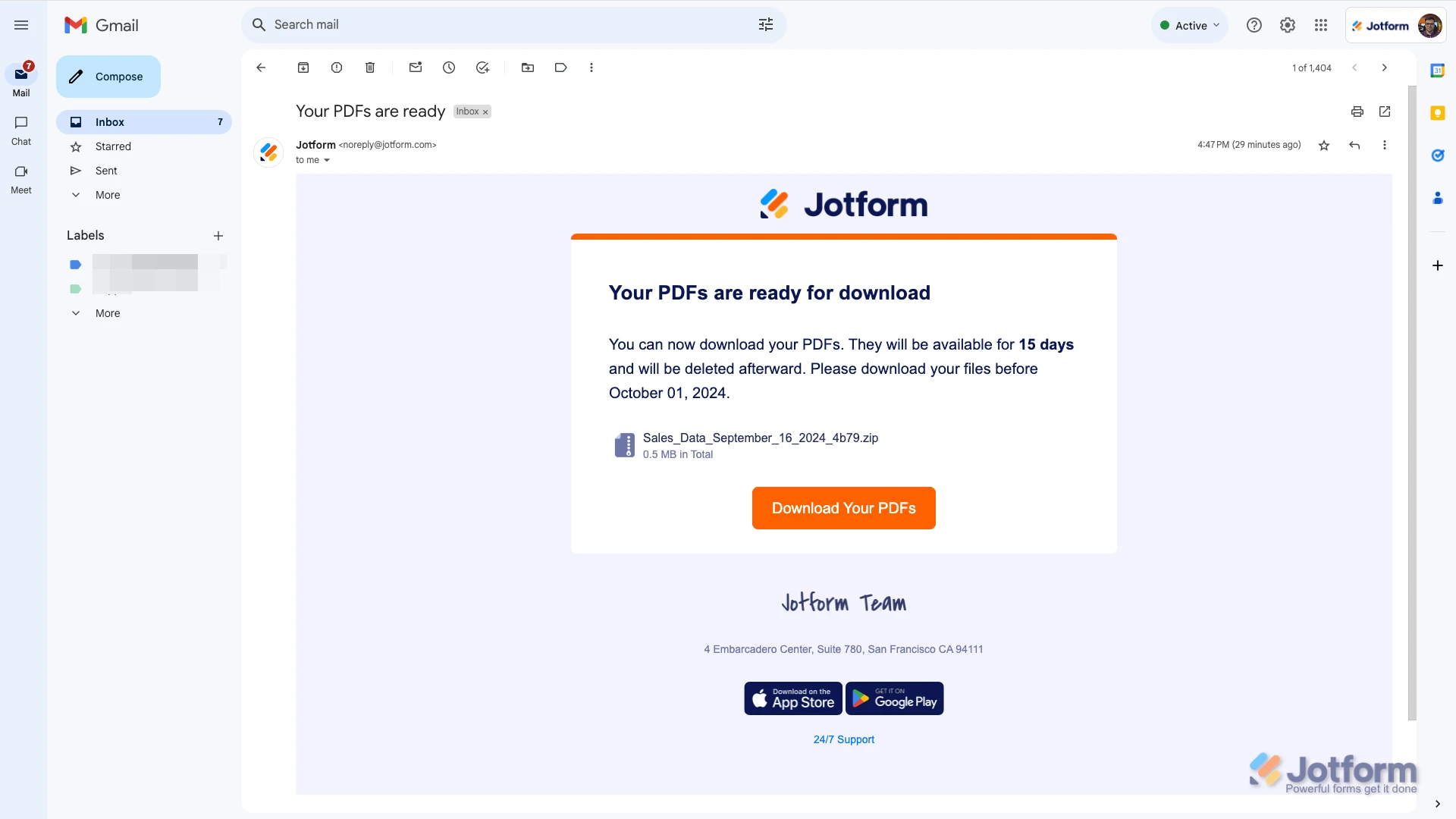
- In the dropdown menu, select the format you want to download. (If you select PDF, you'll receive an email with a link to download a zip file containing the PDF versions of the submissions. Other formats will start downloading as you click them.)
You can check out a screenshot of the email if you download as a PDF:
Give it a try and let us know how it goes.
-
karklein30
I still have to print them out individually. How can I put all the responses on one page to print out?
-
Podo: Support Specialist
Hi Karrie,
To put all your responses on one page for printing, Jotform does not have a direct feature to merge all submissions into a single printable page within the interface. However, here are some options you can consider:
- You can use the Combine Submissions app to merge submission data into one file after collection. Note that combined submissions will appear on separate tabs, not all on one continuous page.
- Alternatively, you can customize your PDF layout in the PDF Editor to create a printable version of your submissions, but this typically formats one submission per page.
- Another workaround is to download your submissions in Excel or CSV format and then use spreadsheet software to arrange and print multiple responses on one page.
Currently, there is no built-in option to print hundreds of responses all on one continuous page directly from Jotform Tables.
Give these options a try and let us know if you need further assistance.
Your Reply
Something Went Wrong
An error occurred while generating the AI response. Please try again!