-
 WW_Alum_Coordinator
Hi there,
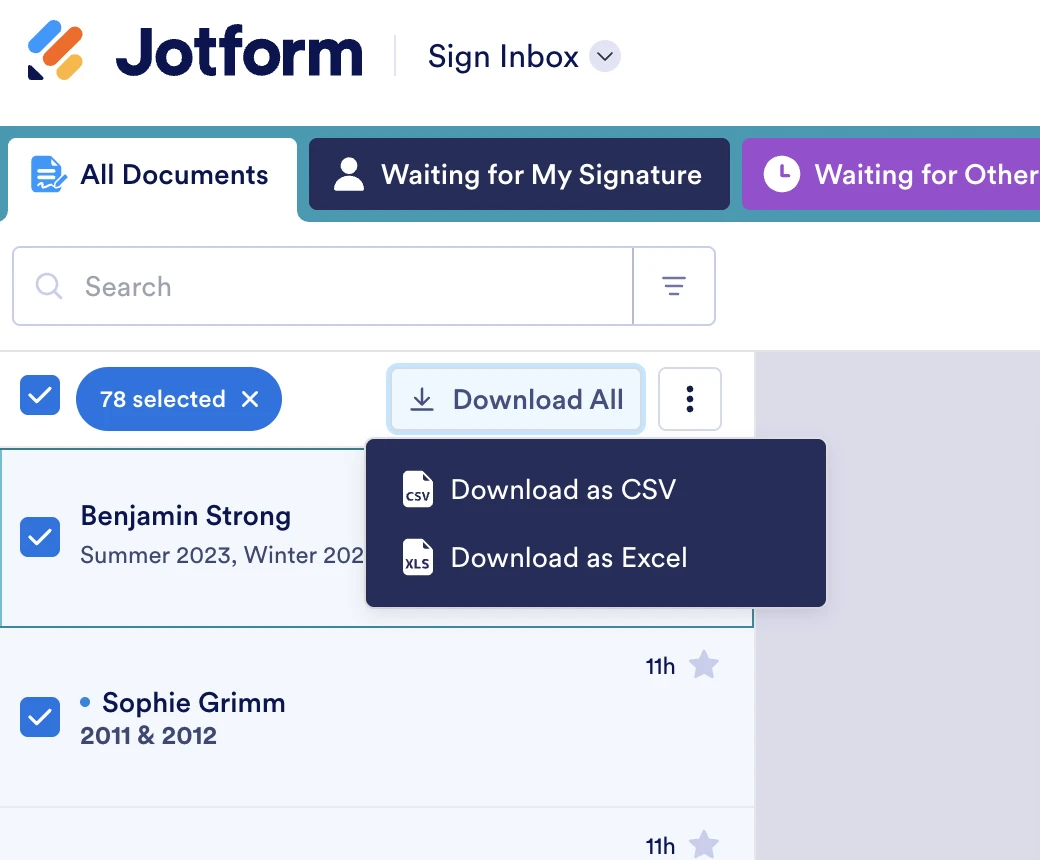
I have almost 80 signed forms that I'd like to download to a single PDF and not have to take the time to download each one. I tried using the AI assist but no success. Is this an issue with the type of account I have? Or am I just not seeing the right download button - all I see is the option to download all as a XLS/CSV chart which is not what I'm looking for.
Thanks so much.
David

-
 Podo: Support Specialist
Hi David,
Thanks for reaching out to Jotform Support. I'm an AI assistant here to assist you.
Regarding your request to download almost 80 signed forms into a single PDF, Jotform currently does not provide a direct option to merge multiple signed PDFs into one single PDF file automatically within the platform.
However, you can download signed documents individually or in batches from Jotform Tables or Sign Inbox. Here’s how you can manage and download your signed documents:
- Go to your Workspace page and use the Filter to show only Sign Documents.
- Open Sign Inbox for the document you want to access.
- Select completed entries and click Download Signed Document to download each signed PDF.
Alternatively, in Jotform Tables, you can:
- Open the table for your signed documents.
- Click on the cell under the Signed Documents column to see the list of signed PDFs.
- Download each PDF individually by clicking the green download icon.
- You can also select a single submission and use the Download menu to get the signed document or the signed document with audit trail.
Unfortunately, the option to download all signed PDFs as a single merged PDF is not available as a built-in feature, and the XLS/CSV download you see is for data export, not PDF documents.
If you want to combine all signed PDFs into one file, you would need to download them individually and then use a PDF merging tool outside of Jotform.
Let me know if you need guidance on how to download signed documents from Jotform Tables or Sign Inbox.
Give it a try and let us know how it goes.
-
WW_Alum_Coordinator
Ok. One of the reasons I paid for this service was to download merged PDFs. I really thought I saw this as a feature before purchasing. Please consider adding this feature - downloading this many forms is highly inefficient to the point of making the necessity of the program questionable.
-
 Anna JotForm Support
Hi WW_Alum_Coordinator,
When downloading Jotform Sign documents that are completed, unfortunately, you can only download one document at a time. While the feature you're looking for isn't available at Jotform right now, we've gone ahead and escalated your request to our developers.
Exactly when or if it's developed depends on their workload, how viable it is, and how many other users also request it. If there are any updates, we’ll circle back to this thread and let you know.
Thanks for your patience and understanding, we appreciate it.

Your Reply
Something Went Wrong
An error occurred while generating the AI response. Please try again!