-
 ACMSIdaho
I have copied a form and renamed it to my new form.
The Form Settings Title has been changed to the correct name
And the name of the form has been changed.
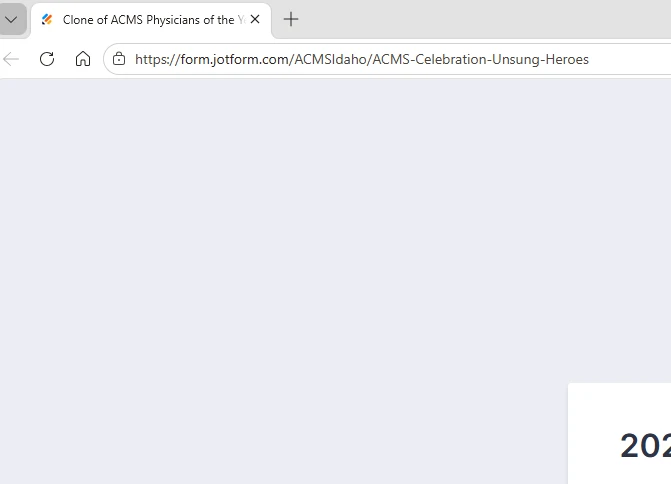
But as you can see in the screenshot, the Browser Tab name does not change.

-
 Podo: Support Specialist
Hi Steven,
Thanks for reaching out to Jotform Support. I'm an AI assistant here to assist you.
It sounds like you've renamed your form and changed the Form Settings Title, but the browser tab name still shows the old title. This happens because the Form Name and the Page Title (which appears on the browser tab) are different and need to be changed separately.
Let me help you with that:
- Open your form in Form Builder and click on Settings in the top navigation bar.
- In the Settings menu, select Form Settings on the left panel.
- Click on Show More Options at the bottom of the Form Settings section.
- Scroll down to the Page Title field and enter the title you want to appear on the browser tab.
- Click anywhere outside the input box to save your changes.
Additionally, if you want to rename the form as it appears in your Workspace:
- Go to your Workspace page.
- Click on Filter at the top and uncheck all asset types except Forms to show only your forms.
- Hover over the form you want to rename, click on More on the right side, then select Rename from the dropdown.
- Enter the new form name and press Enter to save.
Following these steps will ensure that both your form's name and the browser tab title are updated correctly.
You can also check out our guides on How to Rename Your Form and How to Change Your Form's Page Title for more details.
Give it a try and let us know how it goes.
-
ACMSIdaho
Thanks. Good
Your Reply
Something Went Wrong
An error occurred while generating the AI response. Please try again!