-
 Dakota_Solmonson
Hello!
I am trying to connect my form to a HubSpot account, but it will not connect, and it has asked me to contact support.

-
 Podo: Support Specialist
Hi Dakota,
Thanks for reaching out to Jotform Support. I'm an AI assistant here to assist you.
Let me help you with connecting your form to your HubSpot account. Here’s how to do it:
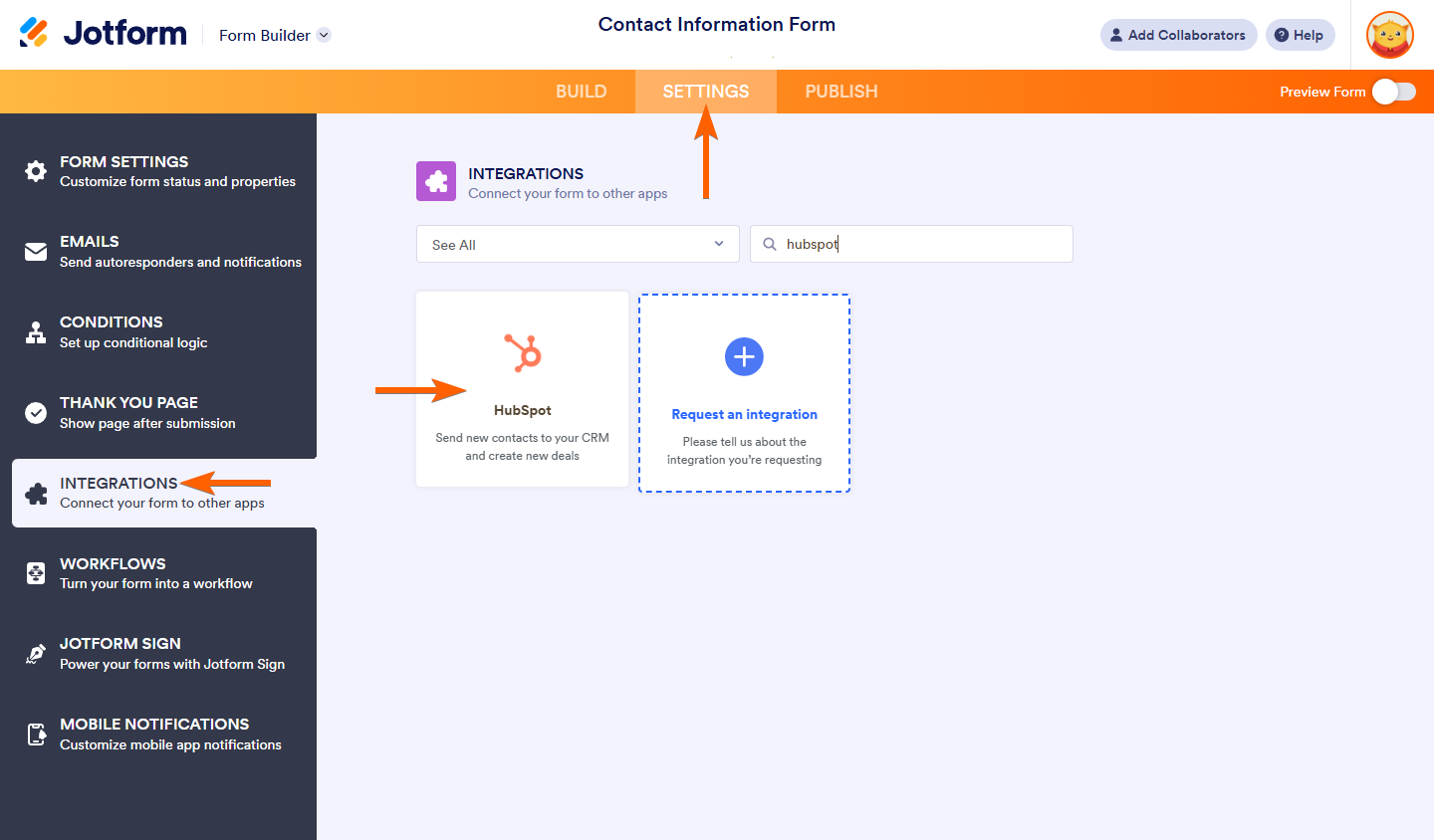
- Open your form in Form Builder and go to the Settings tab.
- Select the Integrations tab and search for HubSpot in the integrations list.
- Choose an action that you want to perform with HubSpot, such as creating contacts, deals, tickets, companies, or custom records, then click Next.
- Authenticate your HubSpot account by logging in and granting Jotform permission to access your HubSpot data. If you have already connected an account, you can select it from the dropdown or use another account.
- Complete the integration setup by mapping your form fields to HubSpot fields according to the action you selected.
- Save your integration settings by clicking the Save button at the bottom of the integration page.
If you encounter any issues during authentication or connection, make sure you are using the correct HubSpot credentials and that your HubSpot account has the necessary permissions to allow the integration.
Here are some images to guide you through the process:
If the problem persists, please provide more details about the error message or what happens when you try to connect, so I can assist you further.
Give it a try and let us know how it goes.
-
Dakota_Solmonson
Once I authenticate the account I want to use, it takes me to the HubSpot pop-up, where the error appears.
-
Podo: Support Specialist
Hi Dakota,
When you encounter an error on the HubSpot authentication pop-up during integration, here are some steps to troubleshoot the issue:
- Verify HubSpot Credentials: Make sure you are entering the correct login details for your HubSpot account.
- Check Permissions: Ensure your HubSpot account has the necessary permissions to allow Jotform to access and integrate with it.
- Use Another Account Option: If you have multiple HubSpot accounts, try using the "Use another account" button to log in with a different account.
- Clear Browser Cache and Cookies: Sometimes cached data can cause issues with authentication pop-ups. Clearing your browser cache and cookies may help.
- Try a Different Browser or Incognito Mode: This can help rule out browser-specific issues or extensions interfering with the connection.
Here are some images showing the authentication steps for reference:
If the error continues, please provide the exact error message or a screenshot of the pop-up so I can assist you further.
Give it a try and let us know how it goes.




Your Reply
Something Went Wrong
An error occurred while generating the AI response. Please try again!